HOME
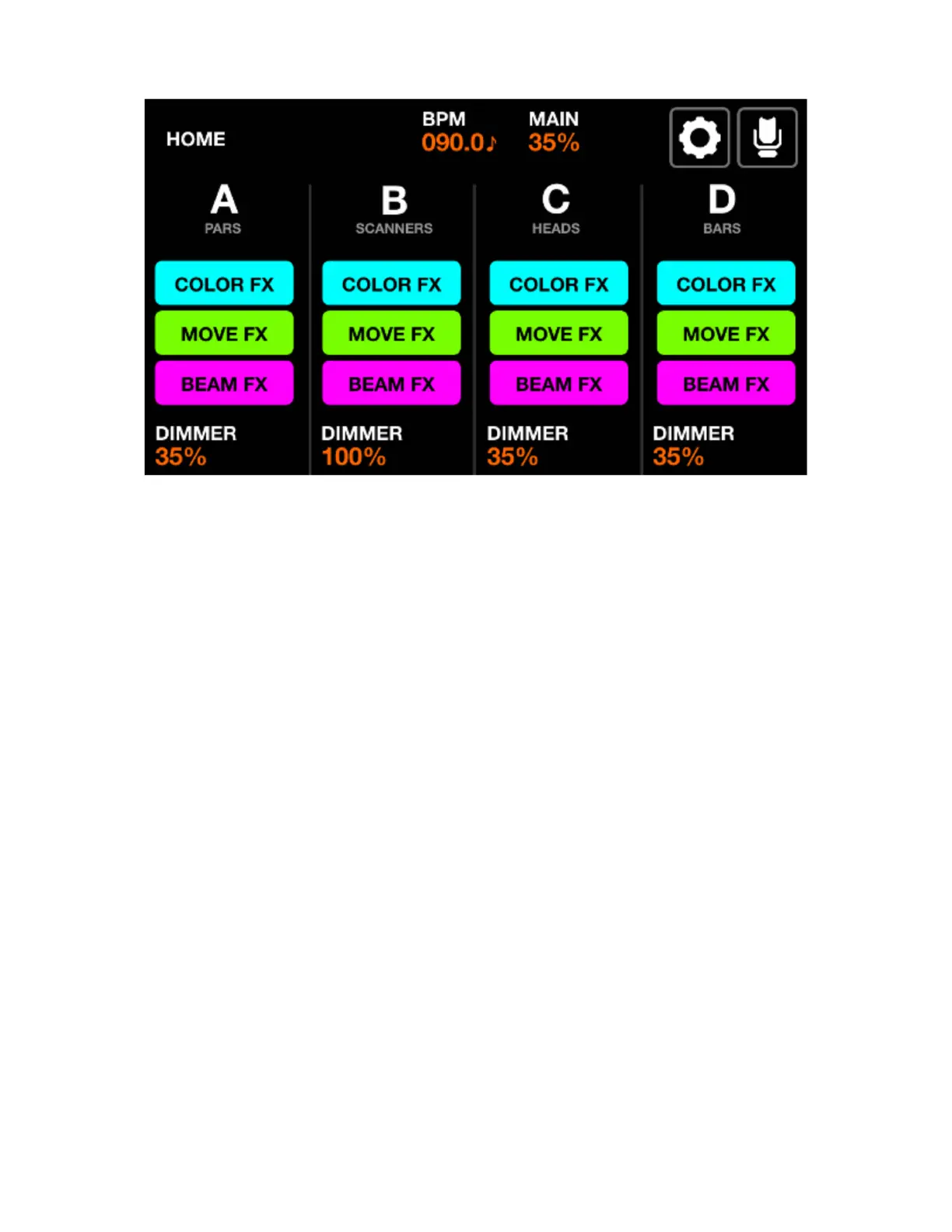
Fixture groups are controlled from the home screen. Each column represents one group. Four groups
are available per screen. Groups A-D are displayed by default. Hold shift and hit the BPM tap button to
display groups E-H.
Displayed data:
• Four columns representing four groups, each with a group letter and a group name if specied from
the Groups screen.
• Buttons to show the state of the FX.
• The group dimmer level and MAIN dimmer level.
• The current BPM calculated from the TAP button or from the WTOOLS app.
Encoder actions:
• Each encoder controls the dimming level of the group. Pushing the encoder toggles BLACKOUT. Shift
+ moving the encoder changes the MAIN dimmer.
• Shift + pushing an encoder locks the group from being modied by a Preset or Flash button.
Toolbar actions:
• Access Setup screen.
• Access Fixture Setup screen.
Other actions:
• Tapping the COLOR/MOVE/BEAM FX buttons will enable/disable the effects. Hitting the corresponding
colored buttons on the matrix will do the same.
• Hitting the top row of buttons on the matrix will set the dimmer to FULL whilst setting the dimmer of all
other groups to 0% (solo). Holding shift whilst hitting these buttons will cancel the solo and simply set
the selected group to FULL. The value is reverted upon release.
• Hitting the second row of buttons triggers the same function but any RGB lights are also set to White.
15














 To Next Page