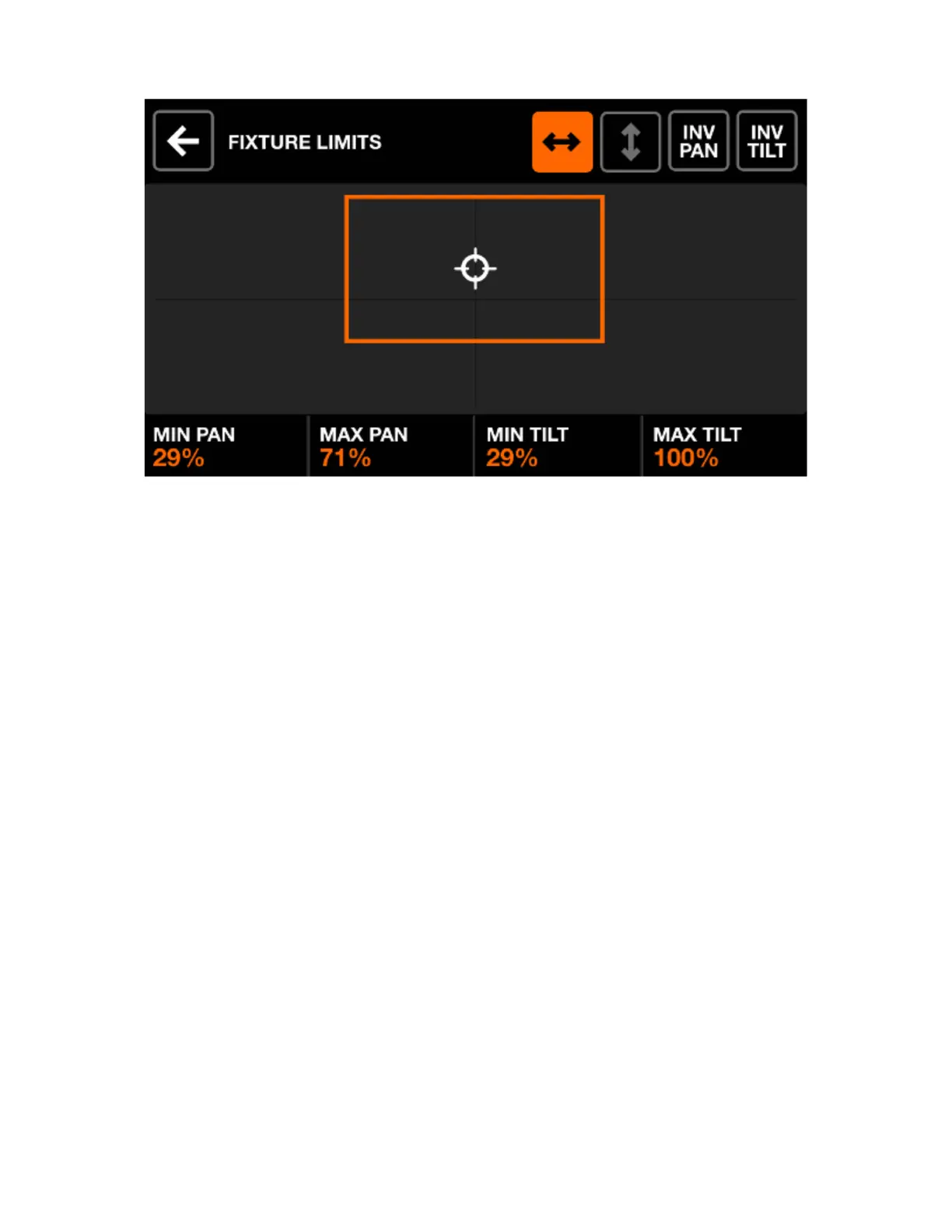
FIXTURE LIMITS
The xture limits screen allows for minimum and maximum pan and tilt values to be set on the selected
xtures. When set correctly, xture beams will move together in the desired area.
Displayed data:
• Minimum and maximum pan and tilt values of the selected xtures
• An orange rectangle to represent the values. Dragging the white cursor within the rectangle moves all
xtures in the project together, allowing for the boundaries to be tested.
Encoder actions:
• Move the 4 encoders to adjust the min pan, max pan, min tilt and max tilt. Push the encoders to reset
these values to 0 or 100%
Toolbar actions:
• Sweep the selected xtures from left to right.
• Sweep the selected xtures up and down.
• Invert the selected xtures Pan.
• Invert the selected xtures Tilt.
11














 To Next Page