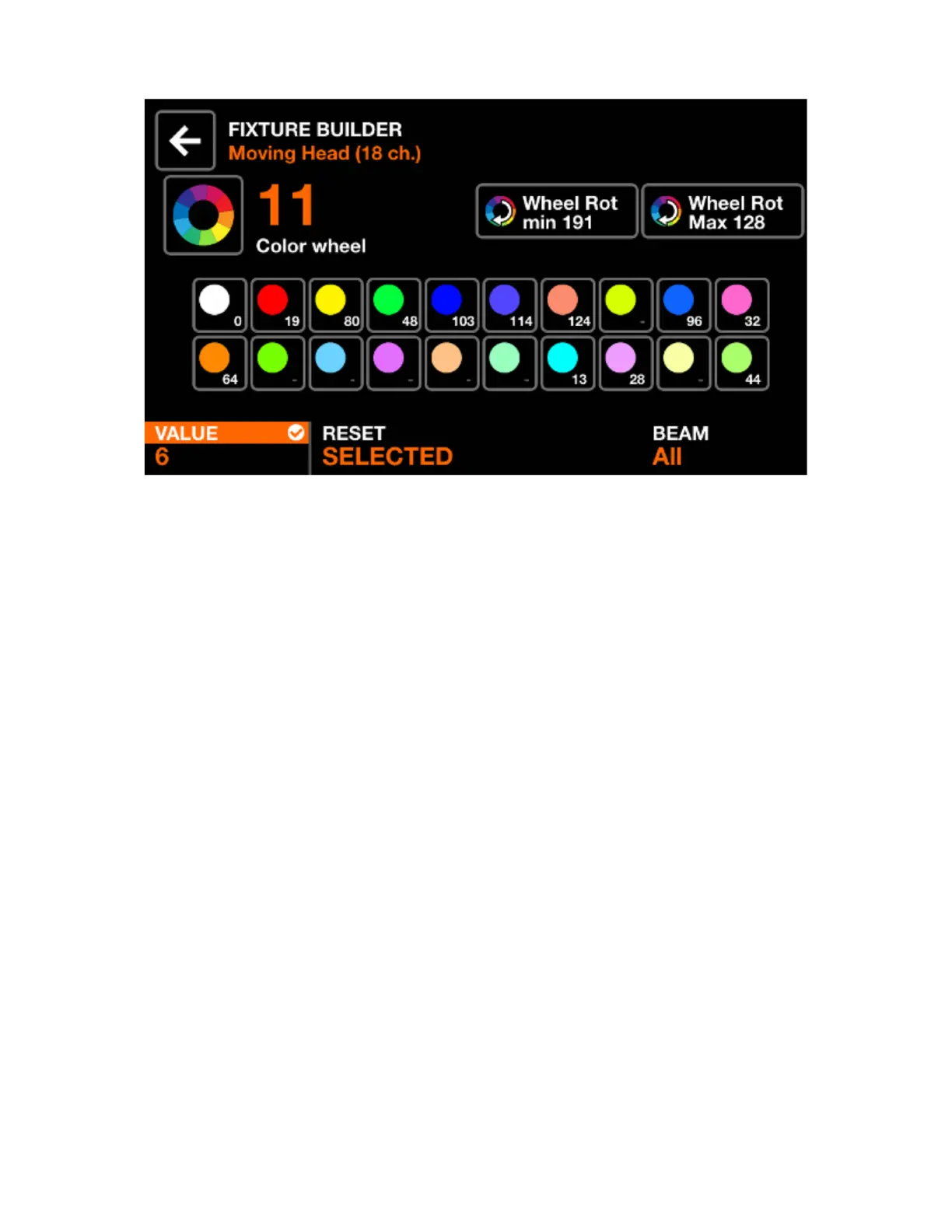
CHANNEL EDITOR SCREEN
Displayed data:
• Channel number and type
• A collection of feature buttons depending on the channel type. These may include colors, gobos and
strobe. Each button displays the feature value.
Encoder actions:
• Move the rst encoder to change the value of the selected feature. Push the encoder to apply the
change.
• Move the second encoder to reset all features on the channel or reset just the selected feature. Push
the encoder to apply.
• Move the fourth encoder to assign the channel to a beam.
Toolbar actions:
• Delete the channel. (only available on the last channel of the xture)
• Tapping the back button will go back to the xture channels screen.
Other actions:
• Tapping the large icon to the left of the channel number allows for the channel type to be changed.
• Tapping any of the feature buttons will display the associated feature values on the bottom bar, allowing
for the values to be changed via the encoders.
• Hitting the ashing matrix button will go back to the xture channels screen.
13














 To Next Page