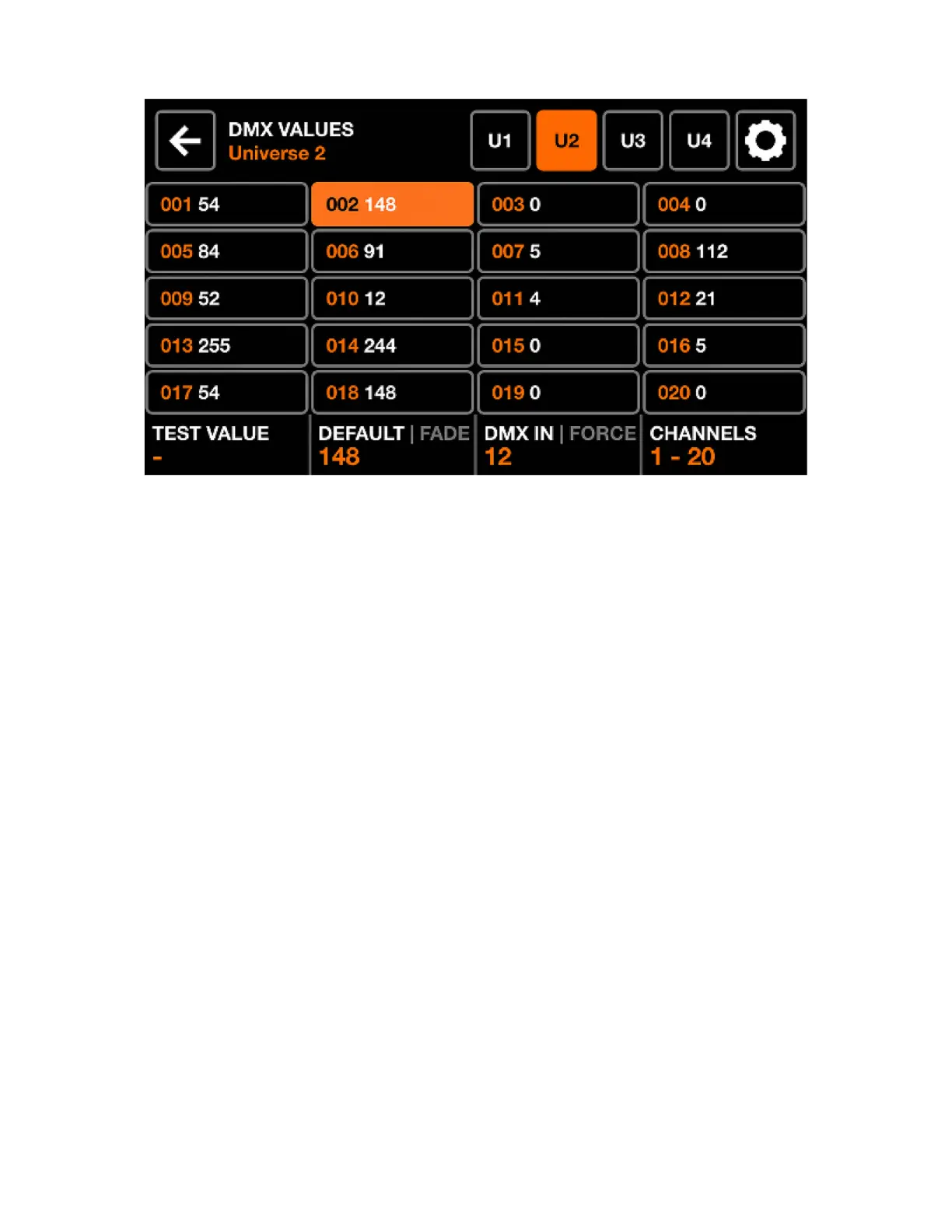
DMX VALUES
The DMX Values screen displays the current value of each DMX channel. It allows for the value to be
changed for testing purposes, and for channel settings to be adjusted.
Displayed data:
• A grid of 20 DMX channels.
• The test value, default value, fade state, and DMX input mapping of the selected channel.
• Buttons to display universes 1-4 and access beam settings.
Encoder actions:
• Move the rst encoder to set a test value on the selected channel. Tapping the encoder resets the
channel to its current value.
• Moving the second encoder changes the default value of the channel. This is the value which is set at
the beginning before any effects and palettes have been applied. Tapping the encoder toggles Fade
mode. When Fade is set, the channel value will fade presets or positions with fade times are triggered.
By default, color mixing and dimming channels are set to fade. Color Filter and Gobo channels are
set not to fade.
• Moving the third encoder maps a DMX IN channel to the selected channel (WLINK add-on required).
Tapping the encoder sets Force mode. When Force is enabled, the DMX input value will override all
FX and palette values on the channel. When Force is disabled, the DMX input value will be applied as
a default value at the beginning, and all FX and palettes will override the value.
• Moving the fourth encoder navigates between pages of 20 channels.
Other actions:
• Tapping one of the grid buttons selects a channel. Hitting one of the 20 matrix buttons also selects a
channel.
• Tapping one of the 4 universe buttons on the top bar will select and display the corresponding universe.
• Tapping the Settings button to the top right opens the beam settings screen.
42














 To Next Page