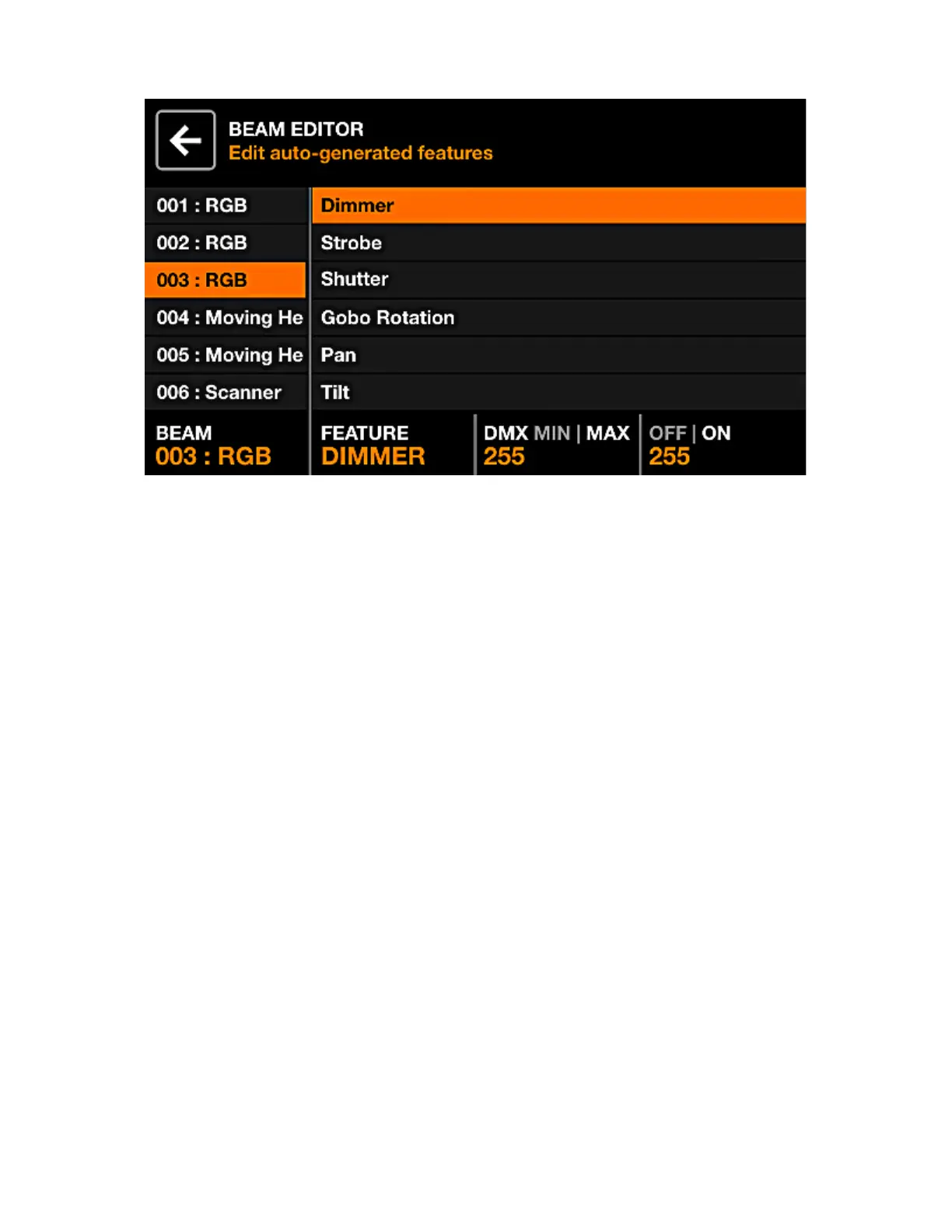
BEAM EDITORS
Advanced: each xture is split up into beams and beam features. Each beam feature contains min/max
and on/off values which are set automatically by Wolfmix. These values are calculated by the xture
prole and should not require changing. However if there is a fault with the xture prole or a special case,
some of these values can be edited via the Beam Editor screen.
Displayed data:
• A list of all beams.
• A list of features on the selected beam.
• The beam features min/max and off/on DMX values.
Encoder actions:
• Move the rst encoder to select a beam.
• Move the second encoder to select a beam feature.
• Move the third encoder to adjust the min and max DMX values for the selected feature. Tapping the
encoder will toggle between the min and max values. To invert the feature, set the min value higher
than the max value.
• Move the fourth encoder to select the off and on values. Tapping the encoder will toggle between the
off and on values.
43














 To Next Page