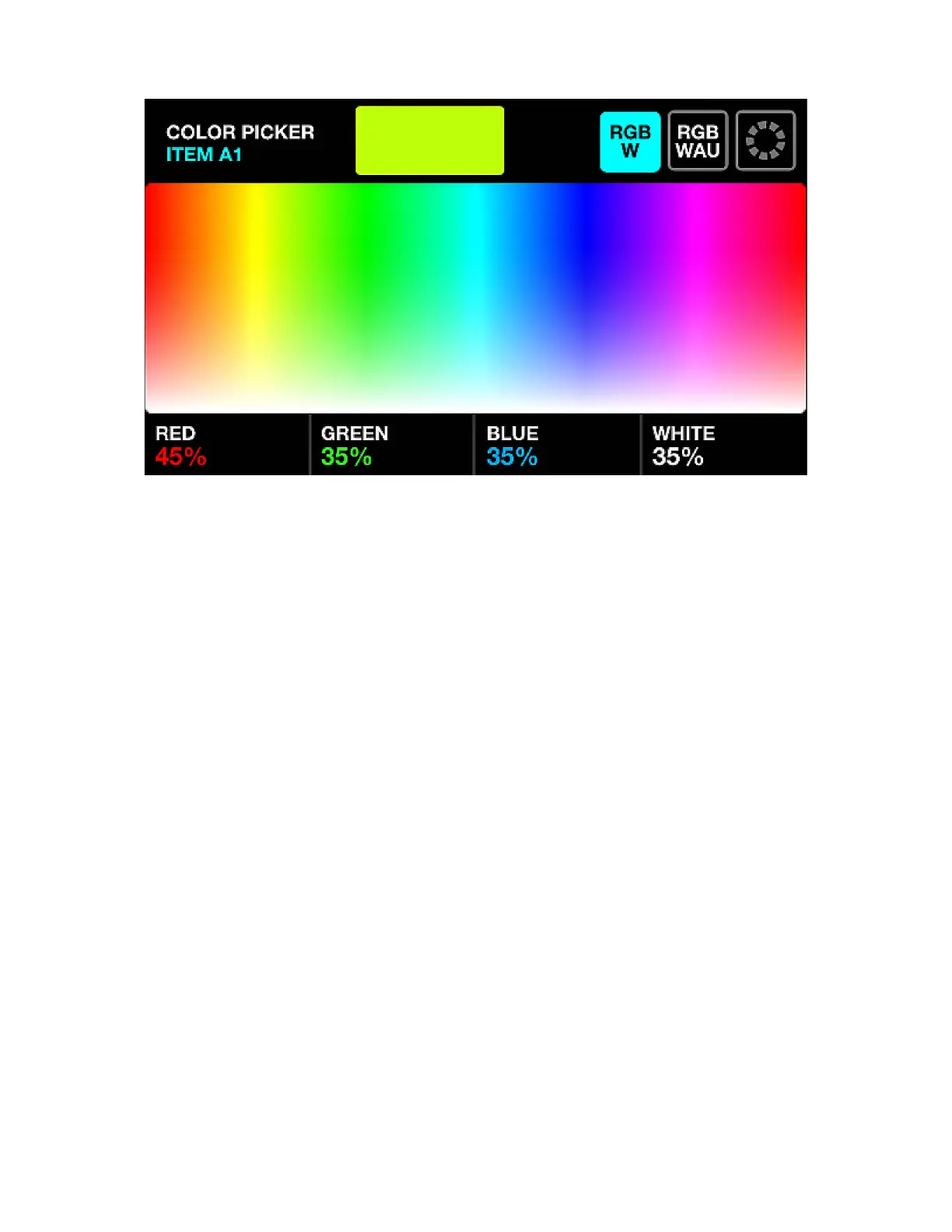
COLOR PICKER
Displayed data:
• The name of the currently selected button.
• A preview of the selected color.
• A color picker used to select a color.
• The color picker mode (RGBW, RGBWAU, Color grid).
• The generated color components (Red, Green, Blue, White, HUE, Amber, UV).
Encoder actions:
• Move the rst encoder to control the amount of RED from 0-100%. In RGBWAU mode, the rst
encoder will control the HUE.
• Move the second encoder to control the amount of GREEN from 0-100%. In RGBWAU mode, the
second encoder will control the WHITE.
• Move the third encoder to control the amount of BLUE from 0-100%. In RGBWAU mode, the third
encoder will control the AMBER.
• Move the fourth encoder to control the amount of WHITE from 0-100%. In RGBWAU mode, the
second encoder will control the UV.
Other actions:
• Tapping and dragging on the color picker will set the RGBW values to the selected color.
• Tapping the three buttons to the top right toggles between RGBW, RGBWAU and Color Grid picker
modes.
• Tapping one of the 20 color buttons on the grid will set the RGBW values to the selected color.
• Tapping the ashing Matrix button stores the new color and closes the color picker. Tapping any other
button cancels the change.
22














 To Next Page