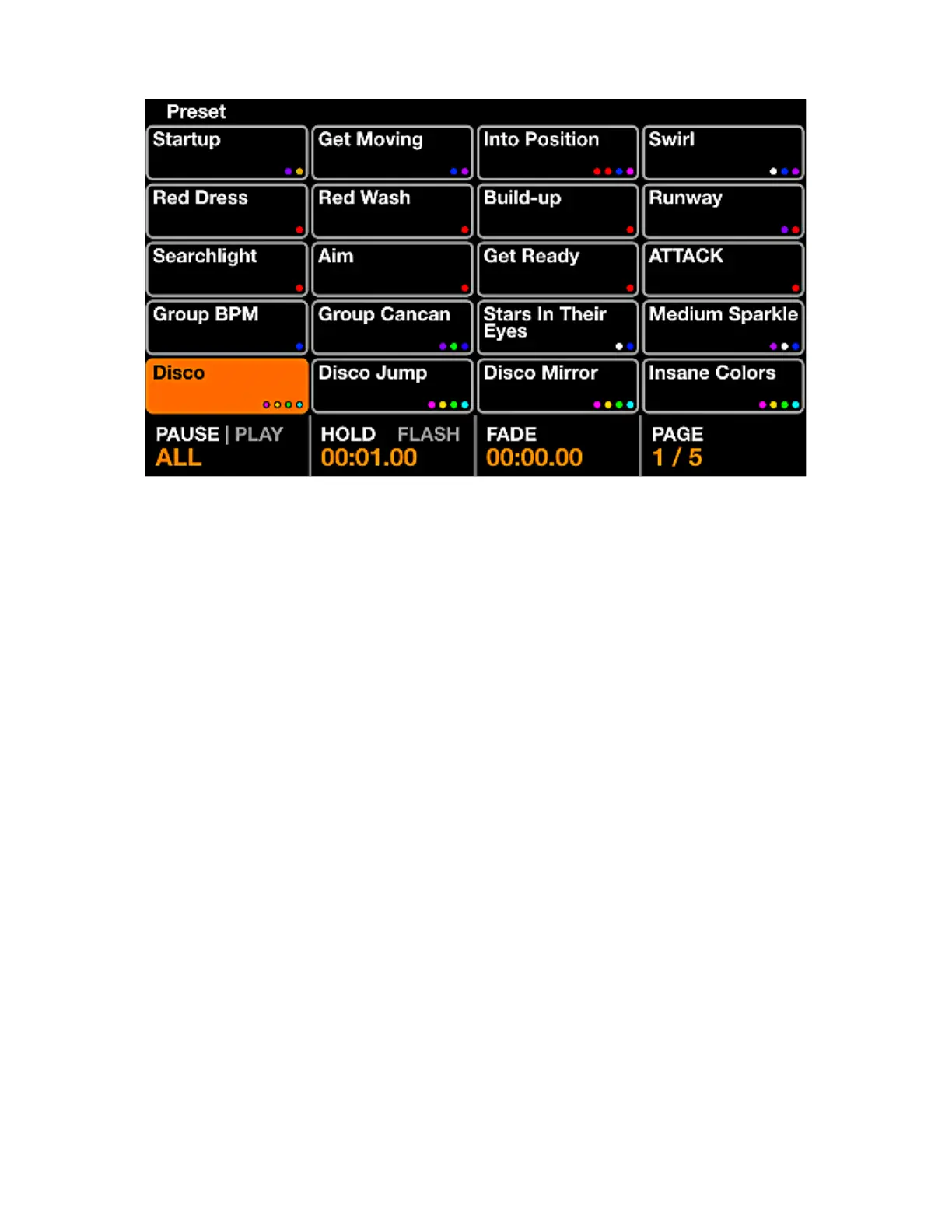
PRESET
The Preset screen contains 5 pages of 20 presets. Each Preset contains all selected buttons including
effect status and palette item status along with group dimmers and effect properties.
Displayed data:
• A grid of 20 Preset buttons including the preset name and the rst 4 colors used within the preset.
• The Play state in the bottom left.
• The selected presets hold and fade times.
• When the presets are being played back as a cuelist, the elapsed time of the currently selected preset
will be displayed to the top right.
Encoder actions:
• Pushing the rst encoder plays the presets sequentially according to the Hold and Fade times. Move
the encoder to set whether all presets from 1-100 should be played, or just the 20 presets on the
current page. When the nal preset is released, the rst preset will be triggered.
• Moving the second encoder will change the Hold time of the preset in increments of 1 second. Holding
shift will increment in 0.04s. The Hold time is the amount of time the preset will be held before jumping
to the next preset if Play is set, or released if Flash is pressed. Pushing the second encoder toggles
the Flash property. When the Flash property is set, the preset will be triggered when the matrix button
is pressed and the previous preset will be recalled when the matrix button is released. If the Hold
time has not been reached at the time the button is released, the preset will remain active and will
be automatically released once the Hold time has been reached. Note that tapping the preset on the
touchscreen will not active the Flash.
• Moving the Third encoder will change the Fade time of the preset in increments of 1 second. Holding
shift will increment in 0.04s.
• Moving the fourth encoder will change the selected page.
29














 To Next Page