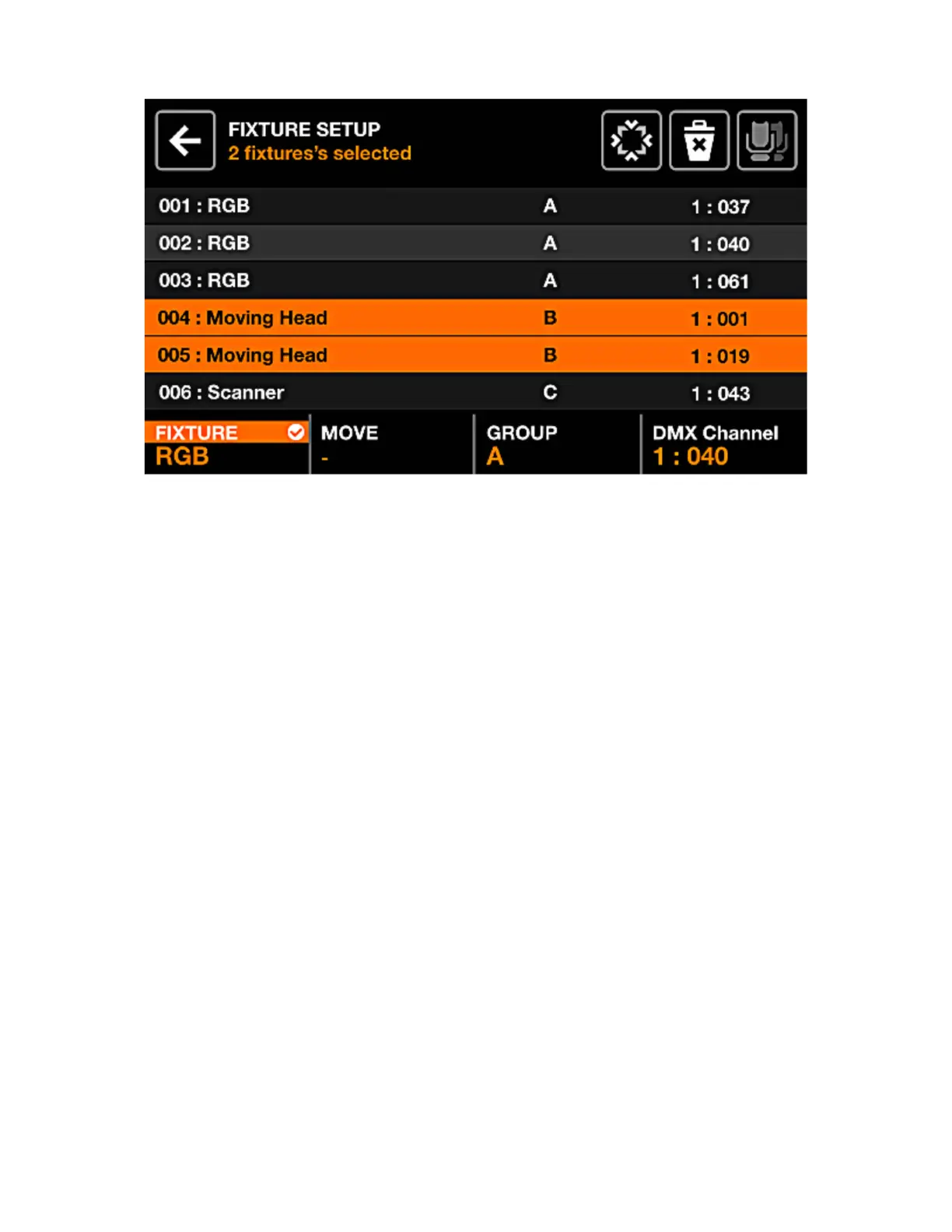
FIXTURE SETUP
A list of all xtures which have been added to the project is shown.
Displayed data:
• Fixture index and name.
• The group the xture has been assigned to.
• The DMX universe number and the DMX address.
Encoder actions:
• Move the rst encoder to select a xture. Push to select or deselect the highlighted item.
• Move the second encoder to select a new start index for the selection of xtures. Push the encoder
to apply the change.
• Move the third encoder to assign the selection of xtures to a new group. Push to apply the change.
• Move the fourth encoder to select a new DMX address for the selected xtures. Push to apply the
change. The addresses will be allocated sequentially across the selected xtures according to their
index.
Toolbar actions:
• FLIP the selected xtures, inverting their beam order.
• Open the Fixture Limits screen to limit the pan and tilt channels
• Delete the selected xtures.
• Select all xtures of the same type.
• Tapping DONE removes all xtures from the selection.
• When no xtures are selected, the ‘Add Fixture’ button is visible. Tapping this opens the xture
selection screen.
9














 To Next Page