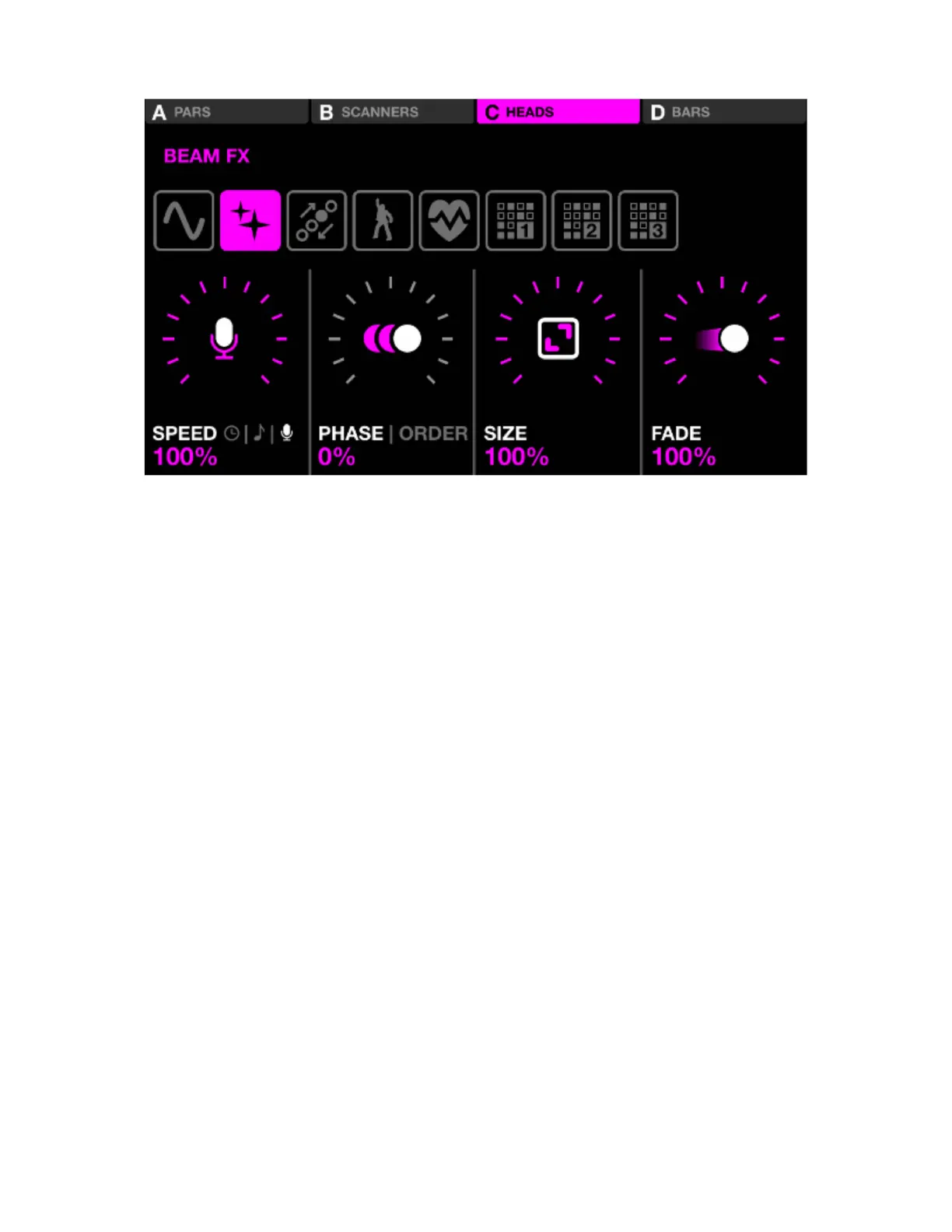
BEAM FX
Displayed data:
• Four buttons along the top to indicate which groups have Beam FX enabled. Shift + hit the BPM TAP
button to toggle between groups A-D and E-H.
• Eight buttons to select the Beam Fx type.
• Speed, Phase, Order, Size and Fade FX properties.
Encoder actions:
• Move the rst encoder to control the FX speed. This is controlled either by a linear % or a BPM division
depending on the Sync mode. Pushing the encoder toggles between Clock, BPM, and Audio Pulse
(mic/line in) sync.
• Move the second encoder to adjust the Phase or Order. Pushing the encoder toggles between Phase
and Order mode. Phase is controlled as a %. Order will change the xture order consequently playing
the effect forwards, backwards, symmetrically inwards and symmetrically outwards.
• Move the third encoder to control the FX Size.
• Move the Fourth Encoder to control the FX Speed.
Other actions:
• Tapping the eight FX selection buttons changes the FX type and recalls associated properties.
• Tapping the four buttons at the top of the screen, or hitting one of the buttons on the top row of the
matrix turns the FX on and off for each group.
• Tapping one of the 16 light pink buttons on the matrix ashes a portion of lights within the group. Rows
2-5 represent 4 portions of the group.
• Tapping the ‘Edit’ button when a sequence effect type is selected opens the sequencer.
19














 To Next Page