139
ADOBE PREMIERE 5.0
User Guide
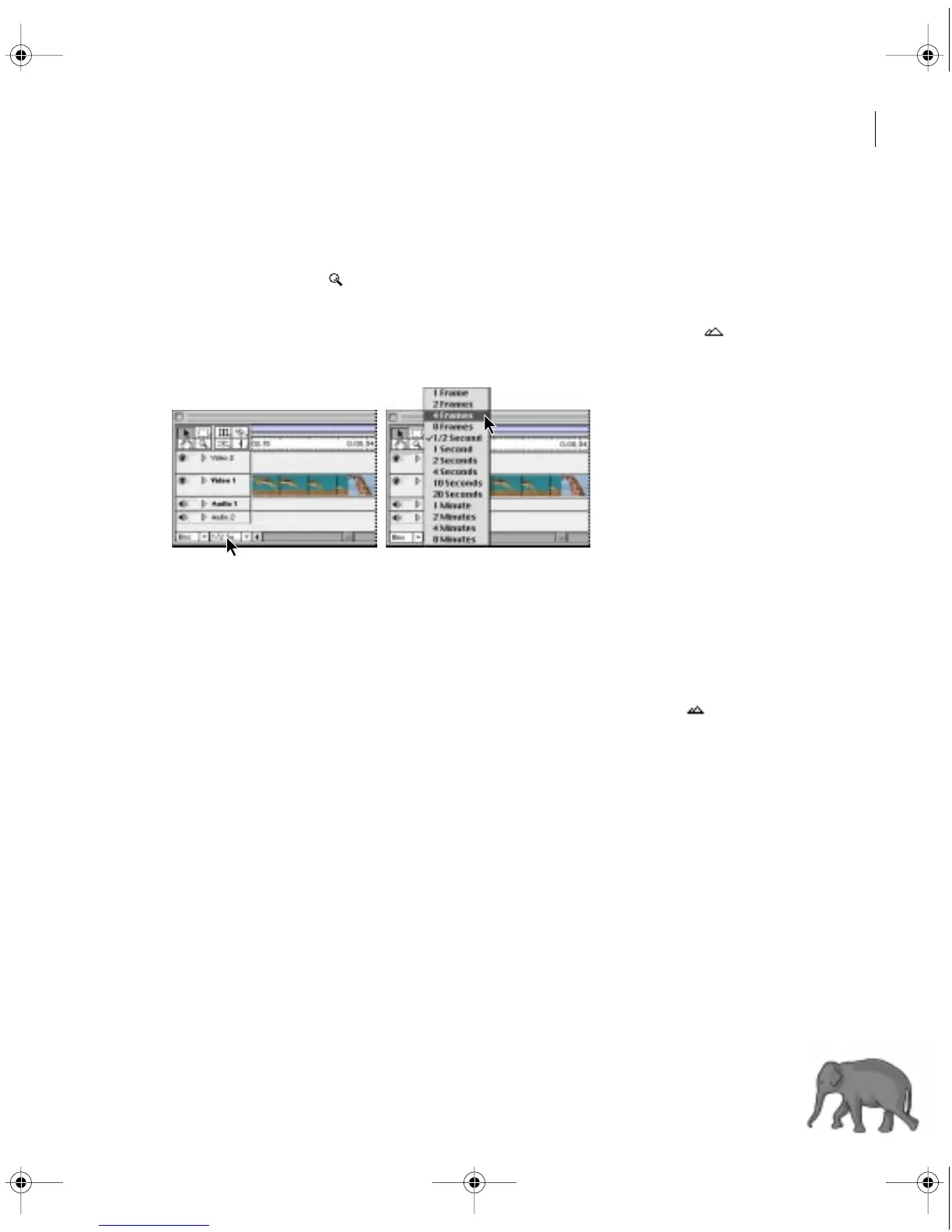
To display the Timeline in more detail:
Do one of the following:
•
Select the zoom tool ( ) and then click on, or drag a rectangle around, the part of the
Timeline you want to see in more detail.
•
In the Navigator palette, drag the slider to the right, or click the Magnify icon ( ).
•
Select a smaller time increment from the Time Unit menu at the bottom of the Timeline.
To display more of the program in the Timeline:
Do one of the following:
•
Select the zoom tool and then press Alt (Windows) or Option (Mac OS) as you click the part
of the Timeline you want to be centered in the new view.
•
In the Navigator palette, drag the slider to the left, or click the Reduce icon ( ).
•
Select a larger time increment from the Time Unit menu at the bottom of the Timeline.
Customizing the Timeline window
You can customize the Timeline display, including how it represents clips when you view or edit
them in the Timeline. For information on customizing the Timeline’s tracks, see “Customizing
track views” on page 141.
c00.book for PS Page 139 Tuesday, March 31, 1998 1:28 PM



 To Next Page