177
ADOBE PREMIERE 5.0
User Guide
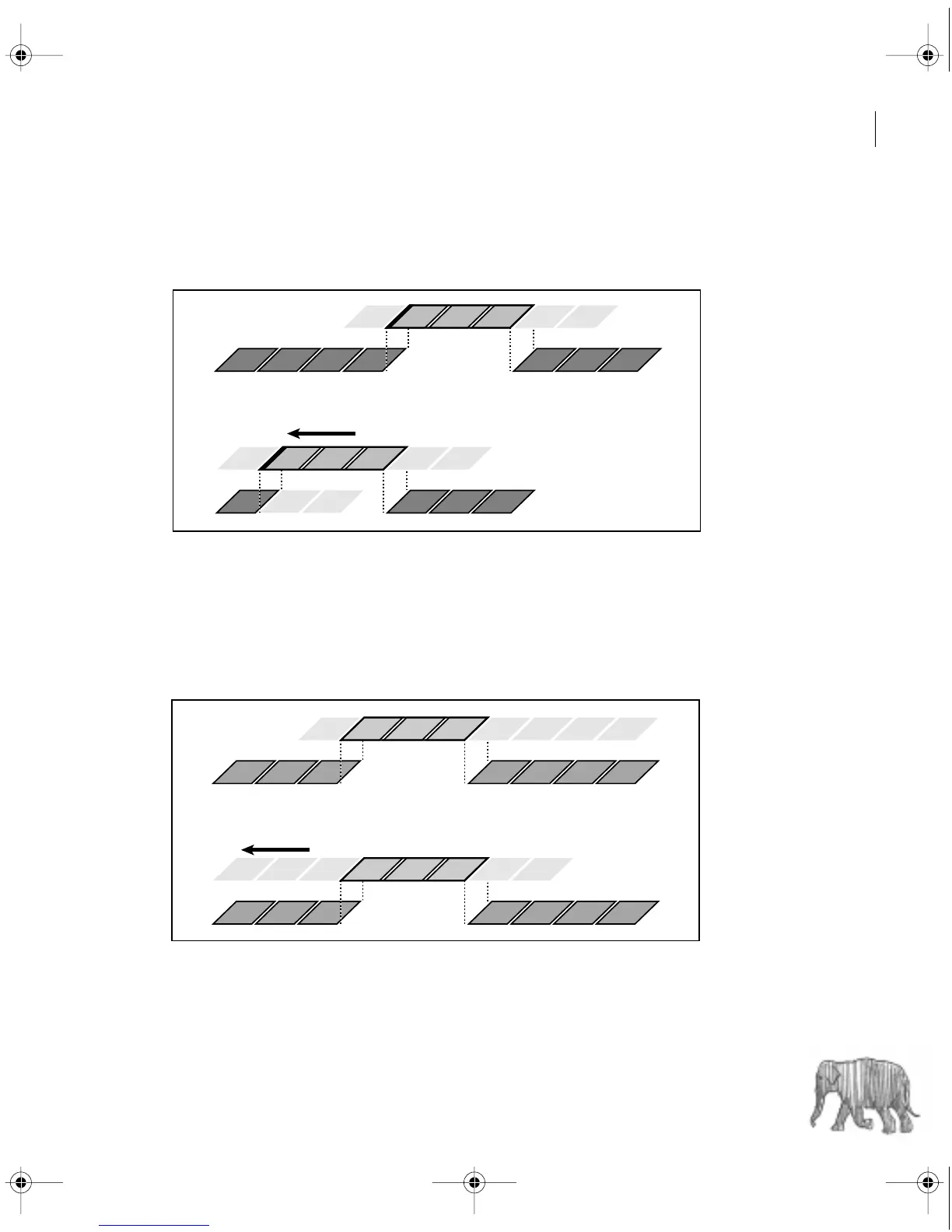
• A ripple edit maintains the durations of all other clips by changing the program duration.
You drag the edit line, and the overall program duration is lengthened or shortened by the
number of frames you added to or subtracted from the clip to the left of the edit line.
In this ripple edit, the edit line is dragged earlier in time, shortening the preceding clip and the
program duration.
• A slip edit lets you shift the starting and ending frames of a clip forward or backward
without affecting anything else in the Timeline. You drag a clip left or right, and its source
In and Out points shift accordingly. The program duration and the source and program
In and Out points of all other clips remain unchanged.
In this slip edit, a clip is dragged left, moving its source In and Out points later in time.
c00.book for PS Page 177 Tuesday, March 31, 1998 1:28 PM



 To Next Page