CHAPTER 4
178
Editing Video
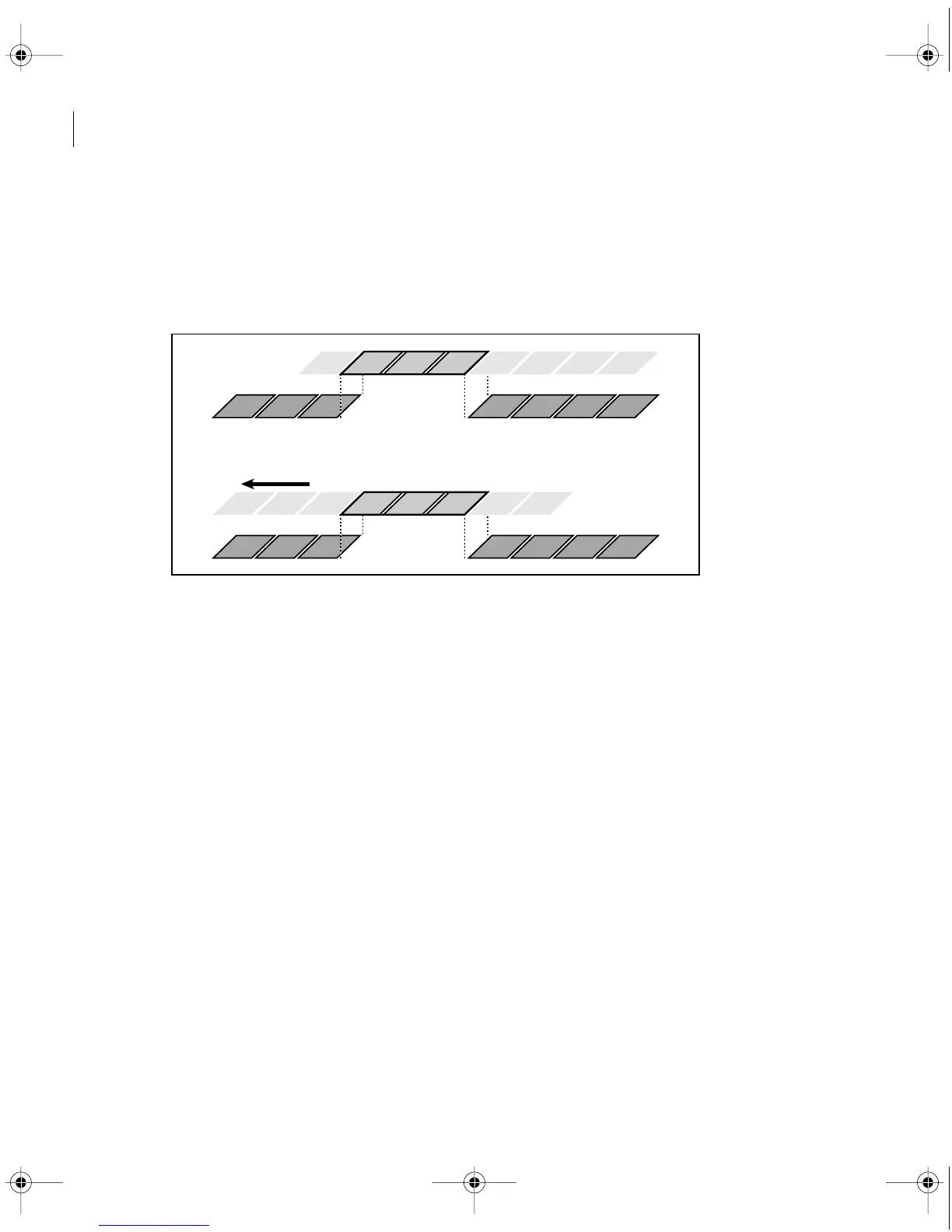
• A slide edit preserves the duration of a clip and the program duration by changing the In
and Out points of the preceding and following clips. As you drag a clip left or right, the Out
point of the preceding clip, the In point of the following clip, and the clip’s program In and
Out points are moved by the number of frames you moved the clip. The clip’s source In
and Out points and the program duration remain unchanged.
In this slide edit, a clip is dragged left so that it starts earlier in the program, shortening the preceding
clip and lengthening the following clip.
Note: When you perform any action that extends the duration of a clip, additional frames must
be available in the clip’s source (master) clip beyond the current In or Out point. For example,
if you didn’t trim the beginning or ending of a source clip before adding it to the Timeline, the
clip is already using all frames available from its source, so its duration cannot be extended.
c00.book for PS Page 178 Tuesday, March 31, 1998 1:28 PM



 To Next Page