319
ADOBE PREMIERE 5.0
User Guide
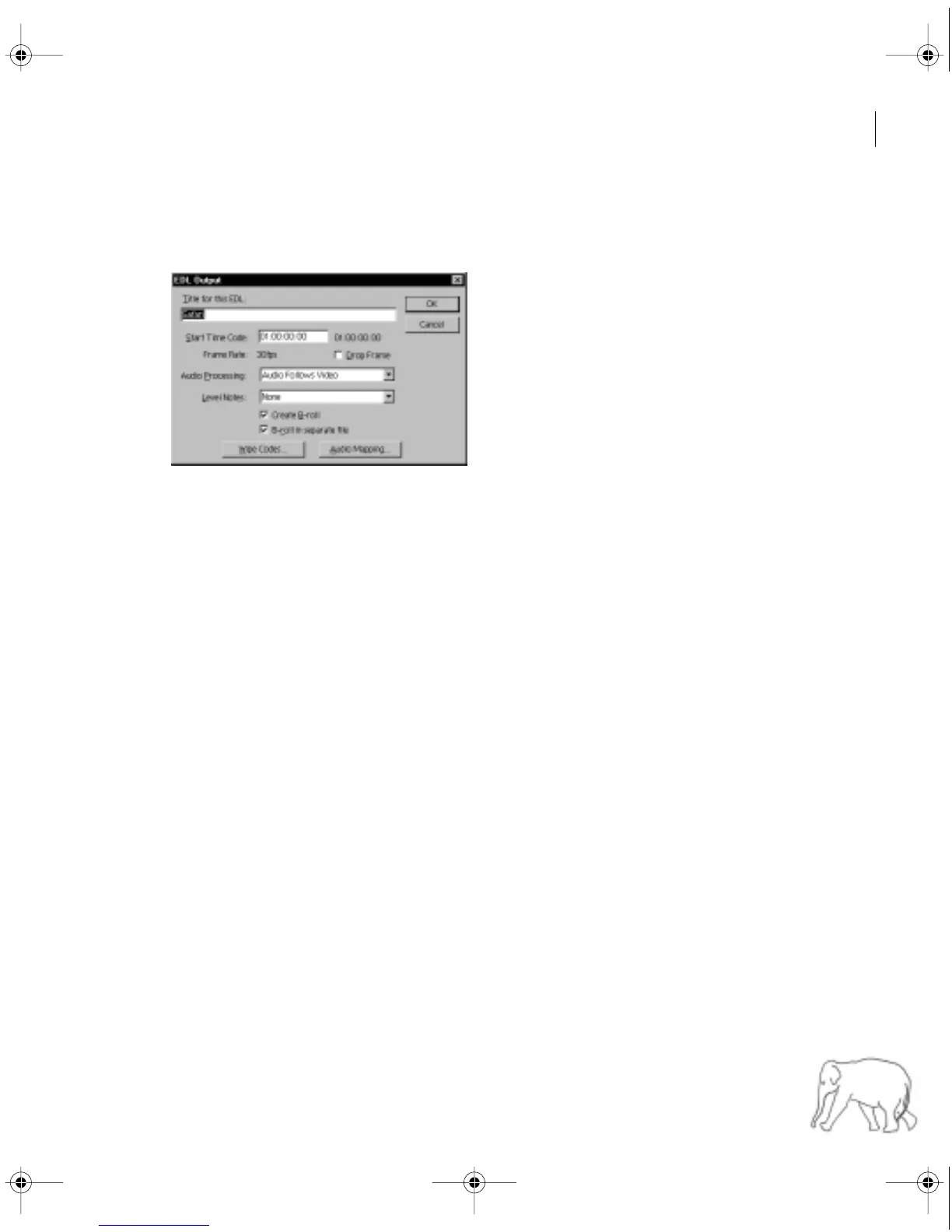
To export a project to a specific EDL format:
1 Choose File > Export, and choose an EDL format from the bottom of the Export menu.
2 Specify the following options (which may vary by the type of EDL you choose):
• Title for This EDL to display in the EDL header.
• Start Time for the time at which you want recording to start on the recording reel.
• Frame to match the time counting method used by the EDL. The default is non-drop-frame
timecode; select the Drop Frame option if desired. This option does not alter the frame rate.
• Audio Processing for sound options (see “Audio in the EDL” on page 324).
• Level Notes to annotate edit information with more detailed information. None includes no
additional notes. Audio Only includes notes about audio levels, Keys Only includes notes about
superimposition keys, and Audio and Keys includes both.
• Create B-Roll to make a separate list of source clips used in transitions or keys when they
require clips from the same source reel. This list, called a B-roll conform list, is used by the post-
production facility to make an additional source reel of clips used in transitions or keys.
• B-Roll in Separate File to list B-Roll edits in a separate EDL if you selected Create B-Roll.
c11.fm Page 319 Wednesday, April 1, 1998 10:08 AM



 To Next Page