Advanced RF Technologies, Inc.
Center Frequency:
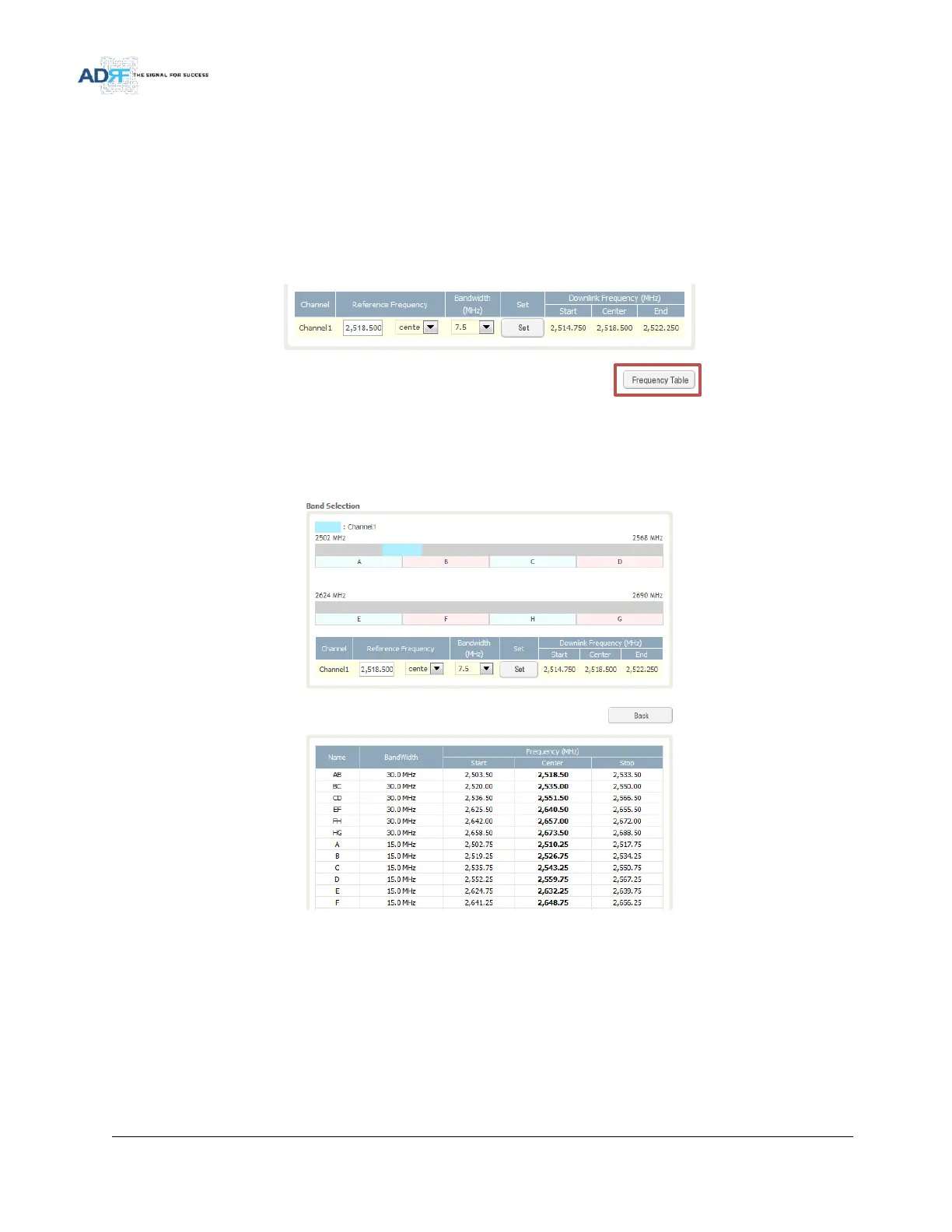
Once a center frequncy is specified and a bandwidth is selected, the system will split the bandwidth value in half
and then add this to the center frequency to obtain your end frequency and also subtract this value to obtain your
start frequency.
Stop Frequency:
If a stop frequency is specified, then this will be the ending frequency of the band selection. Subtracting the
bandwidth value that is selected from the Bandwidth column will give you the start frequency of your band selection.
5.4.4.2 Install- Frequency Table
Figure 75 Install- Frequency Setting
By clicking on the Frequency Table button, the following screen will appear. You can use the frequency table as
a reference to set the desired bands. Clicking on the Back button will take you back to the previous page.
Figure 76 Install- Frequency Table



 To Next Page