Advanced RF Technologies, Inc.
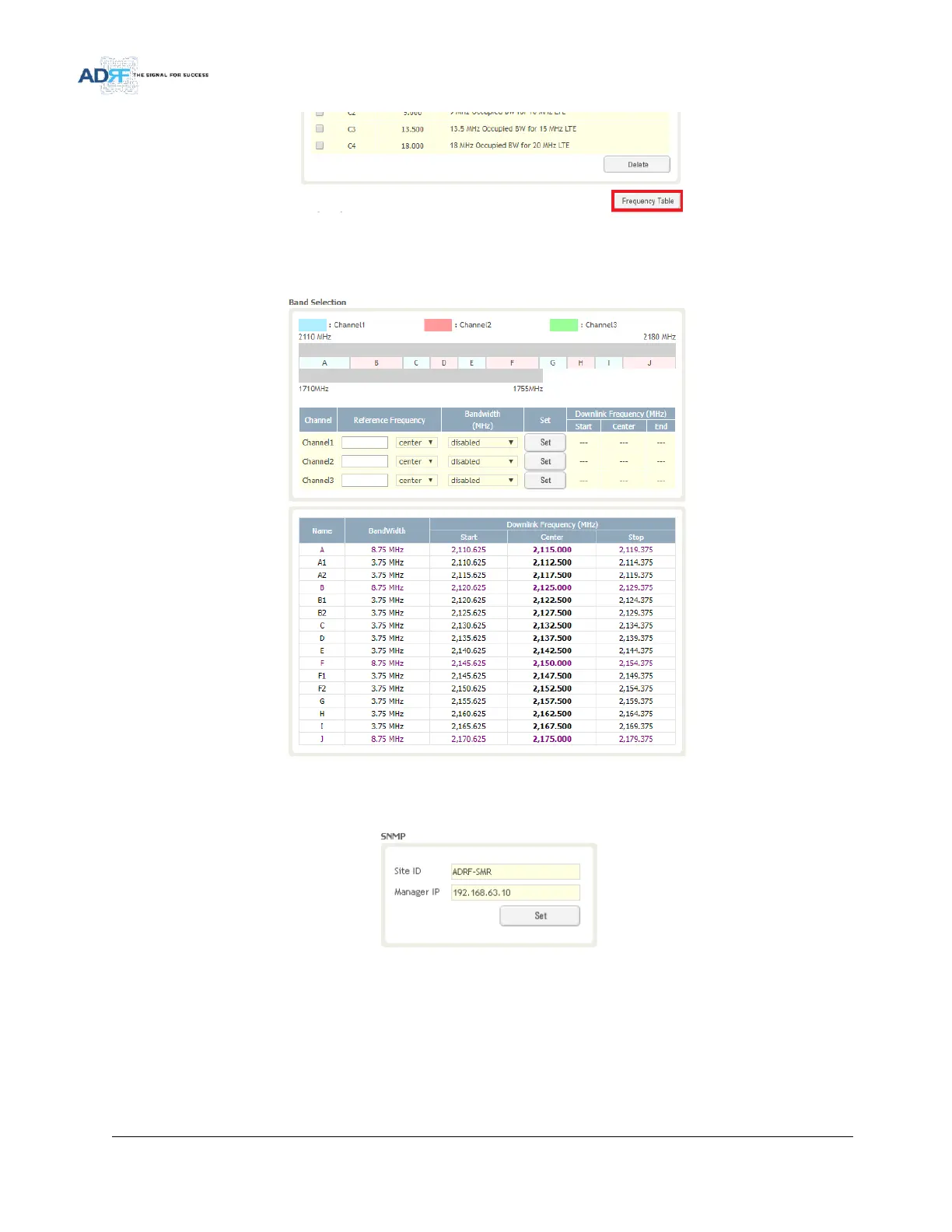
Figure 93 Install – Frequency Setting
By clicking on the Frequency Table button, the following screen will appear. You can use the frequency table as
a reference to set the desired bands. Clicking on the Back button will take you back to the previous page.
Figure 94 Install- Frequency Table
5.4.7.3 Install- SNMP
Figure 95 Install - SNMP
The SNMP section allows you to specify the Site ID and Manager IP. The Site-ID is the code that is used to
identify a particular module. The Manager IP field is where the user inputs the IP address of the NOC system that is
being used to monitor the SNMP traps.
5.4.7.4 Install- Auto Installation



 To Next Page