SET THE IP ADDRESS AND PROTOCOL
SMD17E2 User Manual
ADVANCED MICRO CONTROLS INC.
100
2.2c.6 Press the [SCAN] button and Connect to the SMD17E2
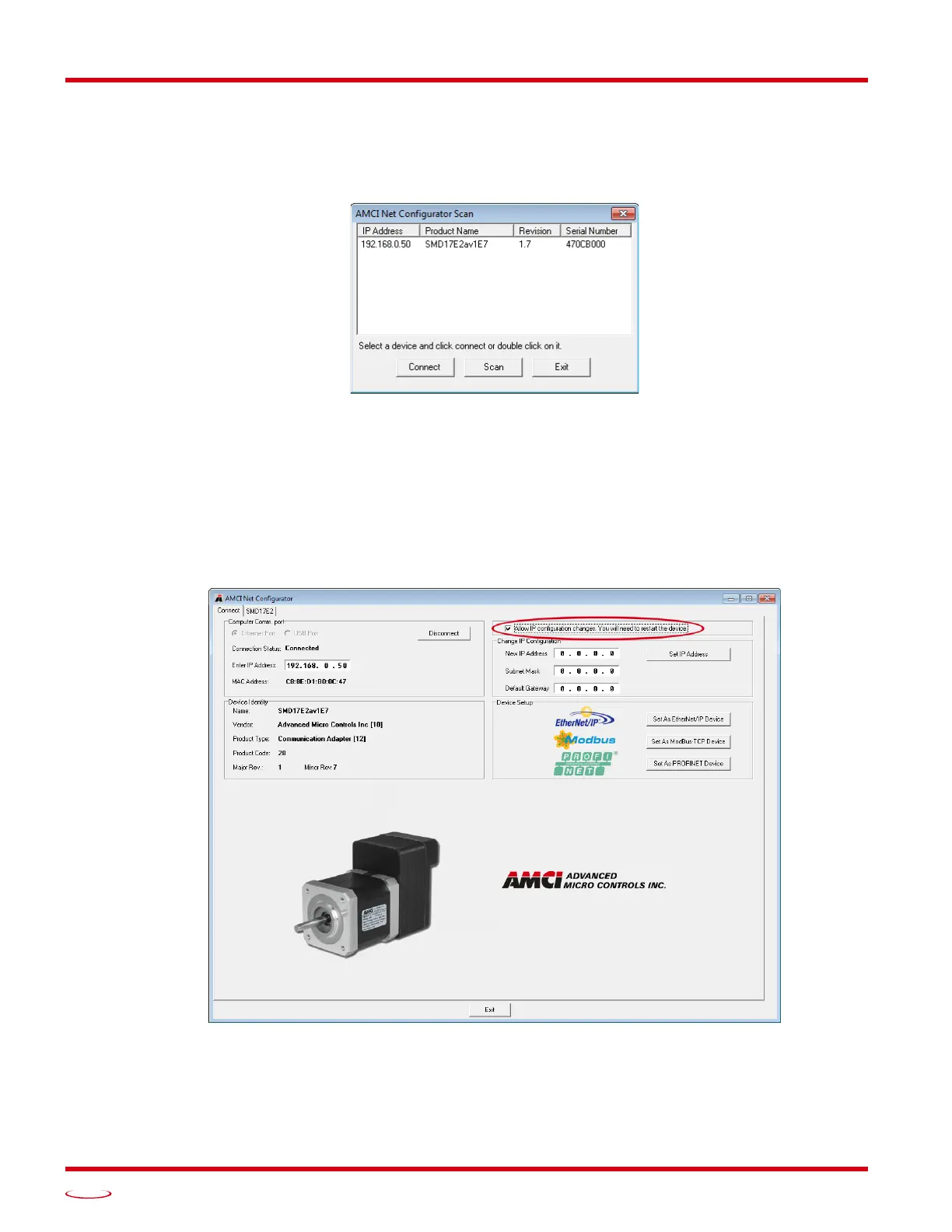
Pressing the [Scan] button will open the window shown in figure T2.4. The SMD17E2 will appear in the scan
list only if the unit and your network interface are on the same subnet. Optionally, you can press the [Manual
Connect] button and enter the IP address of the SMD17E2.
Figure T2.4 Scan for SMD17E2
If scanning for the SMD17E2, click on the IP Address of the SMD17E2 and click on the [Connect] button.
The Net Configurator utility will connect to the unit.
2.2c.7 Click on the "Allow IP..." Checkbox to Access the IP Settings
Figure T2.5 below shows the screen that results when you are connected to the SMD17E2. In order to change
the IP Address of the unit, you must first click on the checkbox next to the text “Allow IP configuration
changes. You will need to restart the device.” Once the checkbox is selected, the [Set IP Address] button will
be enabled.
Figure T2.5 Enable IP Address Changes
2.2c.8 Set the IP Address, Subnet Mask, and Default Gateway
Enter your desired values into the IP Address, Subnet Mask, and Default Gateway fields.



 To Next Page