PROFINET NETWORK CONFIGURATION
SMD17E2 User Manual
ADVANCED MICRO CONTROLS INC.
124
7.4 Add the SMD17E2 to the PROFINET Network
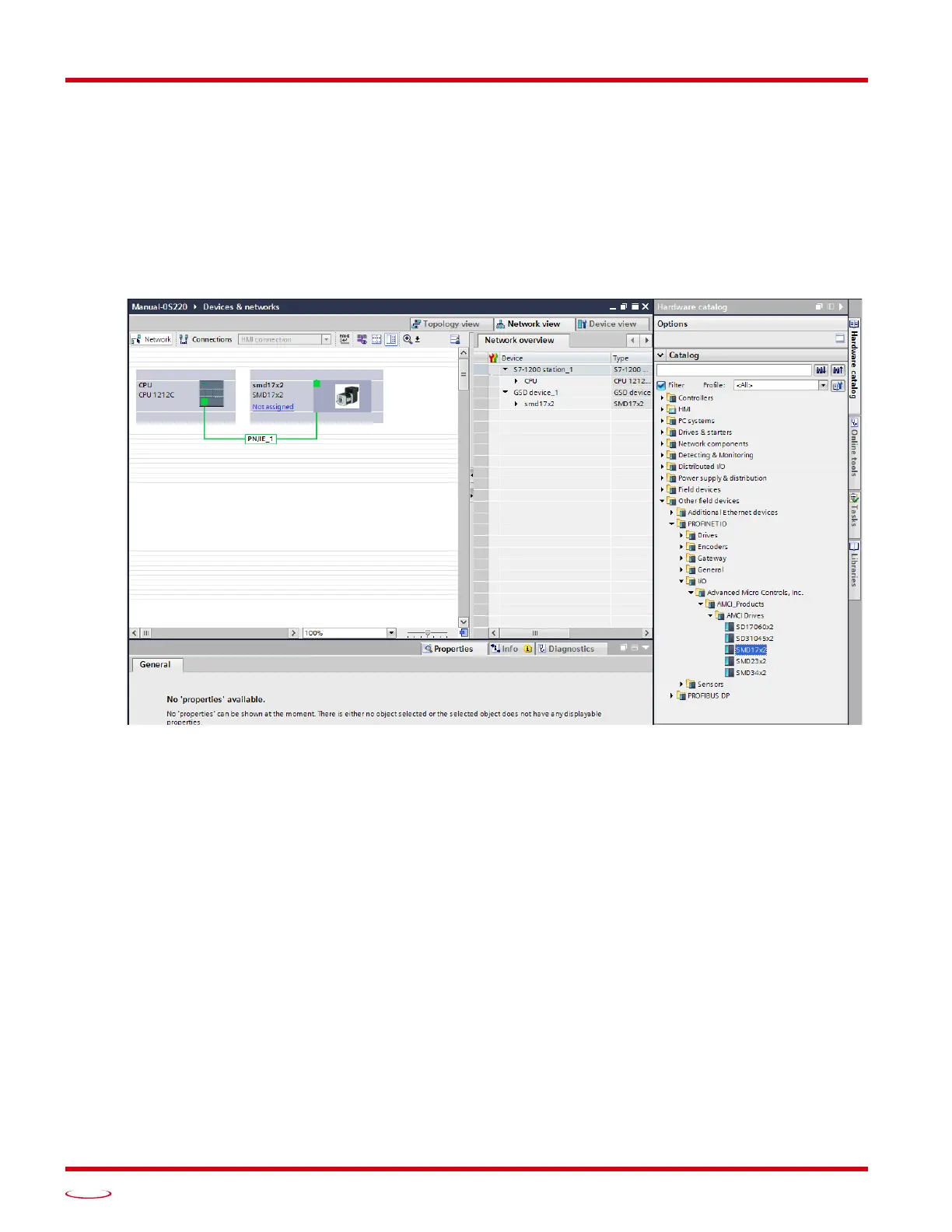
1) With the project open in Project View, double click on “Device & Networks” in the project tree.
2) If need be, click on the “Hardware Catalog” vertical tab to open the Hardware Catalog.
3) You can search for “SMD17”, or browse to the SMD17x2 icon by clicking through Other field devices +>
PROFINET IO +> IO +> Advanced Micro Controls Inc. +> AMCI_Products +> AMCI_Drives. Drag
and drop the appropriate icon onto the PROFINET network.
4) Drag the green square on the SMD17x2 icon onto the PROFINET network line to connect the device to the
network.
Figure T7.2 Networked Driver Added to PROFINET Network



 To Next Page