SET THE IP ADDRESS AND PROTOCOL
SMD17E2 User Manual
ADVANCED MICRO CONTROLS INC.
98
2.2b Use the Embedded Web Server (continued)
2.2b.3 Network Setup Page (continued)
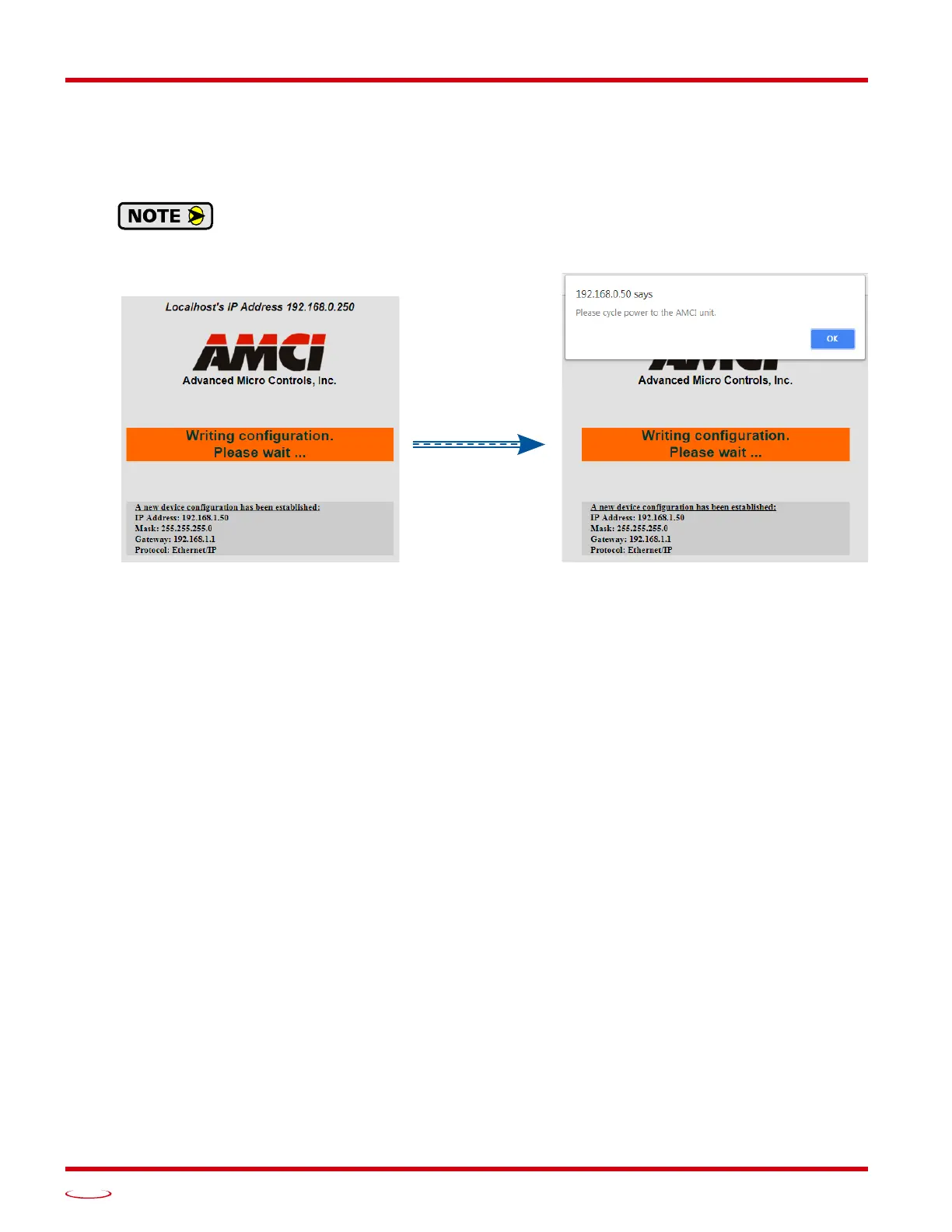
5) If the values are accepted, the following pages will be displayed while the data is being written to the unit.
Wait for the pop up window to appear before cycling power to the SMD17E2. Cycling power
before this window appears may corrupt the non-volitile memory of the SMD17E2. The
SMD17E2 will also flash the Network Status LED red to indicate that power must be cycled.
Figure R6.6 Write Configuration to Flash Memory Pages
6) Once instructed to, cycle power to the unit. You can now enter the new IP address into the address bar of
your web browser to reconnect with the SMD17E2.
Task Complete
2.2c Use the AMCI NET Configurator Utility
PREREQUISITE: You must know the present IP address. The factory default address is 192.168.0.50.
PREREQUISITE: Task 1.5: Power Wiring found on page 90. You must be able to power the SMD17E2.
PREREQUISITE: Tasks: 1.7 and 1.8, 1.9, or 1.10, starting on page 92. You must attach your SMD17E2 to
your computer.
PREREQUISITE: Optional Task B: Configure Your Network Interfaces. (page 129) The network inter-
faces on your computer must be correctly configured before you can communicate with an SMD17E2.
2.2c.1 Download the AMCI Net Configurator Utility
The AMCI Net Configurator utility is available on our website, www.amci.com. The latest version available
should be used. It can be found in our Support section under Software. The program exists as a ZIP file, and
at the time of this writing, the link was “AMCI Configuration software for all networked products...”.
2.2c.2 Install the AMCI Net Configurator Utility
Once downloaded, simply extract the program from the ZIP file and run the program to install the AMCI Net
Configurator utility on your computer. The software installs as most products do, giving you the option to
change the file locations before installing the utility. Once the install is complete, a link to the utility is avail
-
able on the Start Menu.
The install process only copies the utility to the designated location and creates links to the Start Menu. No
changes are made to your registry settings.
CHANGES TO
ONCE THE WRITE
IS COMPLETED



 To Next Page