SET THE IP ADDRESS AND PROTOCOL
SMD17E2 User Manual
ADVANCED MICRO CONTROLS INC.
96
2.2b Use the Embedded Web Server
PREREQUISITE: You must know the present IP address of the SMD17E2. The factory default address is
192.168.0.50.
PREREQUISITE: Task 1.5: Power Wiring found on page 90. You must be able to power the SMD17E2.
PREREQUISITE: Tasks: 1.7 and 1.8, 1.9, or 1.10, starting on page 92. You must attach your SMD17E2 to
your computer.
PREREQUISITE: Optional Task B: Configure Your Network Interfaces. (page 129) The network inter-
faces on your computer must be on the same subnet before you can communicate with an SMD17E2.
2.2b.1 Disconect the SMD17E2 from the host controller and cycle power to the SMD17E2.
This ensures that the unit does not have any open connections to the host controller.
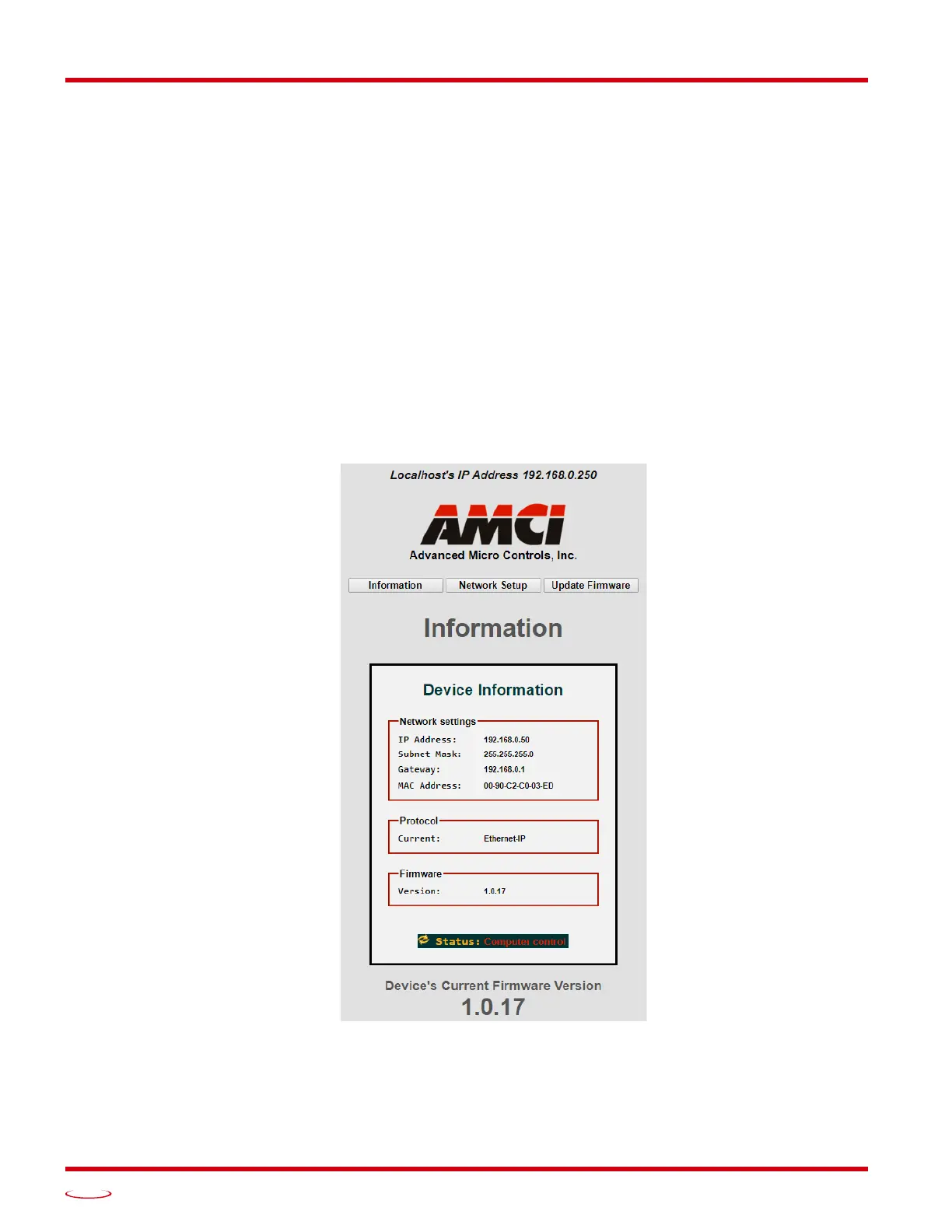
2.2b.2 Start your web browser and connect to the SMD17E2
The internal HTML pages should work with any browser. Once your web browser is running, enter the pres-
ent IP address of the SMD17E2 into the address bar. The default address is 192.168.0.50. The unit will
respond with the following page.
Figure T2.1 SMD17E2 Information Webpage



 To Next Page