IMPLICIT COMMUNICATIONS WITH AN EDS
SMD17E2 User Manual
ADVANCED MICRO CONTROLS INC.
104
3.2 Install the EDS file (continued)
3.2.2 Install the EDS File
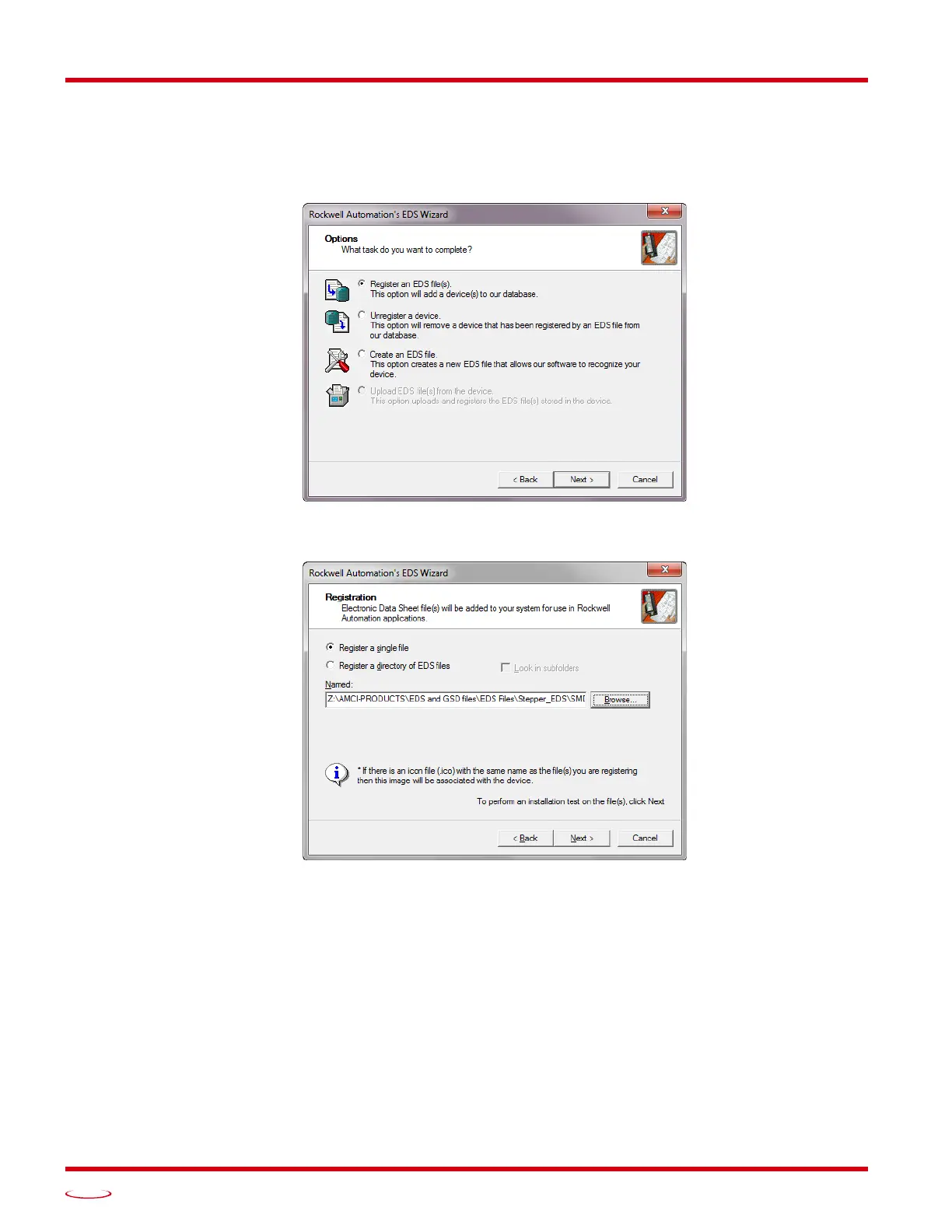
1) On the Options screen, select the Register an EDS file(s) radio button and press [Next >].
Figure T3.2 EDS Options Screen
2) The registration screen will open. Select the Register a single file radio button.
Figure T3.3 EDS Registration Screen
3) Click on the [Browse...] button and browse to the folder that contains the extracted EDS file you
downloaded from the AMCI website. Select the EDS file and click on the [Open] button to return to the
registration screen. Click on the [Next >] button to advance to the EDS file test screen.



 To Next Page