20 Gear Drive, Plymouth Ind. Park, Terryville, CT 06786
Tel: (860) 585-1254 Fax: (860) 584-1973 http://www.amci.com
109
TASK 4 (EtherNet/IP Option)
IMPLICIT COMMUNICATIONS WITHOUT AN EDS
4.1 Host System Configuration
RSLogix 5000 is used to configure both the ControlLogix and CompactLogix platforms. When using these plat-
forms, you have the option of using a separate Ethernet Bridge module or an Ethernet port built into the processor.
If the Ethernet port is built into processor, the only step you have to take before adding the SMD17E2 is to create
a new project with the correct processor or modify an existing project. Once this is done, the Ethernet port will
automatically appear in the Project Tree. If you are using an Ethernet bridge module, you will have to add it to the
I/O Configuration tree before adding the driver to your project.
Refer to your Rockwell Automation documentation if you need instructions for configuring the ethernet port.
4.2 Add the SMD17E2
You can add the SMD17E2 to the project once the Ethernet port (built-in or bridge module) is configured.
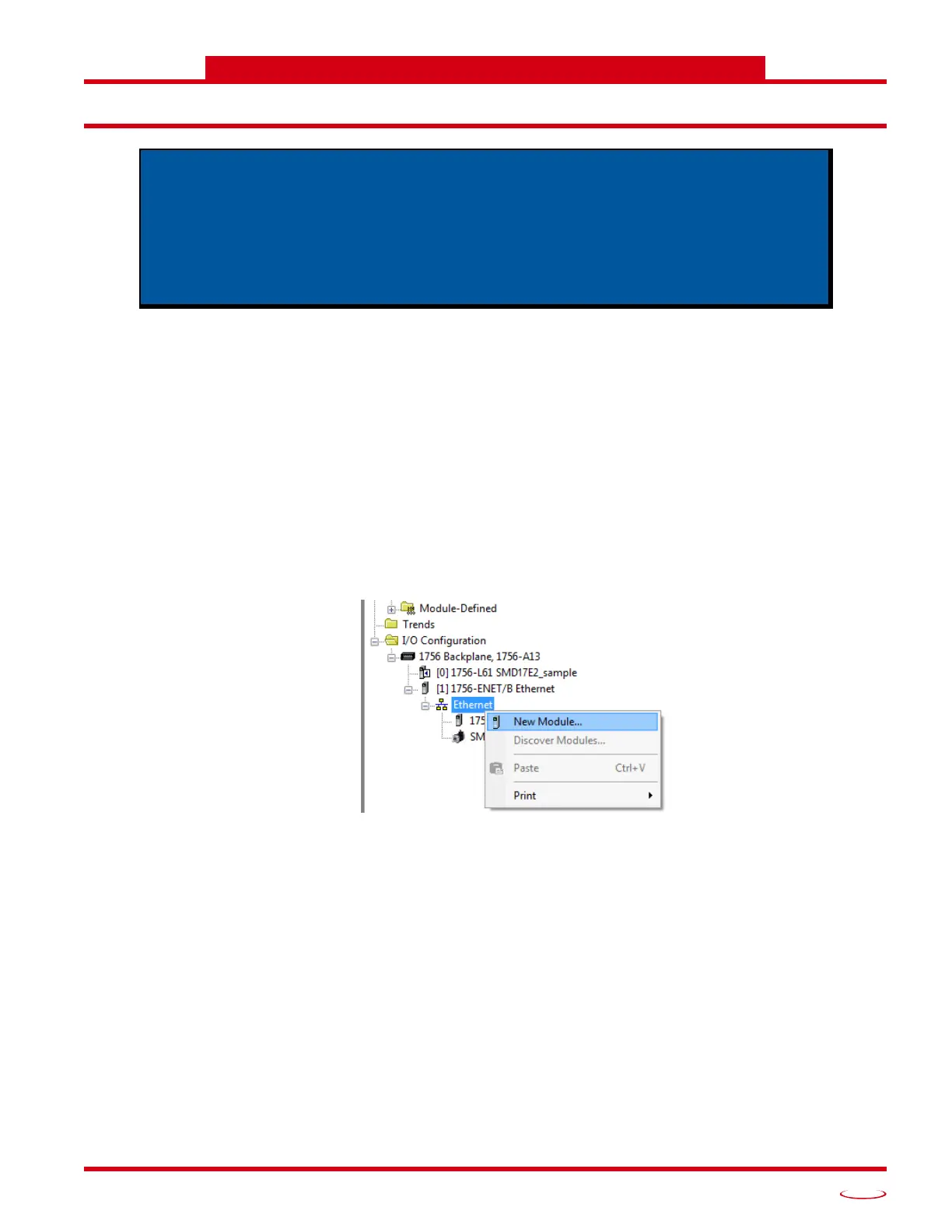
1) Right click on the Ethernet port and then click on “New Module...” in the pop-up menu.
Figure T4.1 Adding an AMCI SMD17E2
An AMCI SMD17E2 requires a host controller to issue configuration and motion
commands to it. This chapter tells you how to configure implicit connections in
EtherNet/IP systems that do not use EDS files. If you instead wish to use explicit
messaging, refer to the next chapter for information on using message instruc
-
tions.
Rockwell Automation’s RSLogix 5000 version 20 software is used for the example
installation in this chapter.



 To Next Page