20 Gear Drive, Plymouth Ind. Park, Terryville, CT 06786
Tel: (860) 585-1254 Fax: (860) 584-1973 http://www.amci.com
SMD17E2 User Manual
ETHERNET/IP EXPLICIT MESSAGING
117
5.4 Troubleshooting
If you are unable to communicate with the SMD17E2, the problem may be that the Ethernet port of your
MicroLogix 1100 has not been configured. To check this:
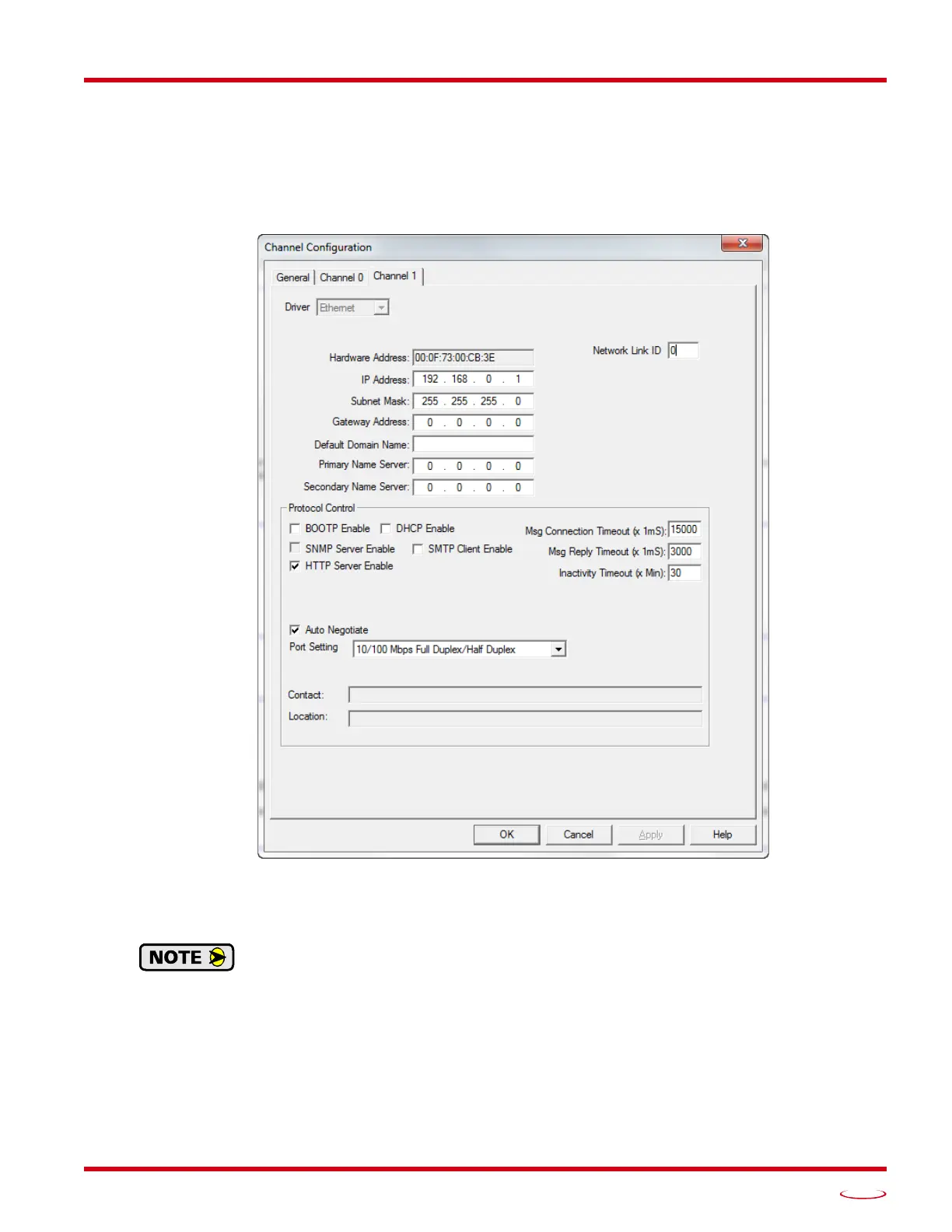
1) Double click on Channel Configuration in the Project Tree and then select the Channel 1 tab. The fol-
lowing window will open.
Figure R6.7 MicroLogix Ethernet Configuration Screen
2) Enter the IP address and Subnet Mask of your MicroLogix 1100, (not the address of the SMD17E2)
and click on [Apply]. The Ethernet Port should now be working.
AMCI is aware of an issue with the RIX data type in version 10 of RSLogix 500. If you are
experiencing communications errors and are running version 10, please contact Rockwell
Automation for support.



 To Next Page