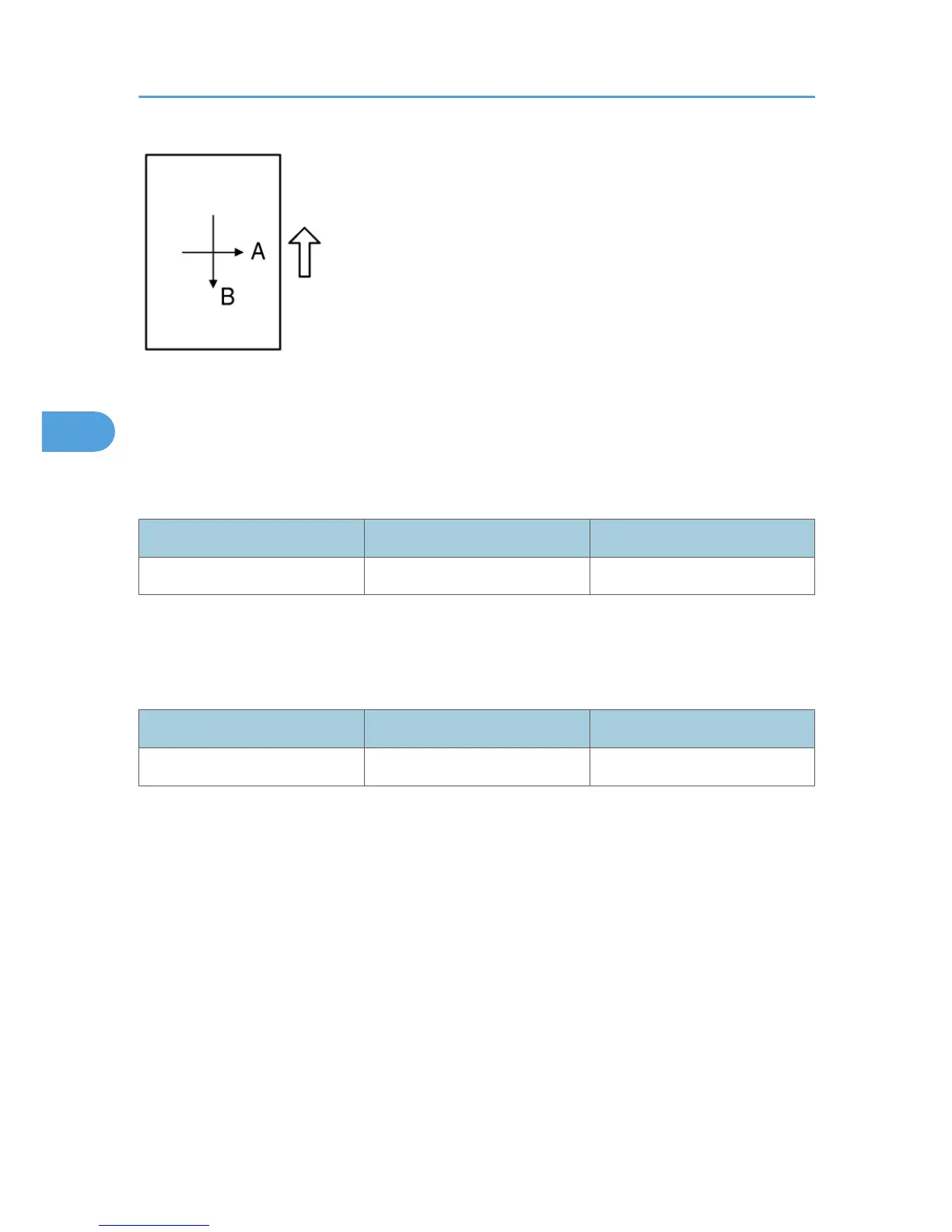
A: Main scan magnification
B: Sub-scan magnification
- Main Scan Magnification -
1. Place the A3 test chart on the exposure glass and make a copy from one of the feed stations.
2. Check the magnification ratio. If necessary, adjust the magnification using the following SP mode.
SP mode Specification
Main Scan Magnification SP 4009 ± 1.0%
- Sub-Scan Magnification -
1.
Place the OS-A3 test chart on the exposure glass and make a copy from one of the feed stations.
2. Check the magnification ratio. If necessary, adjust the magnification with the following SP mode.
SP mode Specification
Sub-scan magnification SP 4008 ± 1.0%
- Standard White Density Adjustment -
This
procedure adjusts the standard white density level. Do this adjustment after you do any of the following:
• After you replace the standard white plate.
• After you replace the NVRAM on the BICU. (But note that you do not need to carry out this adjustment
if you have replaced the BICU itself but retained the previous NVRAM board [by moving it over onto
the new BICU].)
• After you perform a memory all clear (SP 5801 2)
Procedure:
1. Place 10 sheets of new A4/LTR paper (sideways, LEF) or new A3/DLT paper on the exposure glass,
and close the platen cover or the ADF.
2. Enter SP 4428 1 and select "1: YES". The machine automatically adjusts the standard white density.
4. Replacement and Adjustment
98



 To Next Page