A: Trailing Edge Blank Margin
B: Right Edge Blank Margin
C: Leading Edge Blank Margin
D: Left Edge Blank Margin
- Main Scan Magnification -
1. Print the single-dot grid pattern (SP 5902 1).
2. Check the magnification (the grid size should be 2.7 x 2.7 mm), and if necessary use SP 2998 to
adjust it. The specification is 100 ± 1%.
Scanning
• Before
doing the following scanner adjustments, check and adjust the printing leading-edge and side-
to-side registrations and the printing blank margins (as described above).
• Use an A3 test chart to perform the following adjustments.
- Registration: Platen Mode -
1. Place the test chart on the exposure glass and make a copy from one of the feed stations.
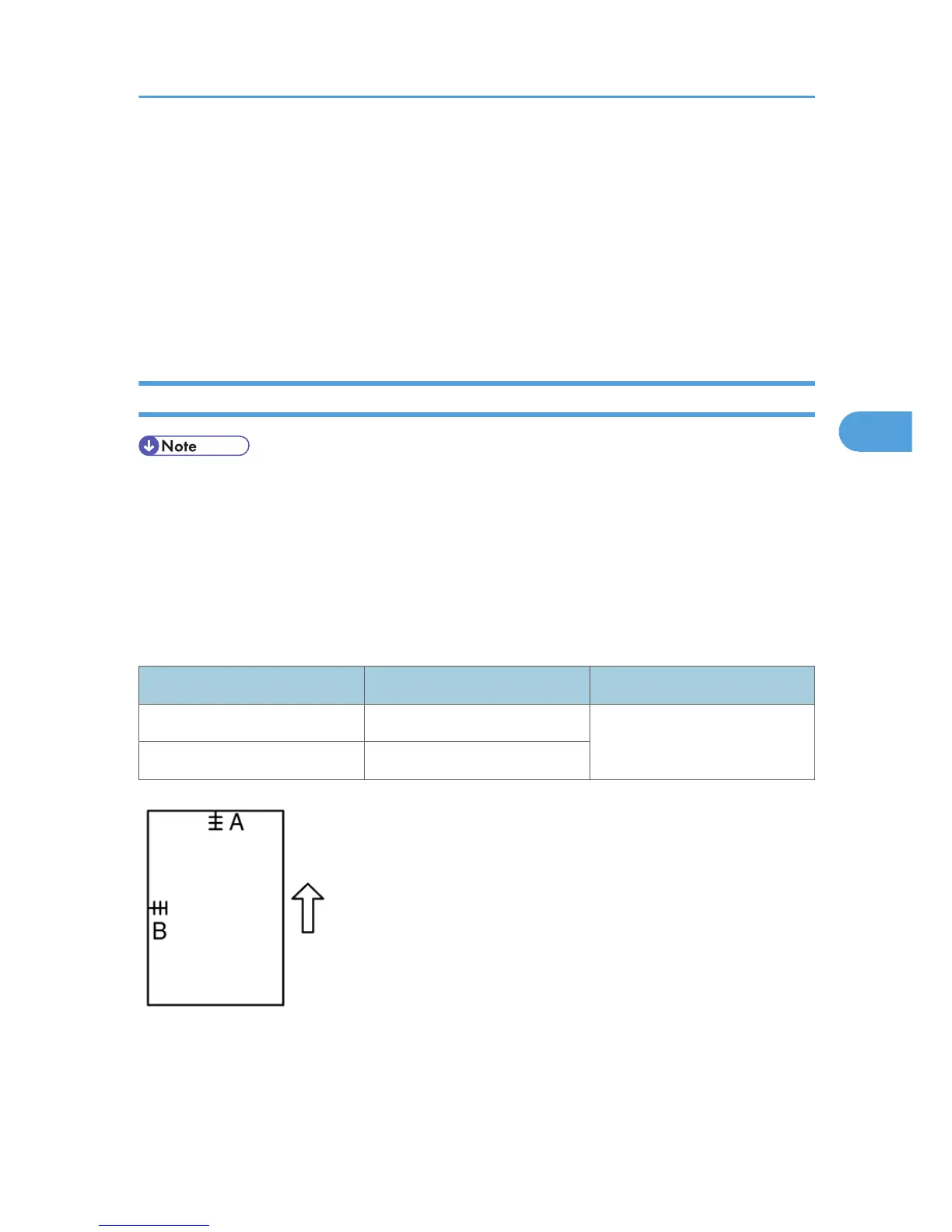
2. Check the leading edge and side-to-side registration, and adjust as necessary with the following SP
modes.
SP mode Specification
Leading edge SP 4010
2 ± 1.5 mm
Side-to-side SP 4011
A: Leading edge registration
B: Side-to-side registration
- Magnification -
Copy Adjustments Printing/Scanning
97



 To Next Page