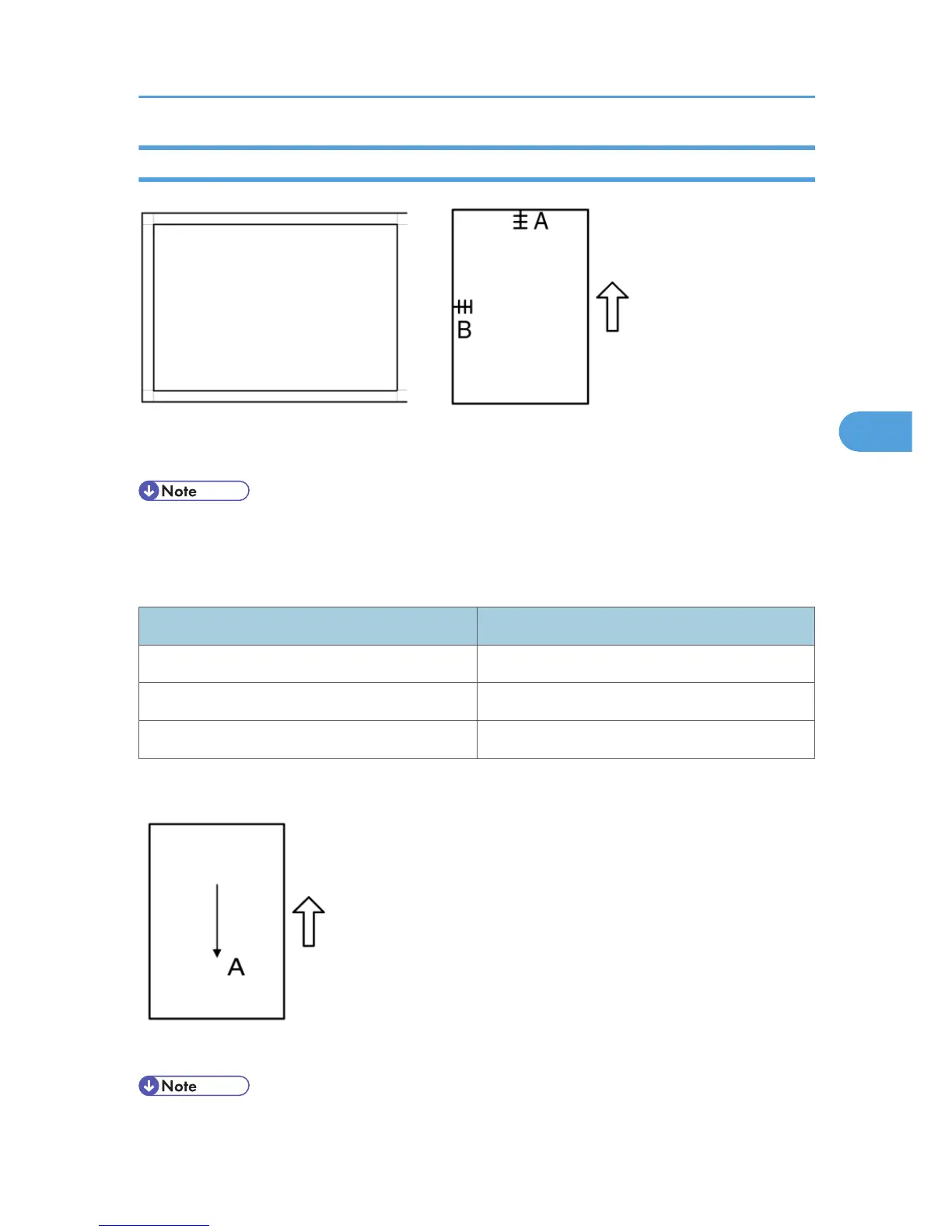
ADF Image Adjustment
A: Leading edge registration
B: Side-to-side registration
• Make a temporary test chart as shown above, using A3/11" x 17" paper.
1.
Place the temporary test chart on the ADF and make a copy from one of the feed stations.
2. Check the registrations, and adjust as necessary with the appropriate SP modes, as follows.
SP mode
Side-to-side registration SP 6006 1
Leading edge registration SP 6006 2
Blank margin for the trailing edge SP 6006 3
- Sub-scan Magnification -
A: Sub-scan magnification
• Make a temporary test chart as shown above, with A3/11" x 17" paper.
Copy Adjustments Printing/Scanning
99



 To Next Page