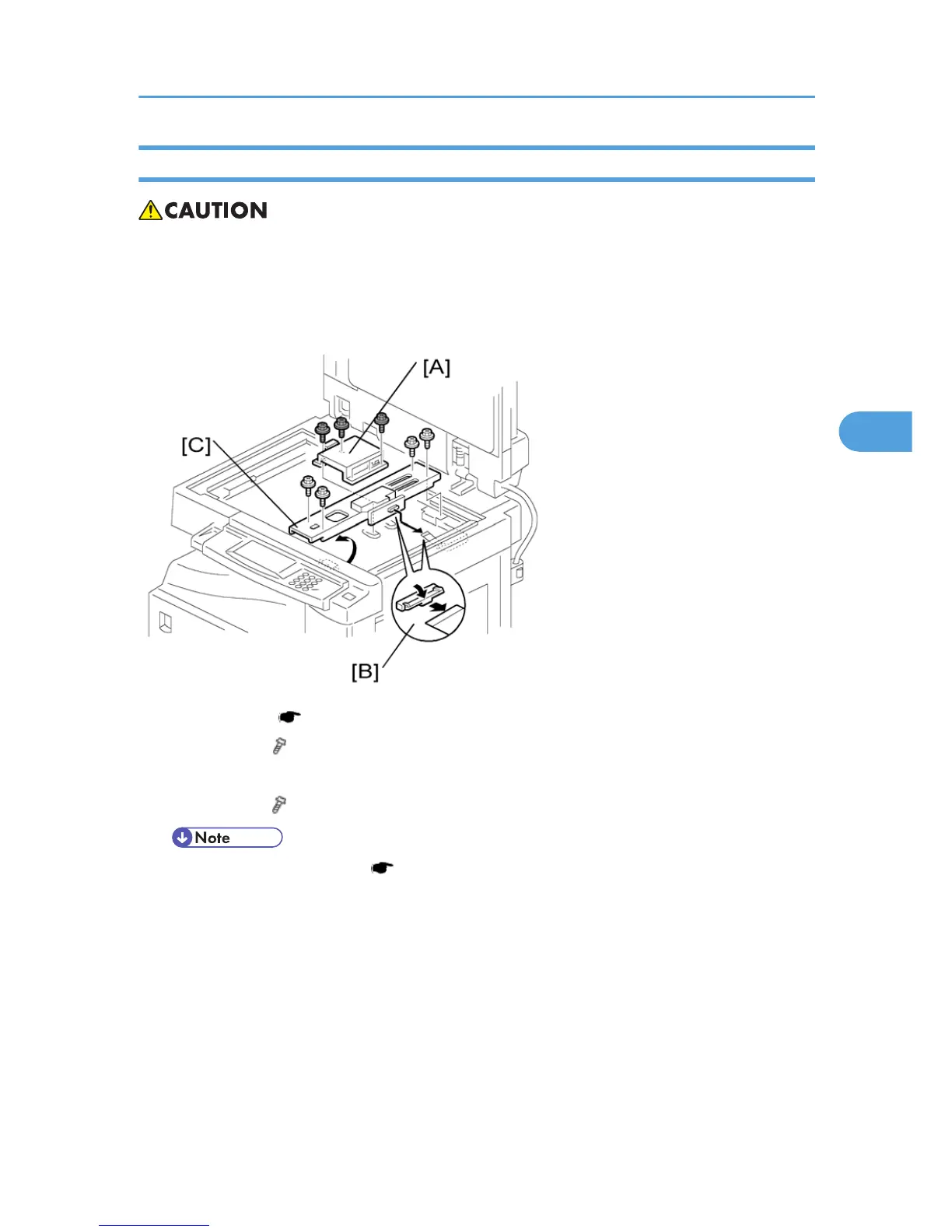
Lens Block
• Do
not touch the paint-locked screws on the lens block. The position of the lens assembly (black part)
is adjusted before shipment.
• Do not grasp the PCB or the lens assembly when you handle the lens block. The lens assembly may
slide out of position.
1. Exposure glass ( p.48 "Exposure Glass/DF Exposure Glass ")
2. Lens cover [A] ( x 5)
3. Disconnect the flat cable [B].
4. Lens block [C] ( x 4).
• Adjust the image quality ( p.95 "Copy Adjustments Printing/Scanning") after you install a
new lens block.
Scanner Unit
49



 To Next Page