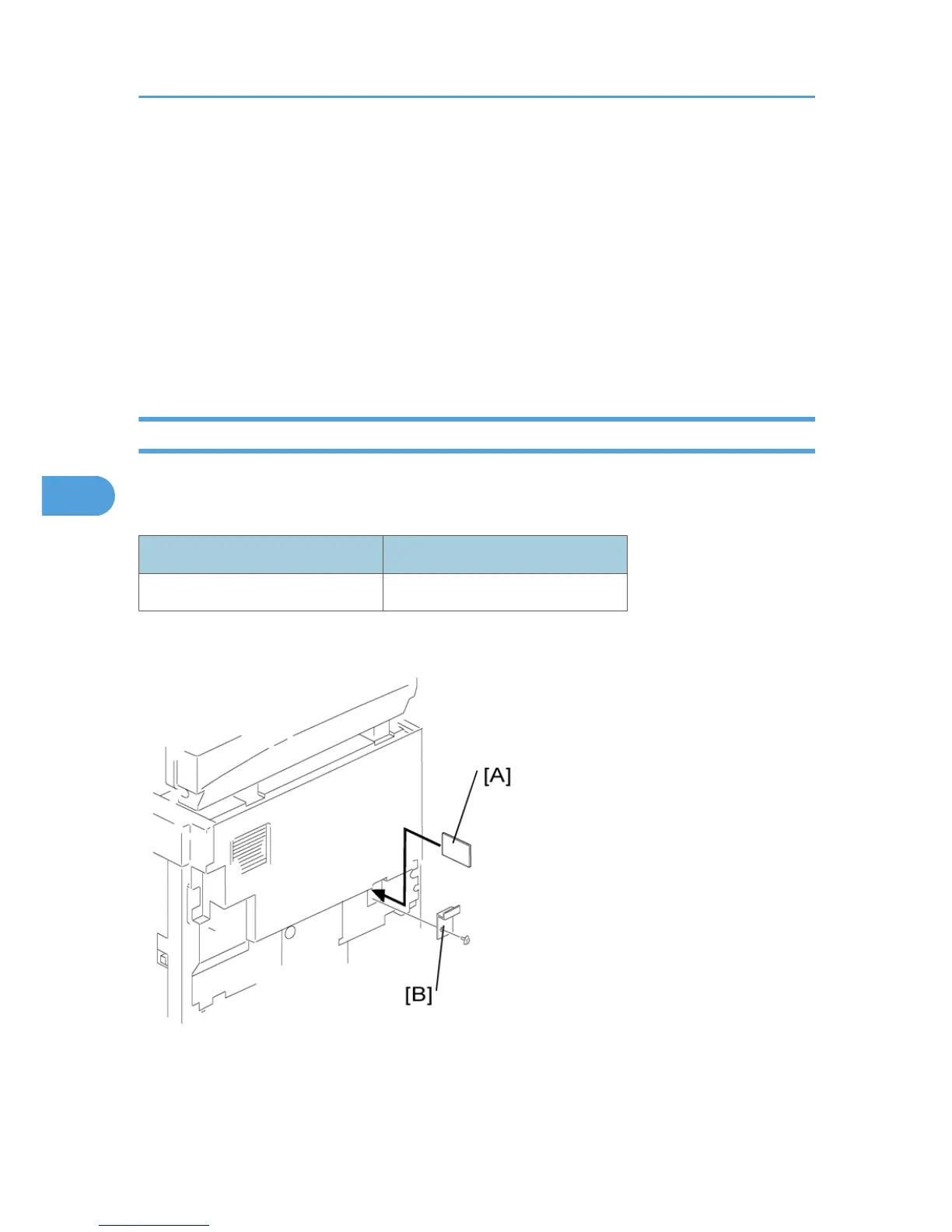
3. Turn the face of the flash memory card [A] ("A" is printed on it) toward your left-hand side, and insert
it into the card slot.
4. Turn on the main switch.
5. Start the SP mode and select SP 5825 1.
6. The machine erases the current settings, then writes the new settings onto the NVRAM on the BICU
board. This takes about 1 second. If downloading fails, an error message appears. If an error message
appears, retry the download procedure.
7. Turn off the main switch.
8. Remove the memory card.
Firmware Update Procedure
This section shows how to update the firmware.
The machine has the following firmware programs
Firmware Type SP Mode
Engine (BICU) 7801 2
- Engine (BICU) Firmware Update Procedure -
1. Turn the main switch off.
2.
Remove the card cover [B] (1 rivet).
5. Service Tables
114



 To Next Page