Getting to know your telephone
8AL91432ENAD ed01.1 19/94
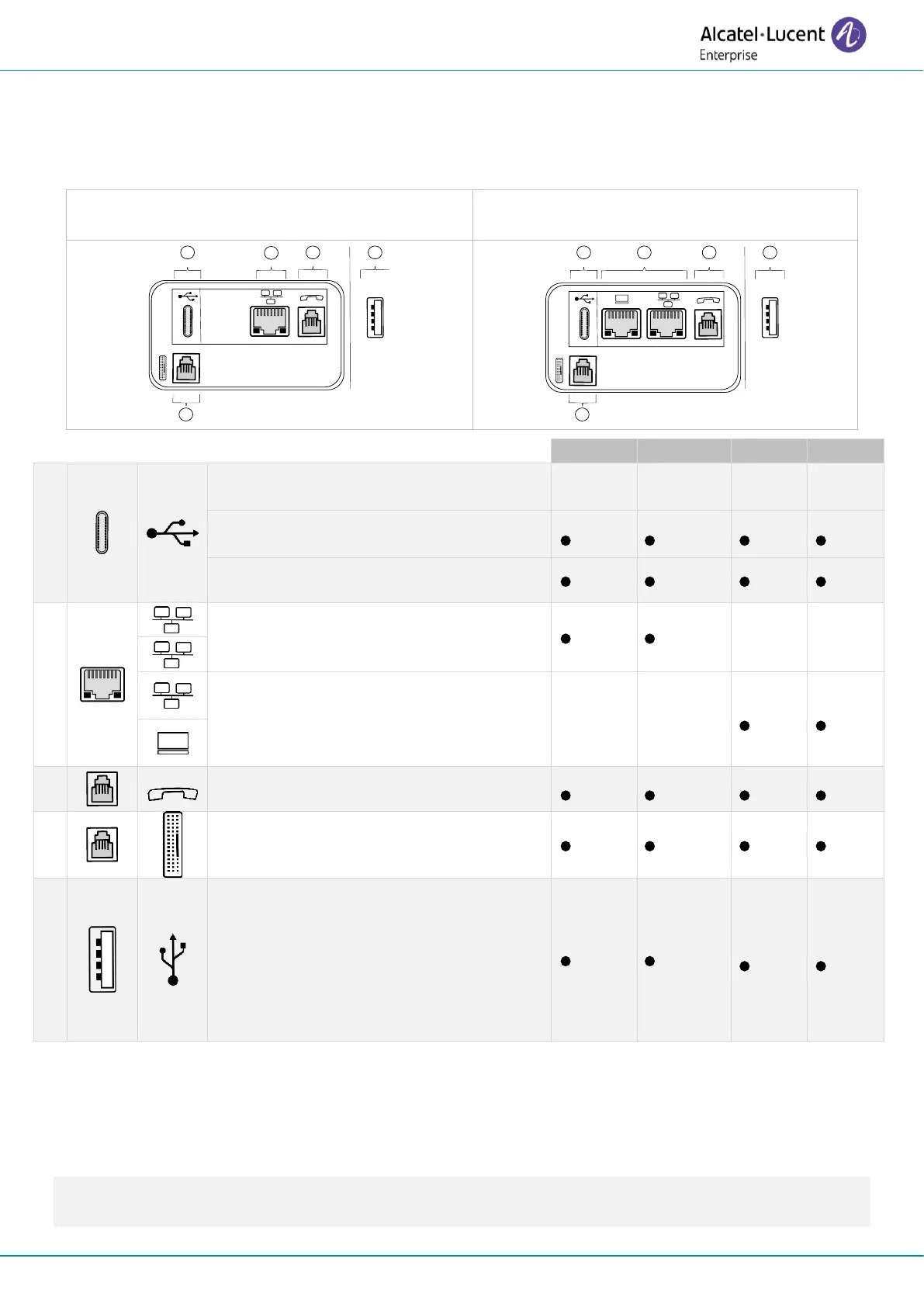
1.9 Description of the connectors
Various connections to allow phone extensions. The type of connectors you have depends on your
phone.
ALE-30h Essential DeskPhone
ALE-20h Essential DeskPhone
ALE-30 Essential DeskPhone
ALE-20 Essential DeskPhone
Universal Serial Bus (USB-C) connector
This connector is used for:
• Connect the USB-C power
adapter.
• Connect a USB-C headset.
Digital line (RJ45)
10/100 Fast Ethernet connector (LAN).
10/100/1000 Mbps Ethernet connectors
to the enterprise network (LAN - RJ45) -
10/100/1000 Mbps Ethernet connectors
to a PC (RJ45).
RJ9 wired handset or headset connector.
Magnetic alphanumerical keyboard
connector (RJ 9): ALE-10 Keyboard.
Universal Serial Bus (USB-a) connector.
This connector is used for:
• A USB-A headset.
• An add-on module.
• A USB-A key for maintenance
(manual software upgrade via
USB key for example).
1)
You can connect a headset if the port is not used to power the phone.
2)
Your phone is equipped with
only one RJ45 port, to connect it to the IP network or an Digital line.
3)
This connector can be used for
debugging (unplug the keyboard if necessary).
4)
Only 3ML37020BB and 3ML37020BA models.
5)
It may be necessary to activate the power boost when connecting the add-on module, depending
on the configuration of your desk phone.
Please ensure using a RJ45 connector for the network cable in IP or Digital mode (not RJ11),
otherwise you risk to damage the connector.












 To Next Page