Using your telephone
8AL91432ENAD ed01.1 50/94
2.53 Supervision
Supervision provides selective monitoring combined with a display showing calling and called
parties. The notified call can be answered by the designated 'Supervisor'.
This means that you can pick up an incoming call from a monitored contact when their phone is
ringing. The administrator must configure contacts you monitor. All supervised contacts are
displayed as programmed keys.
2.53.1 Icon description / LED description
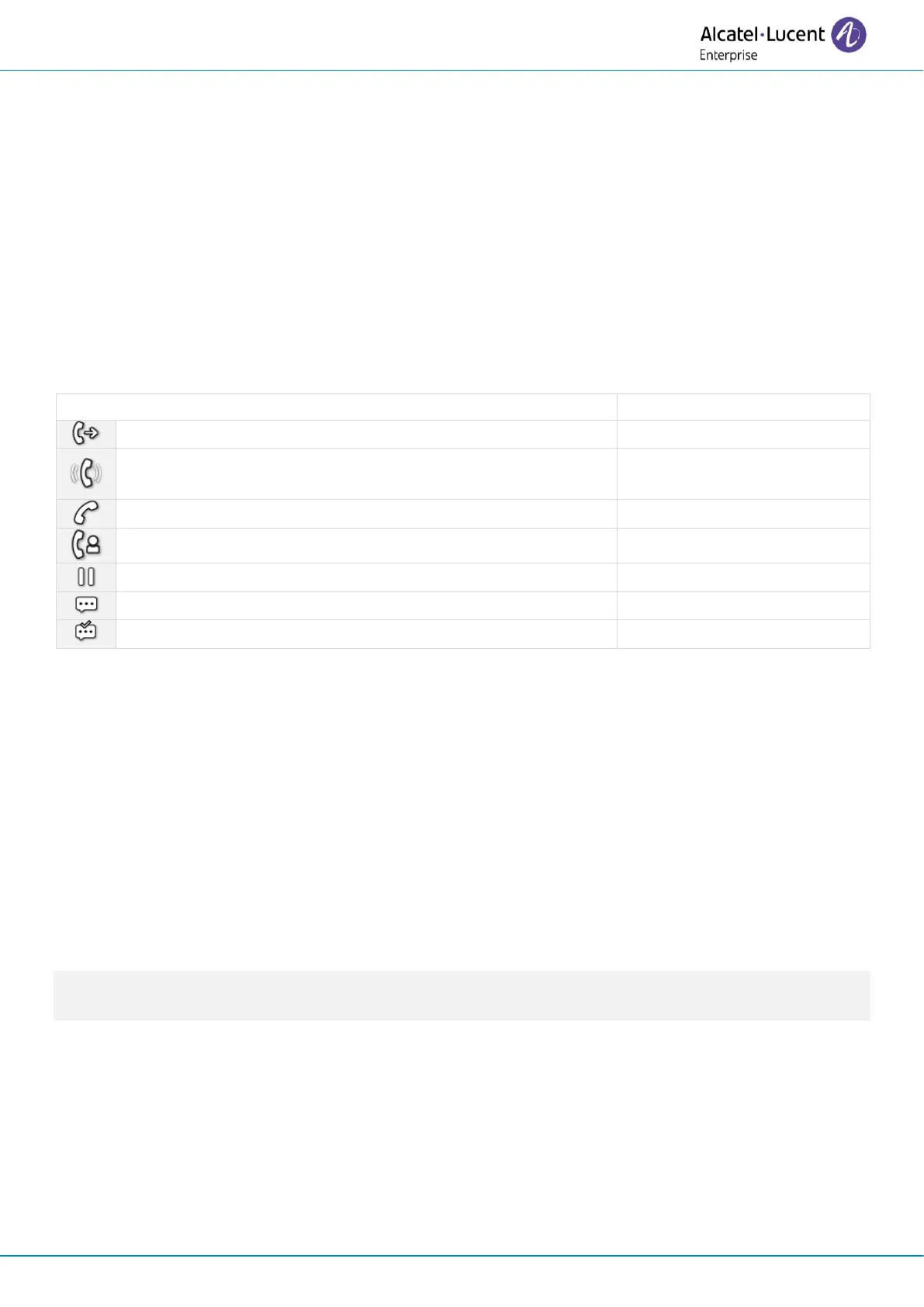
This table describes the icons and LEDs of the supervision keys programmed by the administrator.
The icons displayed and the LED behaviors depend on the system configuration.
Supervised contact (free).
The supervised contact receives an incoming call (ringing).
You can pick up the call by clicking the key.
The supervised contact is in a conversation.
You are in a conversation with the supervised contact.
The supervised contact puts the call on hold.
Unread message on supervised set.
Read message on supervised set.
2.54 Hunting groups
2.54.1 Hunting group call
Certain numbers can form a hunting group and can be called by dialing the group number.
• Lift the handset.
• Number of group to be called.
2.54.2 Temporary exit from your hunting group/Return into your group
• Leave group programmed key. The programmed key has to be configured by the system.
• Enter your group number.
Belonging to a group does not affect the management of direct calls. A specific telephone within a
group can always be called by using its own number.
2.55 Calling an internal contact on his/her pager
The number called does not answer and you know that the person called has a pager:
• Paging programmed key. The programmed key has to be configured by the system.
• Paging in progress is displayed.
Your contact can answer from any telephone in the system.












 To Next Page