Using your telephone
8AL91432ENAD ed01.1 52/94
2.59 ACD: Agent set/ Supervisor station
2.59.1 Agent set
A call center solution allows optimum distribution of calls to agents according to their availability and
skills.
2.59.2 Open an agent session (login) – Agent set
• Select the ACD application.
• Login
• Select the agent and validate.
•
• Depending the displayed information, enter your password or confirm.
ACD application welcome screen is displayed.
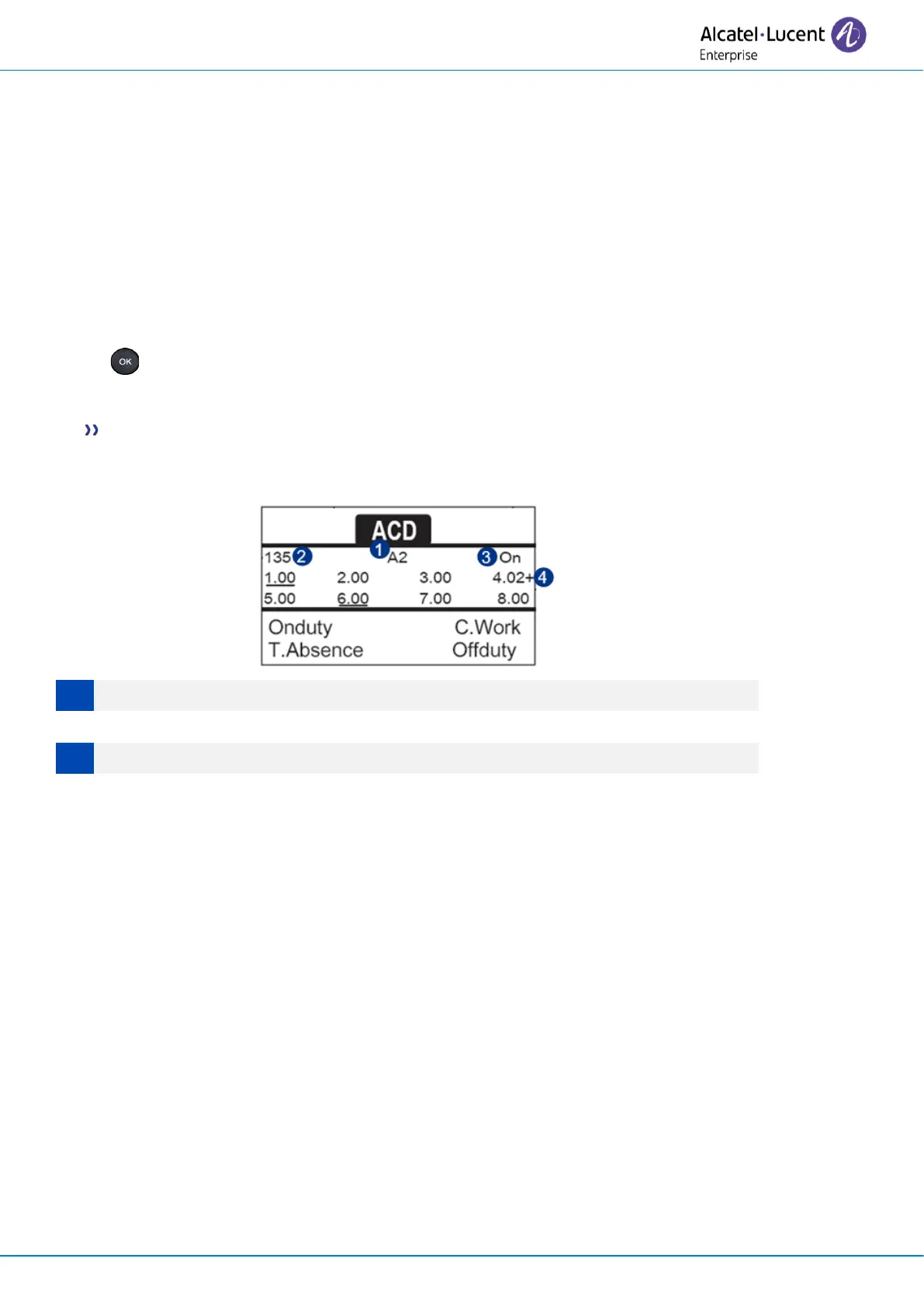
2.59.3 ACD application welcome screen – Agent set
4.02 means: group number 4 / 2 calls waiting / the + sign indicates that the queue capacity has been
reached.
2.59.4 The four operating statuses of the agent set
An agent's availability is determined by the operating status (of which there are 4), that the agent
can change at any time. These statuses are:
• Onduty
In service, the agent is ready to receive calls.
• Offduty
Withdrawn, the agent has withdrawn from the ACD application.
• C.Work
Additional task, the agent is performing a task concerning a call and is not taking other calls.
• T.Absence
Temporarily absent, the agent has taken a break and is not taking calls.
The agent can change the operating status directly by entering codes, pressing the function keys, or
using the Agent Assistant agent software on PC (if available).












 To Next Page