Using your telephone
8AL91432ENAD ed01.1 28/94
2.6 Ignore the call
A call is received:
• Press the on-hook key.
Your phone no longer rings but your caller still hears the ringback tone.
You can still answer the call after you have ignored it.
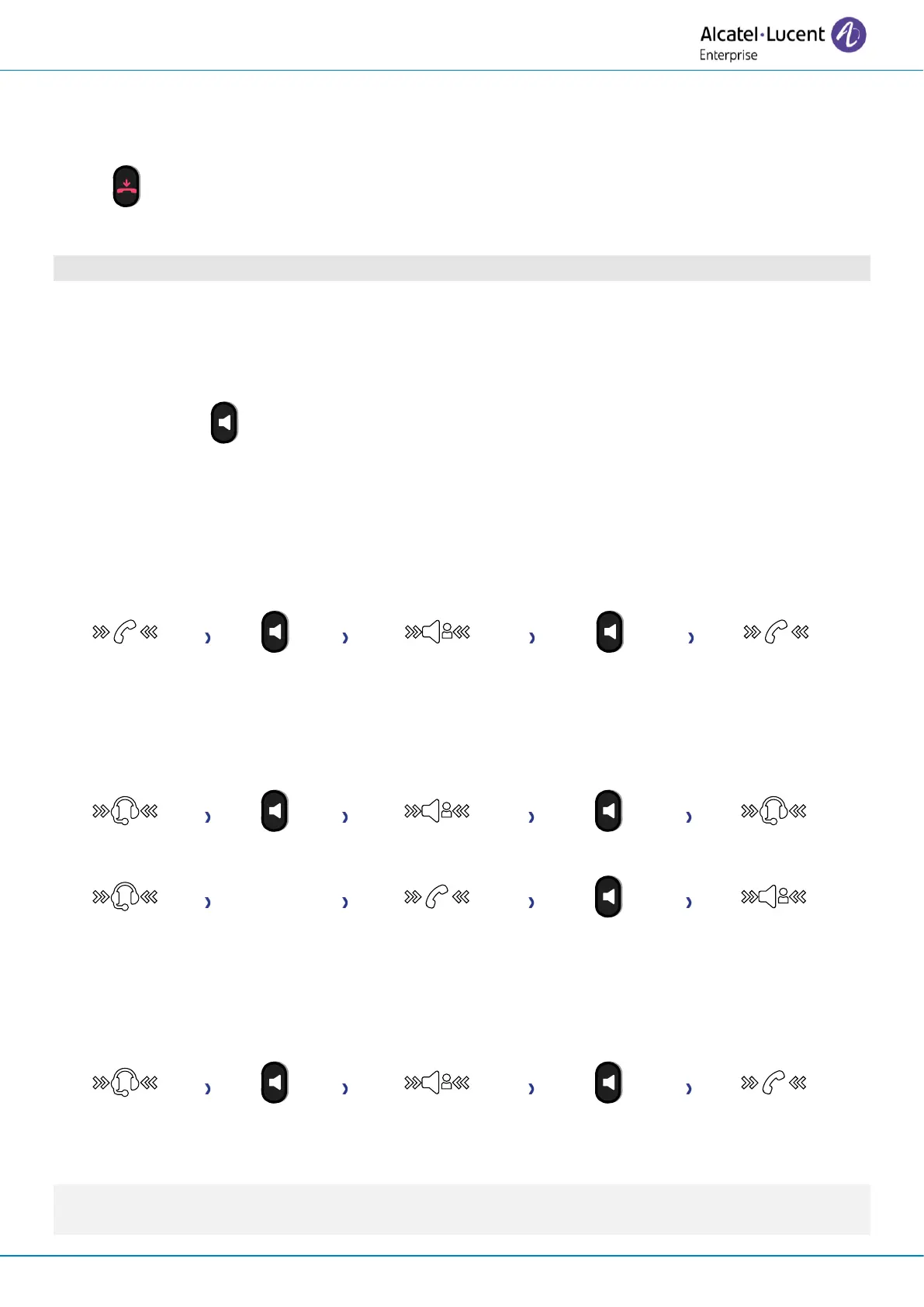
2.7 Switching between audio modes
During conversation, you can switch between different audio modes (handset, loudspeaker, hands-
free or headset, if connected) by pressing the loudspeaker/hands-free key until the desired audio
mode is displayed: . This feature depends on connected devices and the default device selected in
the phone configuration. If you have connected the same type of accessory via different connection
methods (for example, a USB hands-free device), the default device is used for audio switching. The
key is lit when the loudspeaker or hands-free mode is selected.
You are in conversation with the handset, you can switch between following audio modes by short
pressing on the loudspeaker/hands-free key:
You are in conversation with the headset (headset or headset+loudspeaker), you can switch between
following audio modes by short pressing on the loudspeaker/hands-free key:
You are in conversation with the headset and the handset is not hang-up, you can switch between
following audio modes by short pressing on the loudspeaker/hands-free key:
To switch the audio to the headset, you have to press the line key on the headset.
You are in conversation, you can switch to the loudspeaker by long pressing on the
loudspeaker/hands-free key (Group listening feature: see chapter below).












 To Next Page