Programming your telephone
8AL91432ENAD ed01.1 61/94
3.10.1 Icon description / LED description
The icons displayed depend on the system configuration. Some keys must be programmed by your
administrator. LED behavior may differ depending on the system configuration. For more
information, contact your installer or administrator.
You receive an incoming call from the programmed contact.
You are in conversation with the programmed contact.
You place the programmed contact on hold.
Do not disturb your programmed contact.
The following icons are displayed when you define a service on a programmable key.
3.11 Customize the color and the style of programmable softkeys
You can customize the color and/or style of the softkeys on your deskphone's 'perso page' (personal
page) by inserting a prefix before the softkey label.
When you program a softkey, add the prefix to the name of the softkey to customize it.
The prefix depends on the software version and
are defined as follow:
• \C: color
The prefix is followed by a number
between 1 and 10 which defines the color
(only available on the ALE-30h, ALE-30 or
EM200).
• \B: bold.
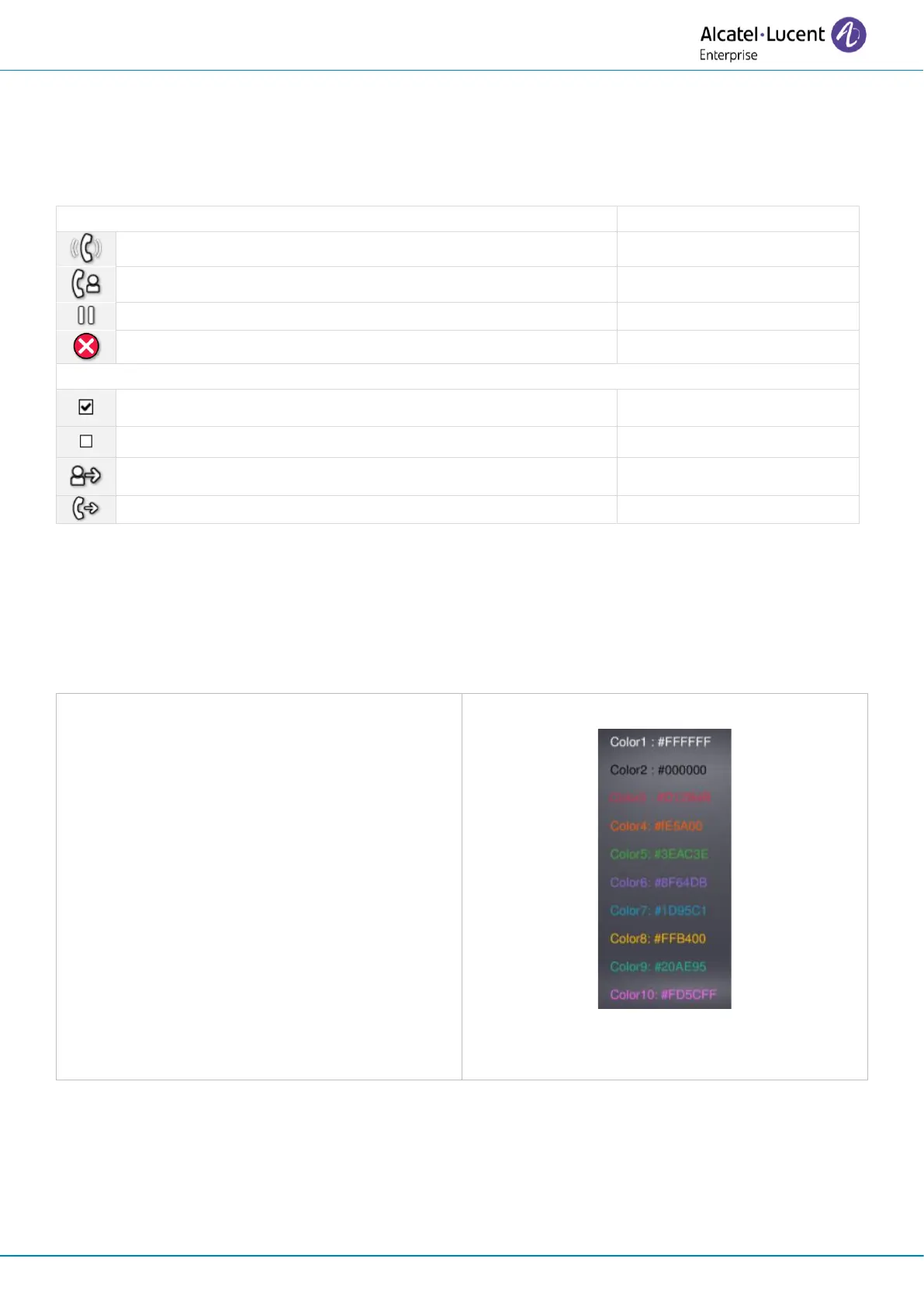
The numbers for each color are as follows:
Use the color number 0 to go back to the
default color.
Use cases:
• SOS (Orange): \C4SOS.
• SOS (red, bold): \C3\BSOS.
• SOS (bold): \BSOS












 To Next Page