Accessories
8AL91432ENAD ed01.1 78/94
Use the international keyboard in QWERTZ mode
You are recommended to use the QWERTZ keyboard for a better user experience. However, it is
possible to use the international keyboard in QWERTZ mode.
The keyboard will be in QWERTZ mode when you plug it in if your desk phone language is: Deutsch.
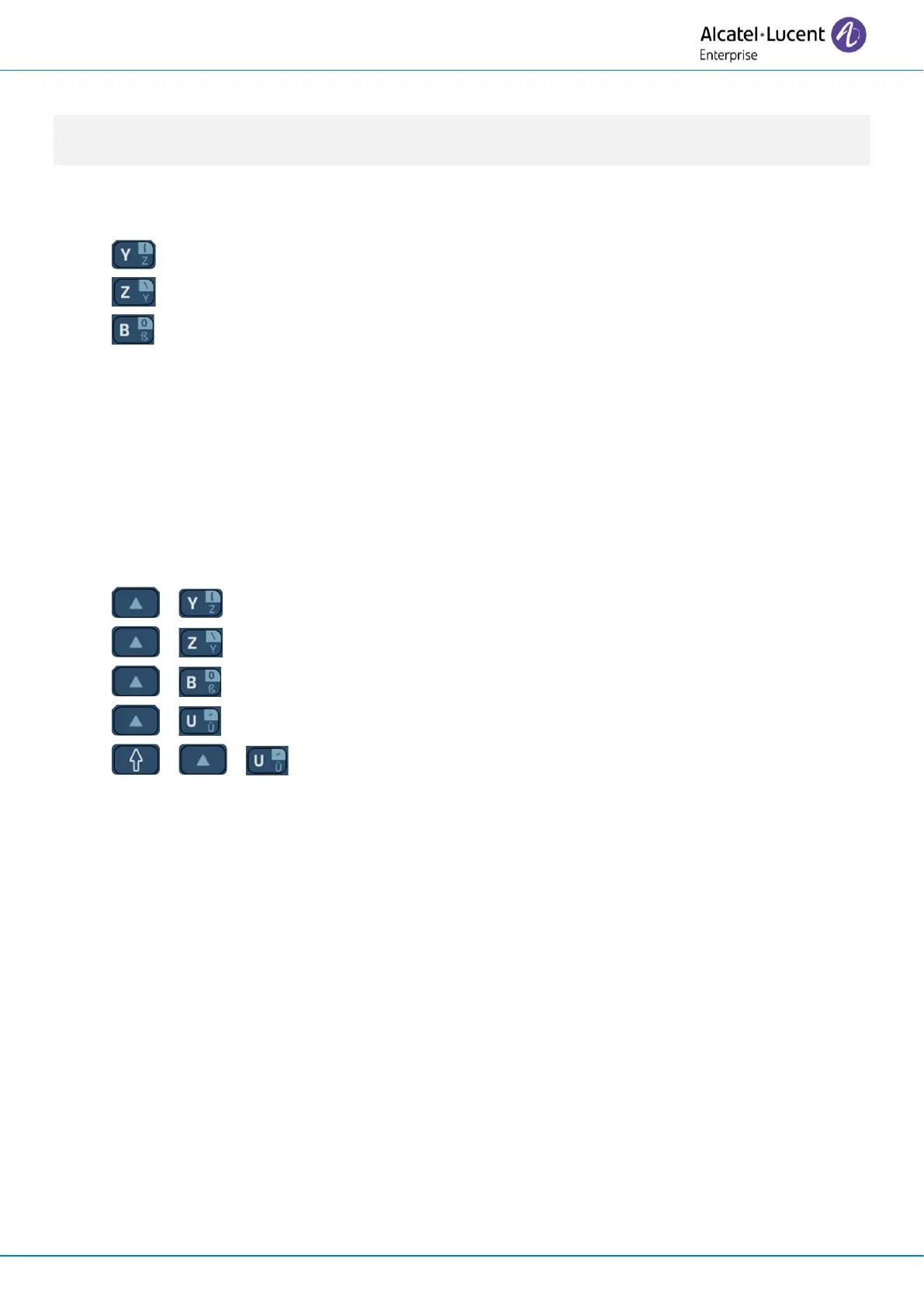
This means that the 'z' and 'y' are displayed without using the alt key:
• : 'z' is displayed.
• : 'y' is displayed.
• : 'ß' is displayed.
In this case, you can also use the international keyboard in QWERTY mode by checking the option:
Open the user local menu: reach the 'Menu' page
→
Settings
→
Phone
→
Local Menu
→
Config. MMI
→
Hardware infos
→
Keyboard Infos
→
Force QWERTY.
Depending on the system configuration, you may not have access to the advanced desk phone
configuration settings. Contact your administrator if necessary.
For the other languages, the international keyboard is in QWERTY mode. In this case, use the alt key
to display characters from the QWERTZ keyboard:
• + : 'z' is displayed.
• + : 'y' is displayed.
• + : 'ß' is displayed.
• + : 'ü' is displayed.
• + + : 'Ü' is displayed.












 To Next Page