Accessories
8AL91432ENAD ed01.1 84/94
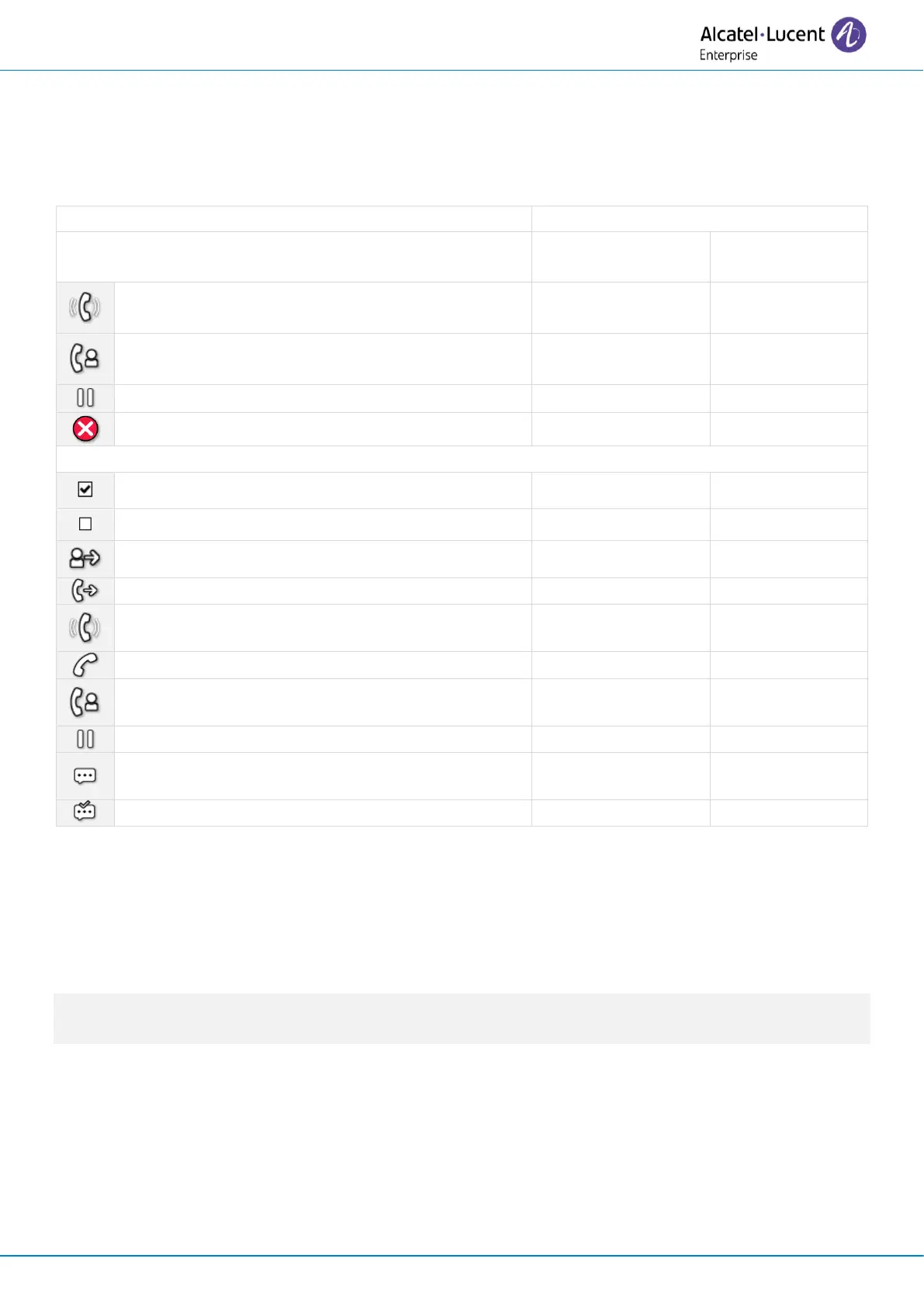
4.3.6 LED management
The icons displayed depend on the system configuration. Some keys must be programmed by your
administrator. LED behavior may differ depending on the system configuration. For more
information, contact your installer or administrator.
ALE-30h/ALE-30
ALE-20h/ALE-20
You receive an incoming call from the
programmed contact.
You are in conversation with the programmed
contact.
You place the programmed contact on hold.
Do not disturb your programmed contact.
The following icons are displayed when you define a service on a programmable key.
Supervised contact (free).
The supervised contact receives an incoming call
(ringing).
The supervised contact is in a conversation.
You are in a conversation with the supervised
contact.
The supervised contact puts the call on hold.
Unread message on supervised set.
Read message on supervised set.
4.3.7 Upgrade
If your deskphone is connected in IP mode, the add-on module will automatically upgrade itself
when connected to the deskphone. The new version is checked by the desk phone, which controls
the upgrade of the add-on.
Use the version provided/recommended by your system. For more information, contact your
administrator or your installer.












 To Next Page