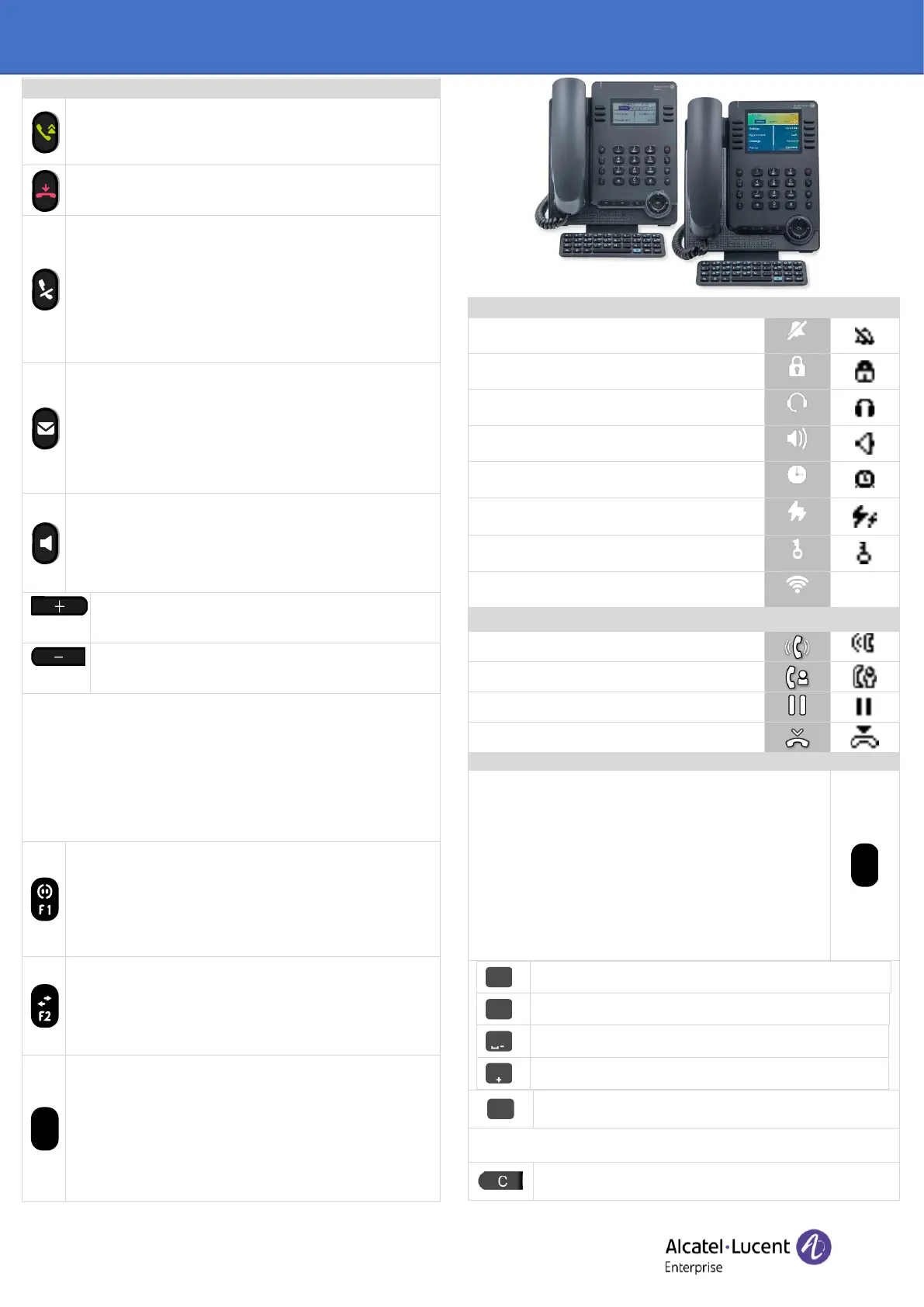
Alcatel-Lucent Enterprise ALE-30h / ALE-30 / ALE-20h / ALE-20 Essential DeskPhone - Quick guide
OXO Connect
• Take the call key - in idle state - short press during
incoming call (ringing).
• Redial key: to access the 'Redial' feature (short/long press
in idle state).
• Silent ringing when receiving an incoming call.
• End the call (Hang up).
• Return to the main page.
• Mute key
During a call, press this key to stop your contact from
hearing you. When activated the key blinks blue.
• Interphony key
When idle, press this key to switch the phone to interphony
mode. When you receive a call, the phone hooks off
automatically and you go straight into hands-free mode.
When activated, this key is lit blue.
• This feature can be deactivated by the administrator.
• Messaging key to access the messaging portal (call log,
voice messages and text messages).
This key flashes blue when there is a new event such as a
new voice message, a new instant message or a new event
in the call log and remains lit until all events are
acknowledged or deleted. The key remains lit until all
events are acknowledged or deleted.
• Display codec during conversation (long press).
• Pressing this key answers an incoming call in hands-free
mode (when activated, the key is lit blue). When a call is in
progress, pressing this key switches from hands-free mode
to headset or handset mode. A long press activates the
loudspeaker when a call is in progress via the handset or
headset.
• Turn up the volume (ringing or call state).
• Increase the brightness (idle state)
(1)(2)
.
• Increase the contrast (idle state)
(3) (4)
.
• Turn down the volume (ringing or call state).
• Decrease the brightness (idle state)
(1)(2)
.
• Decrease the contrast (idle state)
(3) (4)
.
The following keys depend on the system configuration.
The 'abc' key is either a key that switches between alphabetic and
numeric keyboards (alphanumeric key) or a programmable key if an
optional keyboard is already connected to the phone.
F1 and F2 keys are programmable keys.
Hold, transfer keys depend on the system and the countries, contact
your installer for more information about your system
(configuration for United States for example). In this case F1 and F2
are no longer programmable.
• Programmable key (F1). Lit when the function associated
with the key is activated (blue). A service or a direct call can
be associated to these keys.
• Placing a call on hold / Retrieve the call on hold. This
feature depends on the system configuration. If necessary,
contact your administrator.
• Activate cleaning mode (long press in idle mode).
• Programmable key (F2). Lit in blue when the function
associated with the key is activated. A service or a direct
call can be associated to these keys.
• Transfer: transfer the call to another number. This feature
depends on the system configuration. If necessary, contact
your administrator.
• Alphanumeric key
Switch between the alphabetic and numeric keyboards.
When activated, the key is lit blue. The key can be
programmed as configurable F1 or F2 keys if the optional
ALE-10 keyboard is connected to the desk phone.
• Programmable key (If the optional keyboard is connected
to the desk phone). Lit when the function associated with
the key is activated (blue). A service or a direct call can be
associated to these keys.
1)
Available for ALE-30h Essential DeskPhone.
2)
Available for the ALE-30
Essential DeskPhone.
3)
Available for ALE-20h Essential DeskPhone.
4)
Available for ALE-20 Essential DeskPhone.
Power Boost (centralized control of additional
power via USB).
Your contact ended the conversation.
Your phone is equipped with alphanumeric keyboard. You
can switch between numeric keyboard to dial number, and
alphabetic keyboard to enter text by pressing the
alphanumeric key. When you are in a text zone, you can
switch to the alphabetic keyboard by selecting this key.
When activated, the key is lit blue. Select the same key
which is lit in blue to switch to the numeric keyboard (the
key switches off). Your desk phone can also be equipped
with a magnetic alphabetic keyboard: ALE-10 keypad (sold
separately). In this case, the alphanumeric key is disabled.
The dedicated key can therefore be programmed.
Press and hold the '*' key to switch from lowercase to
uppercase mode, and vice versa.
Use navigation keys to move the cursor into the text (except in dial by
name feature).
Use this key to delete the last entered character. The
alphabetic mode remains activated.












 To Next Page