Managing System Files
Restoring the Default Configuration
Page 141
Restoring the Default Configuration
The Reset to Factory Defaults function restores the Configuration file to factory defaults after the device is reset.
When this option is not selected, the device maintains the current Configuration file.
To restore the default system configuration:
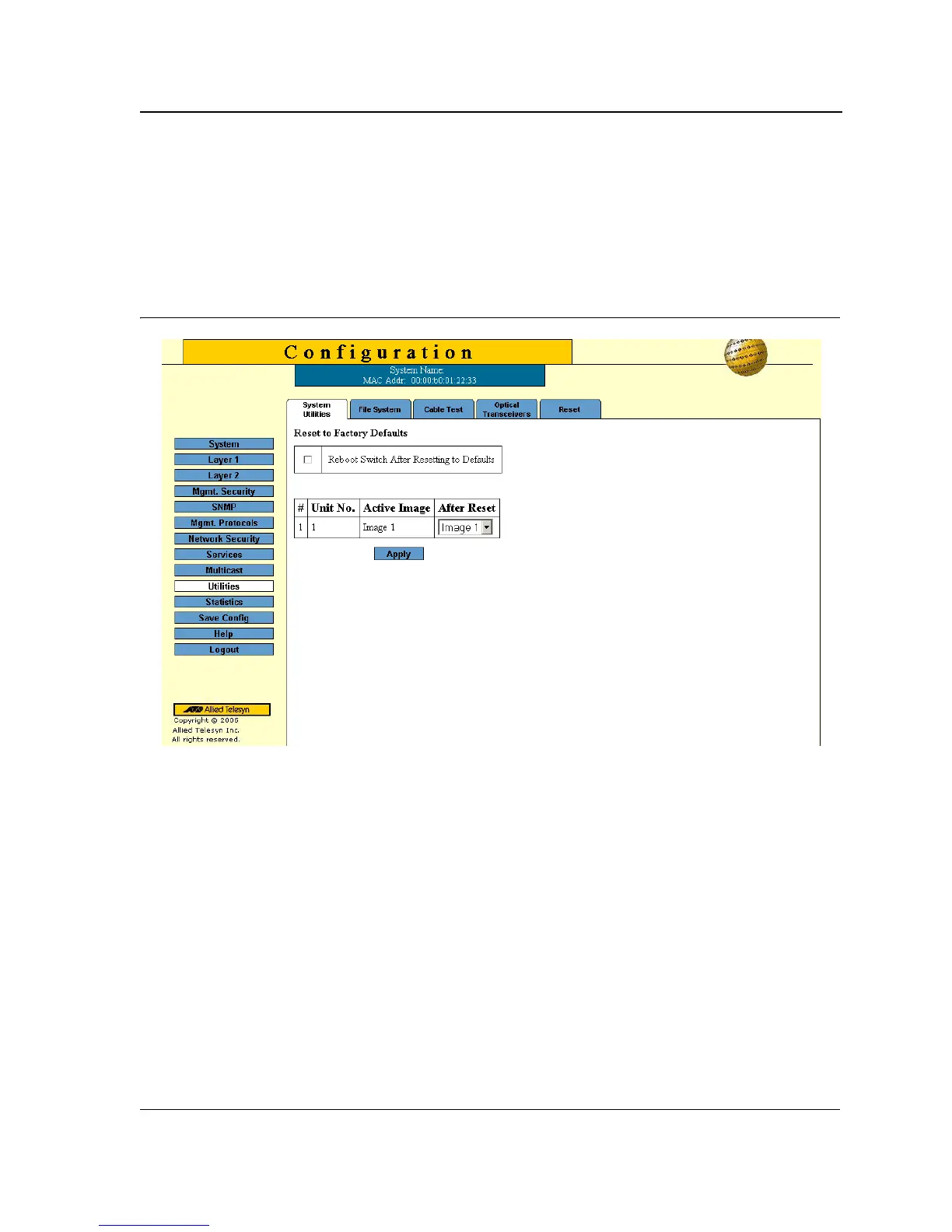
1. Click Utilities > System Utilities. The System Utilities Page opens:
Figure 91: System Utilities Page
The System Utilities Page contains the following fields:
• Reboot Switch After Resetting to Defaults — Performs reboot after the reset.
• Unit No. — Indicates the unit number.
• Active Image — indicates the current image file.
• After Reset — Defines which image file will be used after reset.
• Apply — Resets the device.
To reset the configuration file to defaults without rebooting the device:
• Click Apply in the Reset to Factory Defaults section.
To reset the configuration file to defaults with reboot:
1. Check the Reboot Switch After Resetting to Defaults option.
2. Select the After Reset image file.
3. Click Apply. The factory defaults are restored, and the device is updated. The device reboots.



 To Next Page
 Loading...









