Configuring Interfaces
Defining MAC Addresses
Page 71
Defining MAC Addresses
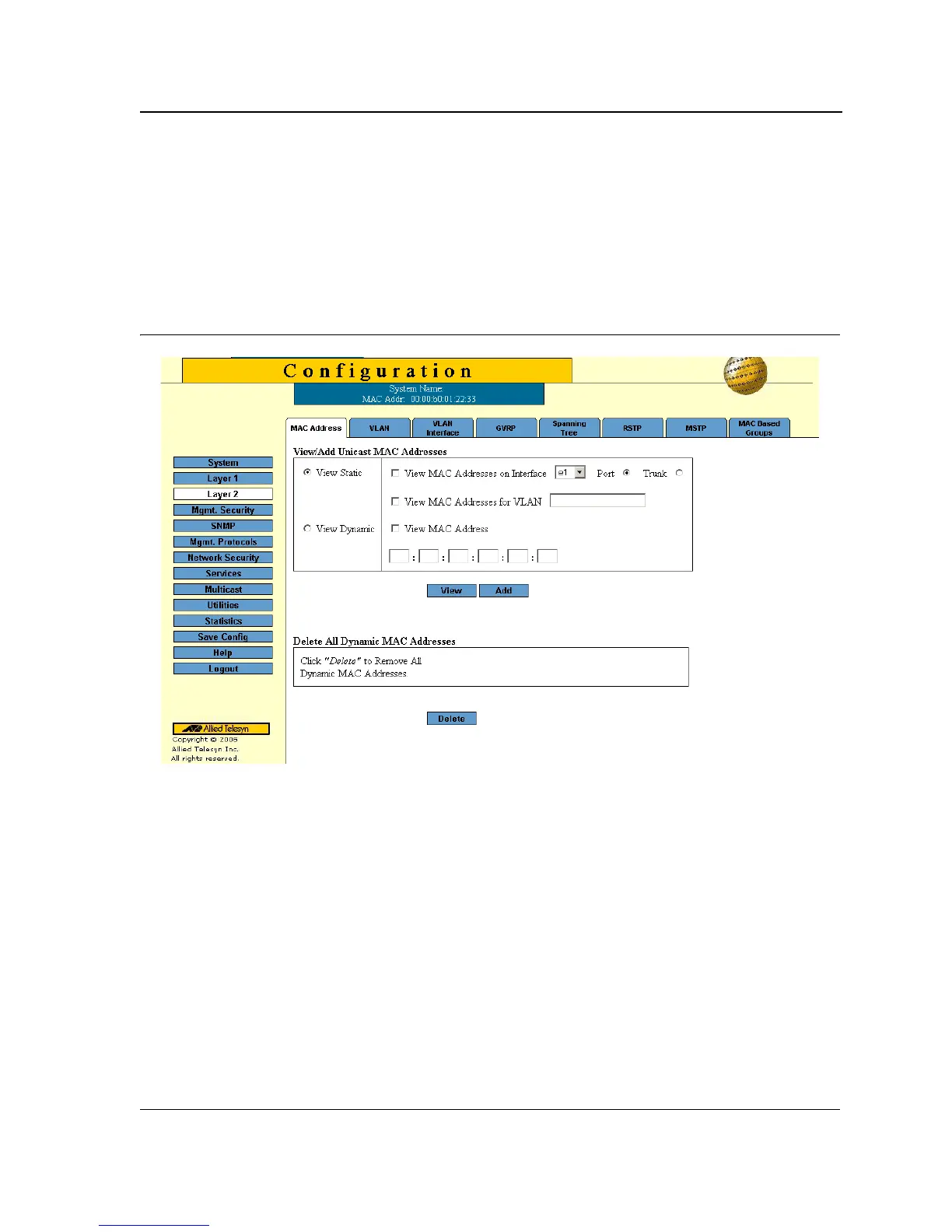
The MAC Address Page contains parameters for querying information in the Static Mac Address Table and the
Dynamic MAC Address Table. The MAC Address tables contain address parameters by which packets are directly
forwarded to the ports and can be sorted by interface, VLAN, and MAC Address.
To configure MAC addresses:
1. Click Layer 2 > MAC Address. The MAC Address Page opens:
Figure 42: MAC Address Page
The MAC Address Page contains the following sections:
• View/Add Unicast MAC Addresses — Enables viewing and configuring Unicast addresses.
• View/Add Multicast MAC Addresses — Enables viewing and configuring Multicast addresses.
The fields in both page sections are the same. Only one page can be selected at a time. The default
selection is the View All option for Multicast MAC addresses.



 To Next Page
 Loading...









