Configuring Multicast Forwarding
Defining Multicast Forward All Settings
Page 107
Defining Multicast Forward All Settings
Multicast forwarding enables transmitting packets from either a specific multicast group to a source, or from a non-
specific source to a Multicast group.
The Bridge Multicast Forward All page contains fields for attaching ports or LAGs to a device that is attached to a
neighboring Multicast router/switch. Once IGMP Snooping is enabled, Multicast packets are forwarded to the
appropriate port or VLAN. Unless LAGs are defined, only a Multicast Forward All table displays.
To define Multicast forward all settings:
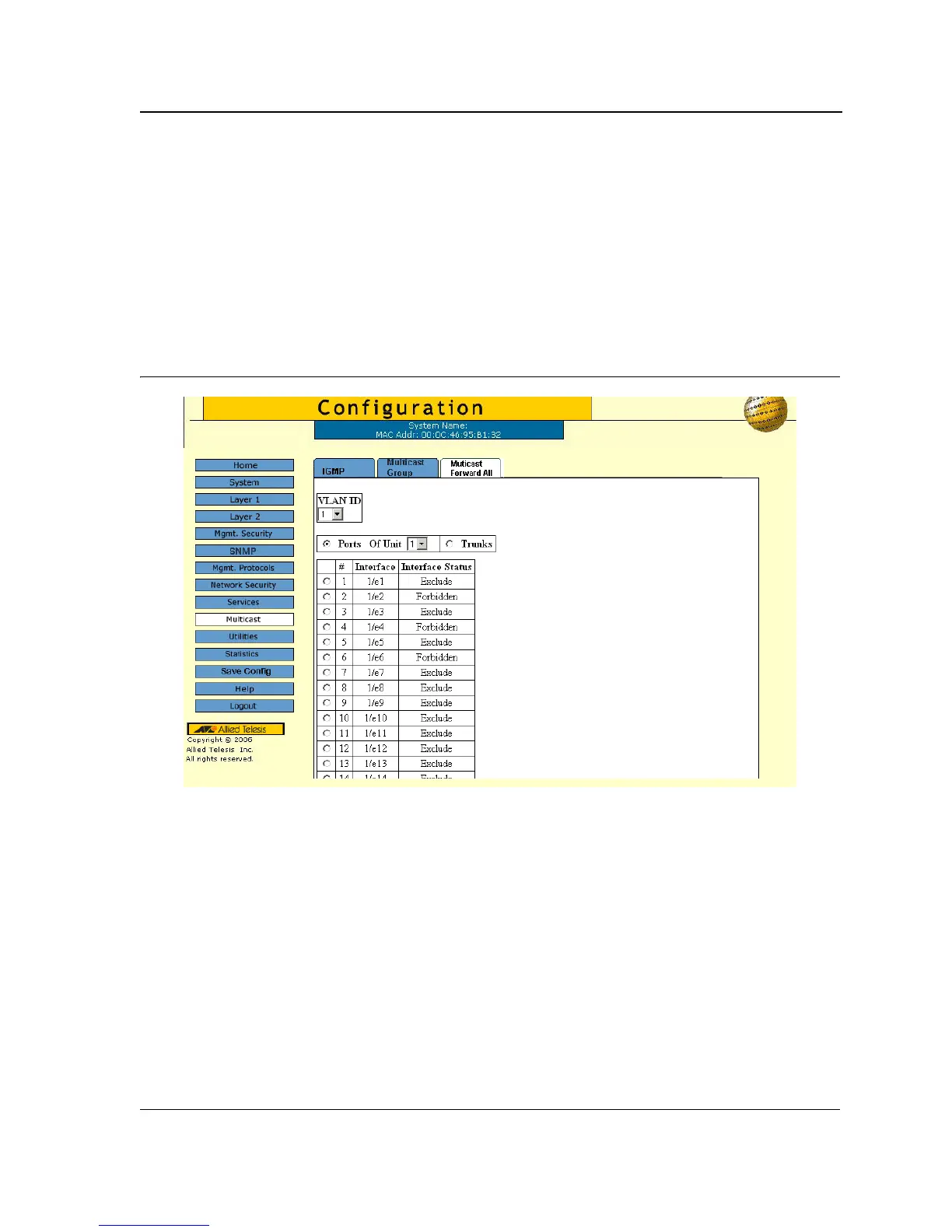
1. Click Multicast > Multicast Forward All. The Multicast Forward All Page opens:
Figure 67: Multicast Forward All Page
The Multicast Forward All Page contains the following fields:
• VLAN ID — Displays the VLAN for which Multicast parameters are displayed.
• Unit Number— Identifies a VLAN and contains information about the Multicast group address.
• Ports —VLAN ID — Lists the ports for which Multicast parameters are displayed.
• Of Unit — Lists the units for ports that can be added to a Multicast service.
• Trunks — Lists the trunks that can be added to a Multicast service.



 To Next Page
 Loading...









