Configuring Services
Enabling Class of Service (CoS)
Page 133
Enabling Class of Service (CoS)
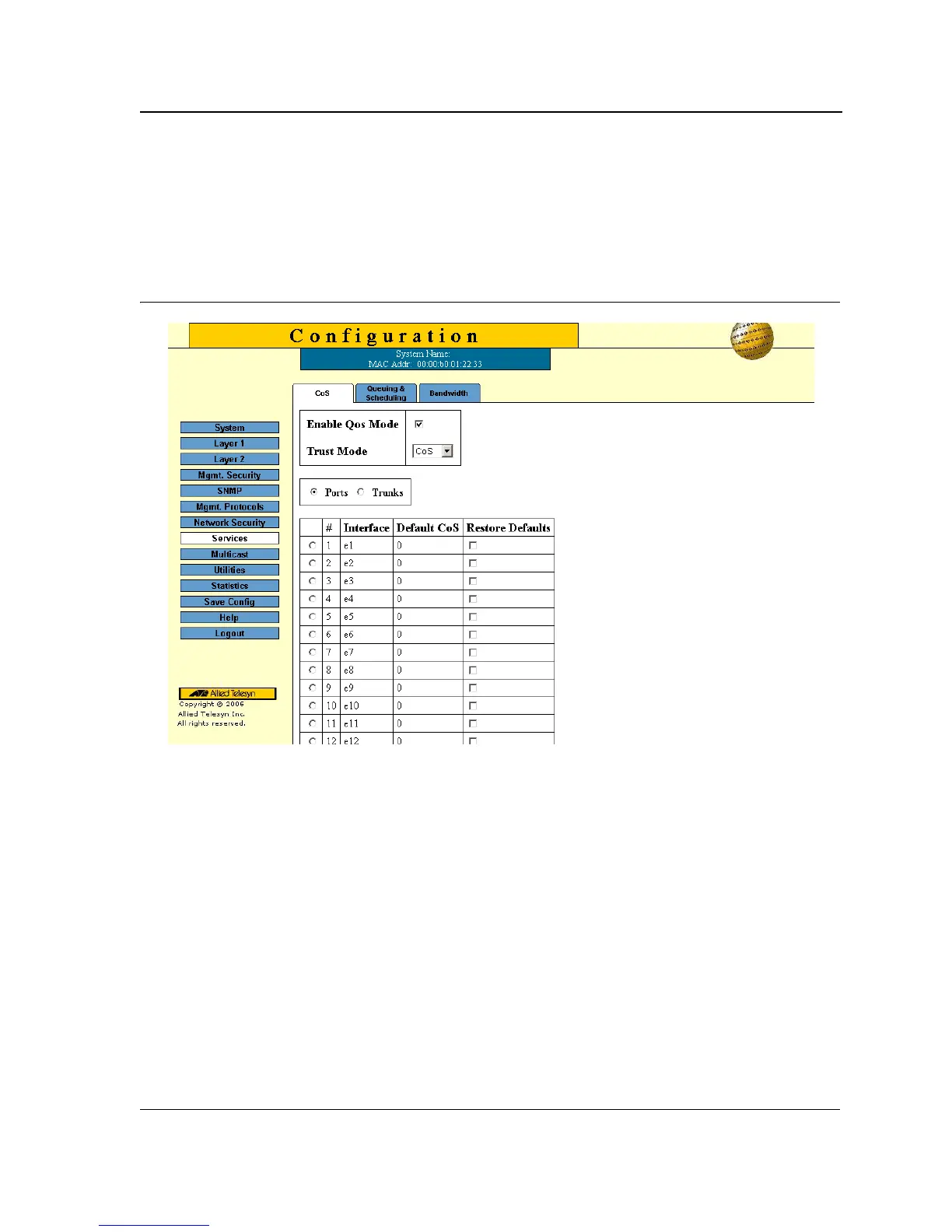
The CoS Page enables configuring the CoS ports or trunks on the device.
To configure CoS ports or trunks on the device:
1. Click Services > CoS. The CoS Page opens:
Figure 84: CoS Page
As a default the CoS Page opens displaying the port options. The fields are identical when displaying the trunk
CoS. The CoS Page contains the following fields:
• QoS Mode — Indicates if QoS is enabled on the interface. The possible values are:
– Basic — Enables QoS on the interface.
– Disable — Disables QoS on the interface.
• Ports — Displays the Ports CoS table.
• Of Unit — Defines the unit number.
• Trunks — Displays the Trunks CoS table.
The Cos Ports table displays the following information:
• Number — Displays the interface number.
• Interface — Lists the interfaces available for CoS configuration.
• CoS Configuration — Lists the current configuration.
• Restore Defaults — Allows restoring default CoS values.
2. Select the interfaces.
3. Check the Restore Defaults option, where needed.



 To Next Page
 Loading...









