Configuring Device Security
Configuring Management Security
Page 41
Configuring RADIUS
Remote Authorization Dial-In User Service (RADIUS) servers provide additional security for networks. RADIUS
servers provide a centralized authentication method for web access. To configure RADIUS security settings:
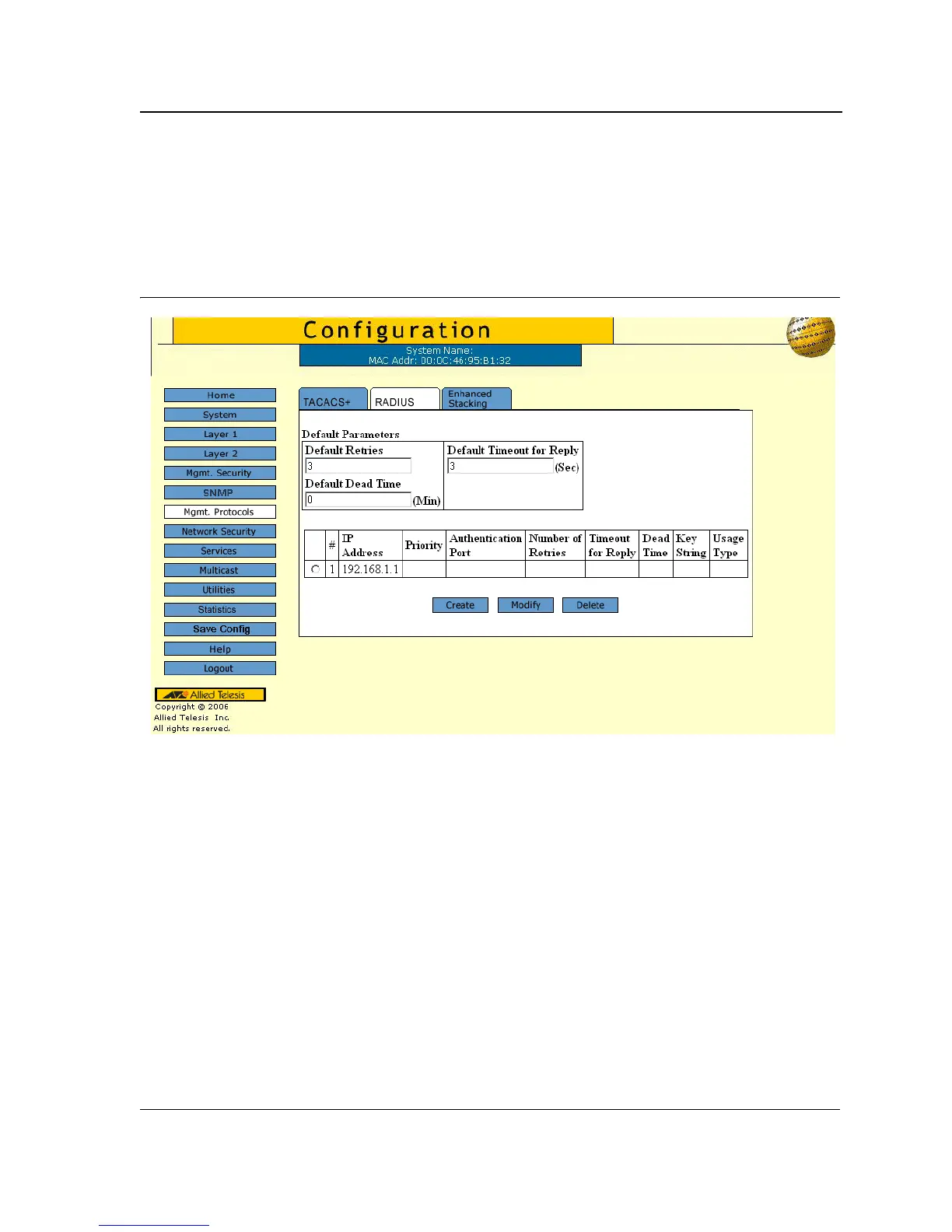
1. Click Mgmt. Protocols > RADIUS. The RADIUS Configuration Page opens:
Figure 22: RADIUS Configuration Page
The RADIUS Configuration Page contains the following fields:
• Default Retries — Defines the default number of transmitted requests sent to the RADIUS server before a
failure occurs. Possible field values are 1-10.
• Default Timeout for Reply — Defines the default time interval in seconds that passes before the connection
between the device and the TACACS+ server times out. The field range is 1-60 seconds and the default is 10
seconds.
• Default Dead Time — Defines the default amount of time (in minutes) that a RADIUS server is bypassed for
service requests. The range is 0-2000.
• Server # — Displays the RADIUS server number.
• IP Address — Displays the RADIUS server IP address.
• Priority — Displays the RADIUS server priority. The possible values are 1-65535, where 1 is the highest
value. The RADIUS server priority is used to configure the server query order.
• Authorization Port — Identifies the authentication port. The authentication port is used to verify the RADIUS
server authentication. The authenticated port default is 1812.
• Number of Retries — Defines the number of transmitted requests sent to the RADIUS server before a failure
occurs. Possible field values are 1-10.



 To Next Page
 Loading...









