Viewing Statistics
Managing RMON Statistics
Page 161
Configuring RMON Events
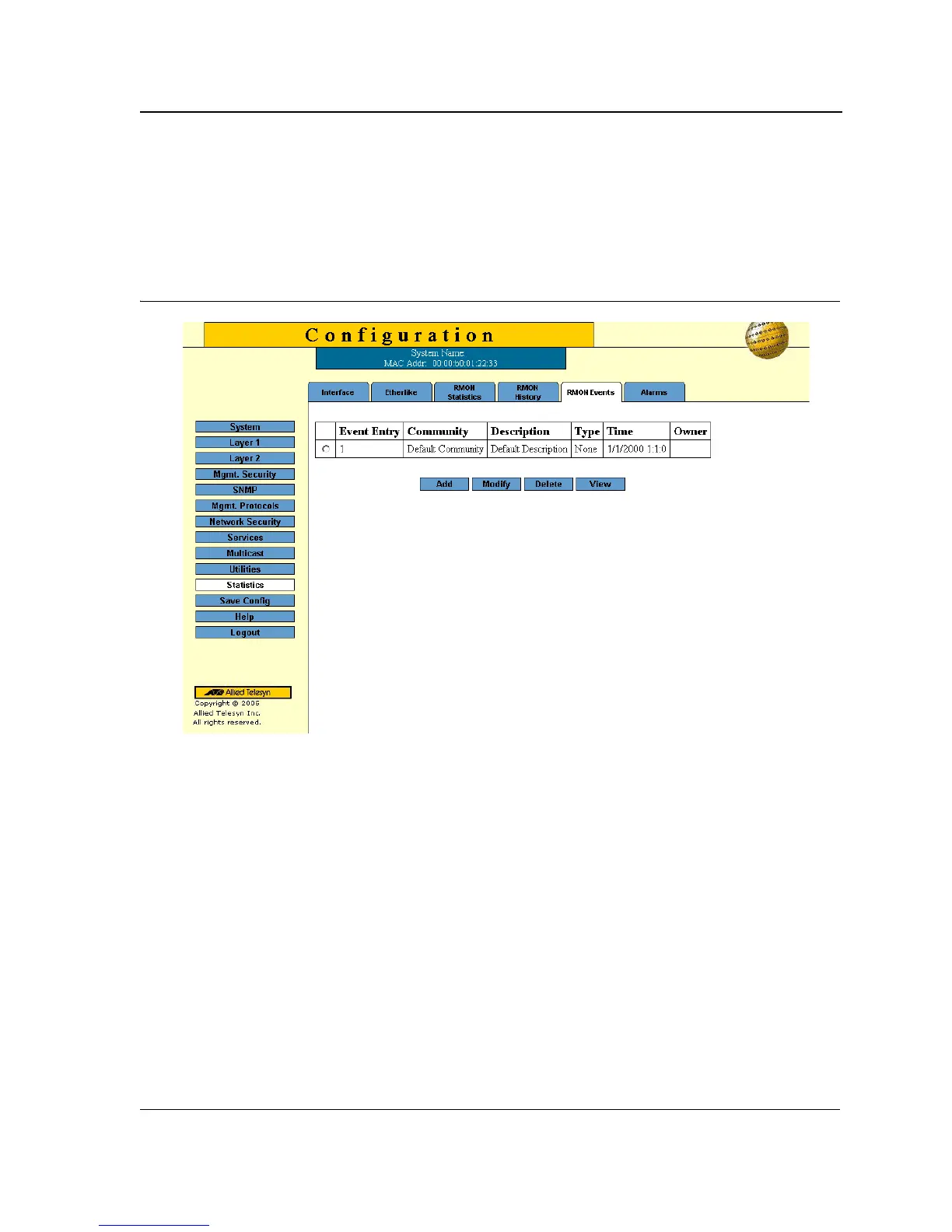
TThe RMON Events Page contains fields for defining, modifying and viewing RMON events statistics.
To add an RMON event:
1. Click Statistics > RMON Events. The RMON Events Page opens:
Figure 104:RMON Events Page
The RMON Events Page contains the following fields:
• Event Entry — Displays the event.
• Community — Displays the community to which the event belongs.
• Description — Displays the user-defined event description.
• Type — Describes the event type. Possible values are:
– Log — Indicates that the event is a log entry.
– Trap — Indicates that the event is a trap.
– Log and Trap — Indicates that the event is both a log entry and a trap.
– None — Indicates that no event occurred.
• Time — Displays the time that the event occurred.
• Owner — Displays the device or user that defined the event.



 To Next Page
 Loading...









