Configuring Device Security
Configuring Network Security
Page 53
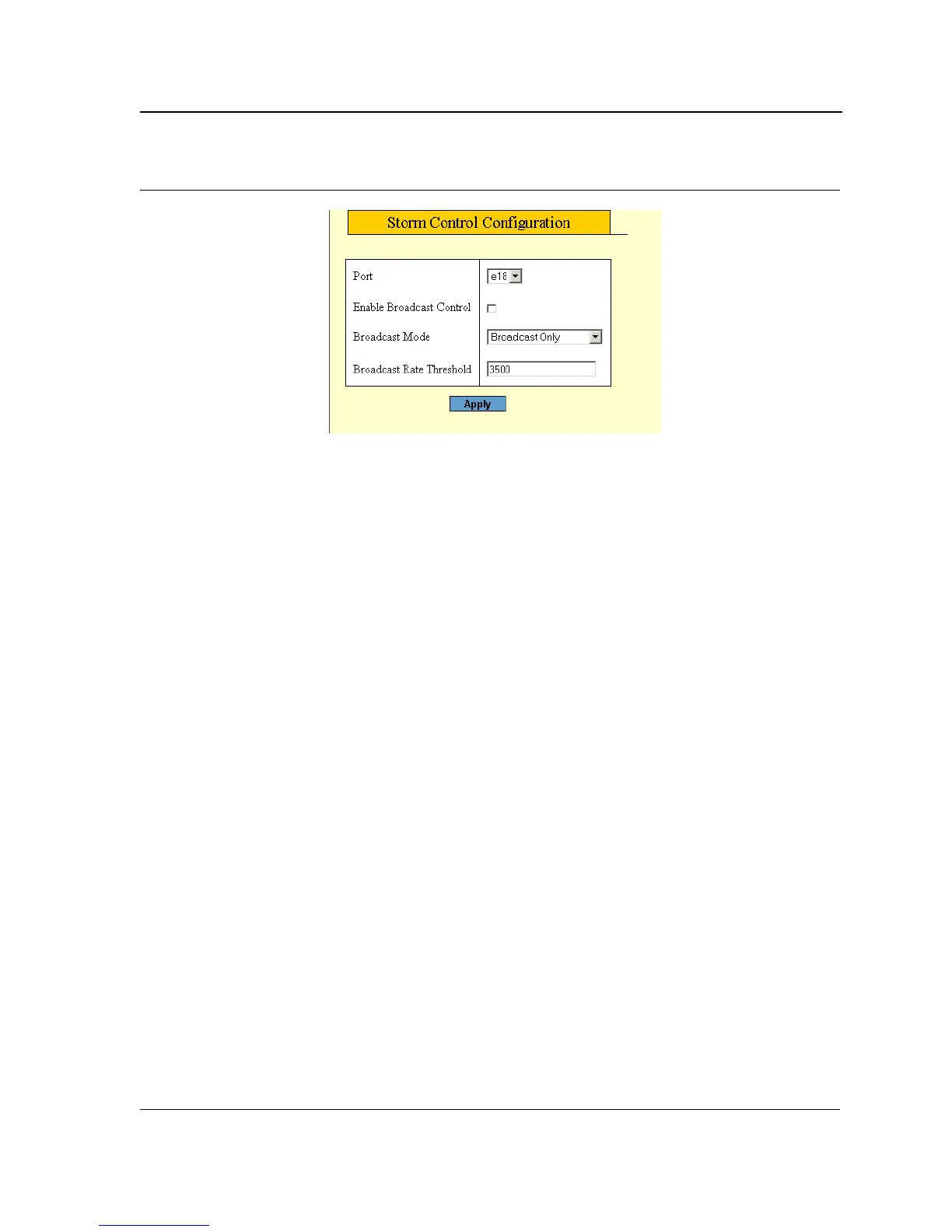
Figure 32: Storm Control Configuration Page
The Storm Control Configuration Page contains the following fields:
• Port — Indicates the port from which storm control is enabled.
• Enable Broadcast Control — Indicates if forwarding Broadcast packet types is enabled on the port.
The field values are:
– Enabled — Enables storm control on the selected port.
– Disabled — Disables storm control on the selected port.
• Broadcast Mode — Specifies the Broadcast mode currently enabled on the device.The possible field
values are:
– Multicast & Broadcast — Counts both Broadcast and Multicast traffic together.
– Broadcast Only — Counts only the Broadcast traffic.
• Broadcast Rate Threshold — Indicates the maximum rate (kilobits per second) at which unknown packets
are forwarded. The range is 70-100,000. The default value is 2500. The range for Giga ports is 3500-100,000.
4. Select the Port Storm Control Settings.
5. Click Enable Broadcast Control, and define the Rate Threshold.
6. Click Apply. Storm control is enabled on the device for the selected port.
7. Click Save Config on the menu to save the changes permanently.



 To Next Page
 Loading...









