Altai Technologies Ltd. All rights reserved
C1n Series WIFI AP/CPE Web-admin Configuration Manual
TPS15-003_rev1.3
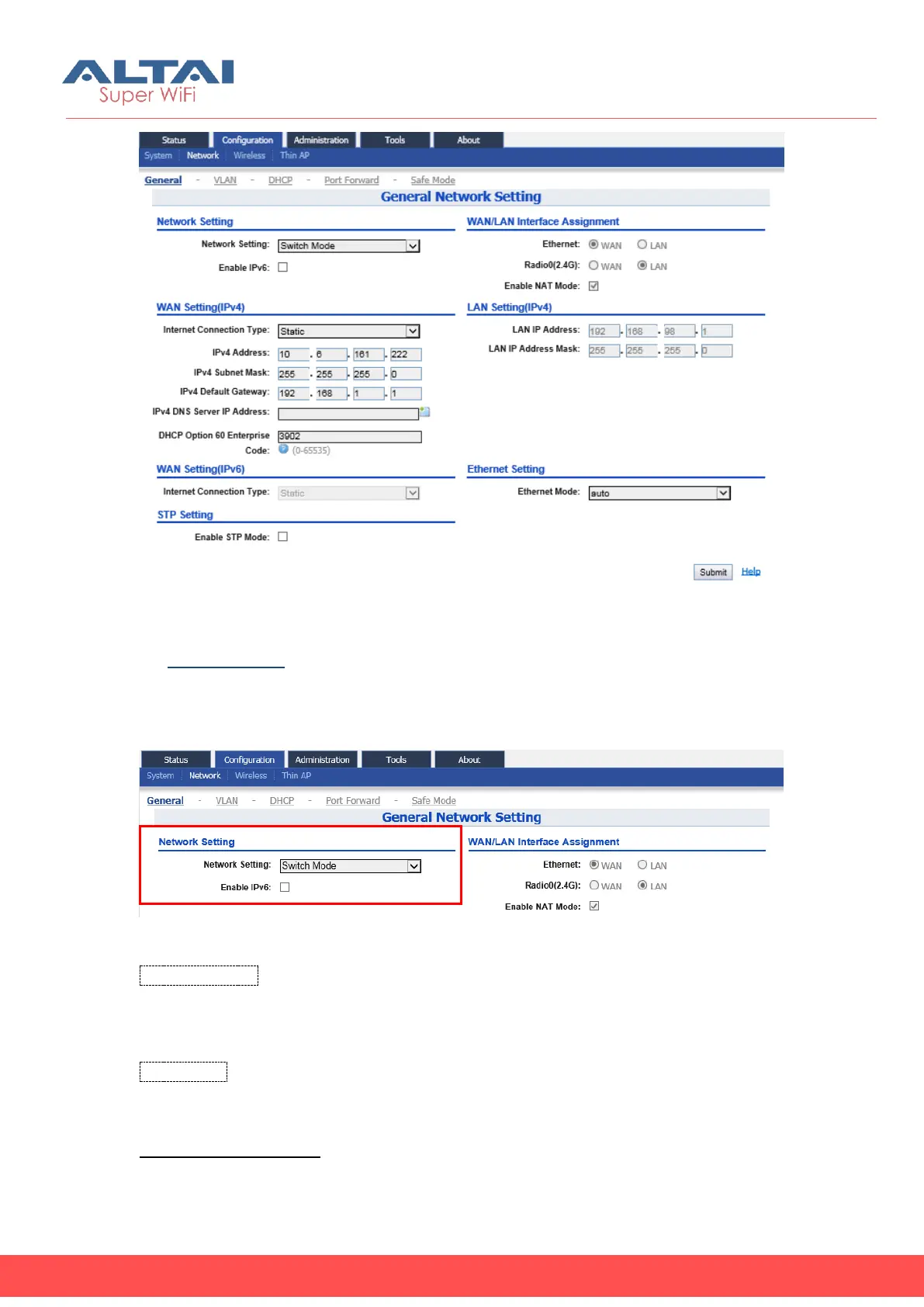
Figure 5-7 Network Setting
1) Network Setting
C1n can act as Layer 2 switch or Layer 3 gateway.
Figure 5-8 Network Setting
Network Setting: The operating mode of C1n, it can be configured as either Switch
mode or Gateway mode. If configuring as Switch mode, C1n acts as a switch. It inter-
exchanges the packets between Ethernet and WLAN(s); if configuring as Gateway
mode, C1n acts as an IP gateway. NAT and DHCP server are available only in
Gateway mode. By default, Switch mode is configured.
Enable IPv6: C1n is able to work with both IPv4 network and IPv6 network. Please
enable it if AP is connected to IPv6 network; otherwise disable this option. By default,
it is disabled.
Configure C1n as switch:



 To Next Page