Altai Technologies Ltd. All rights reserved
C1n Series WIFI AP/CPE Web-admin Configuration Manual
TPS15-003_rev1.3
In switch mode, C1n works as a switch to deliver data between Ethernet interface
and wireless interfaces.
1 Select Configuration->Network->General to go to configuration page.
2 Select “Switch Mode” in Network Setting.
3 Click Submit.
4 Click Save&Apply to apply changes.
Configure C1n as gateway:
In Gateway mode, C1n acts as a gateway. By default, Ethernet is assigned as WAN
interface; while Radio interfaces (2.4G or 5G) are assigned as LAN interface. The LAN
IP information, i.e. LAN IP address and LAN IP address mask, must be specified in
gateway mode. C1n use LAN IP address communicate with the clients inside LAN;
C1n use WAN IP address (the IP address under WAN Setting) to communicate with the
outside network.
1 Select Configuration->Network->General to go to configuration page.
2 Select “Gateway Mode” in Network Setting.
3 Click Submit.
4 Click Save&Apply to apply changes.
Warnings: When the C1n acts as gateway, VLAN function is not available.
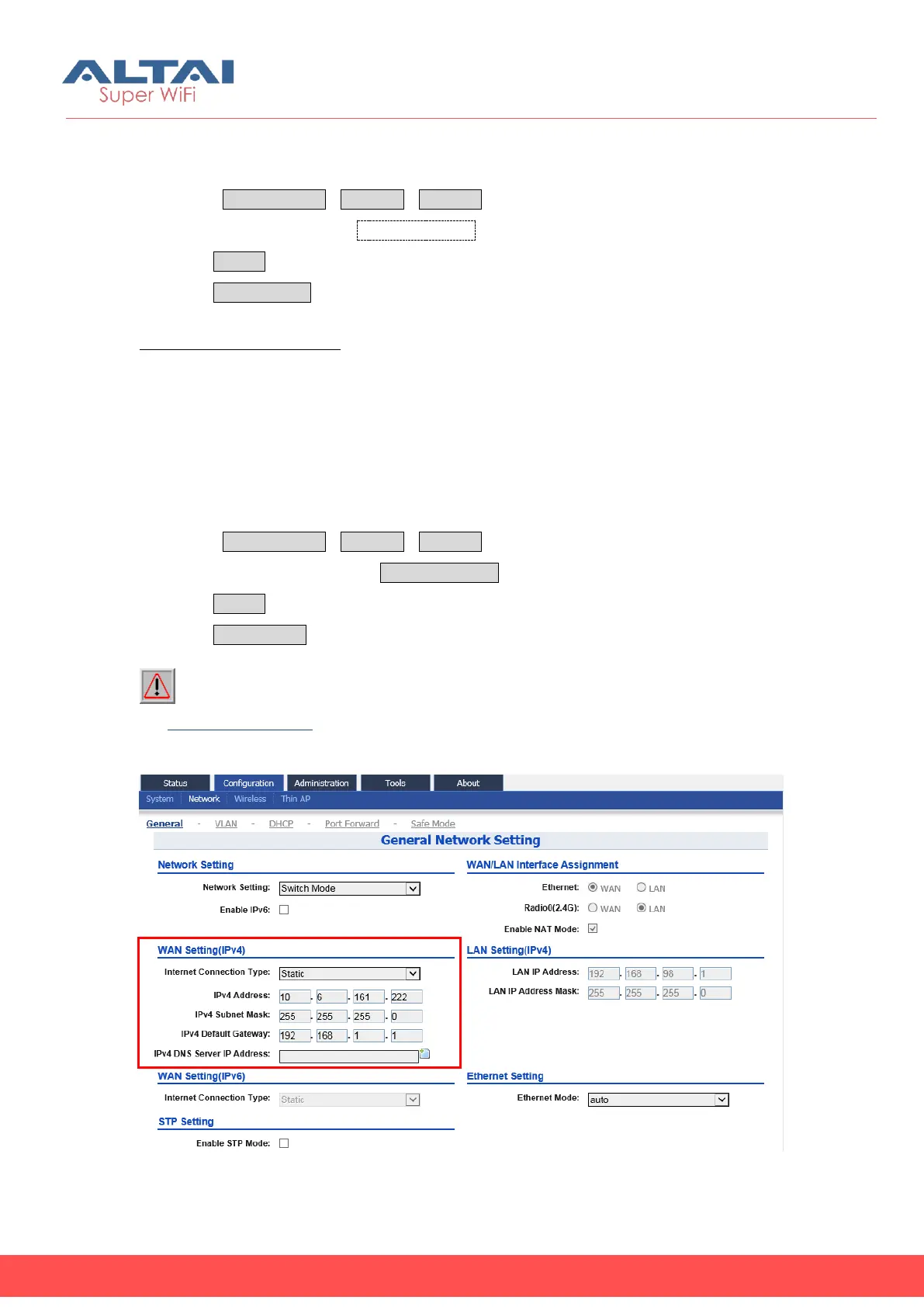
2) WLAN Setting (IPv4)
Figure 5-9 WLAN Setting (IPv4)



 To Next Page