Altai Technologies Ltd. All rights reserved
C1n Series WIFI AP/CPE Web-admin Configuration Manual
TPS15-003_rev1.3
3. Select suitable cipher mode in Cipher Mode. If Authentication Mode is set as
“WPA2”, “AES” is the only option. If Authentication Mode is set as “WPA-PSK-auto”,
“AES+TKIP” is the only option.
4. Specify update time of group key in Group Key Update Interval. The default
value is 86400s.
5. Set the passphrase in Pass Phrase. Special characters are supported, e.g. @,
#…etc.
6. Click Submit
7. Click Save&Apply to apply
5) ACL Configurations
C1n Series AP/CPE supports Access Control List (ACL), it bases on MAC address
filtering. There are 3 modes in the Access Control List (ACL). They are “Disabled”,
“Enabled-Default Allow” and “Enabled-Default Deny”.
“Disable” - means the function of ACL is disabled.
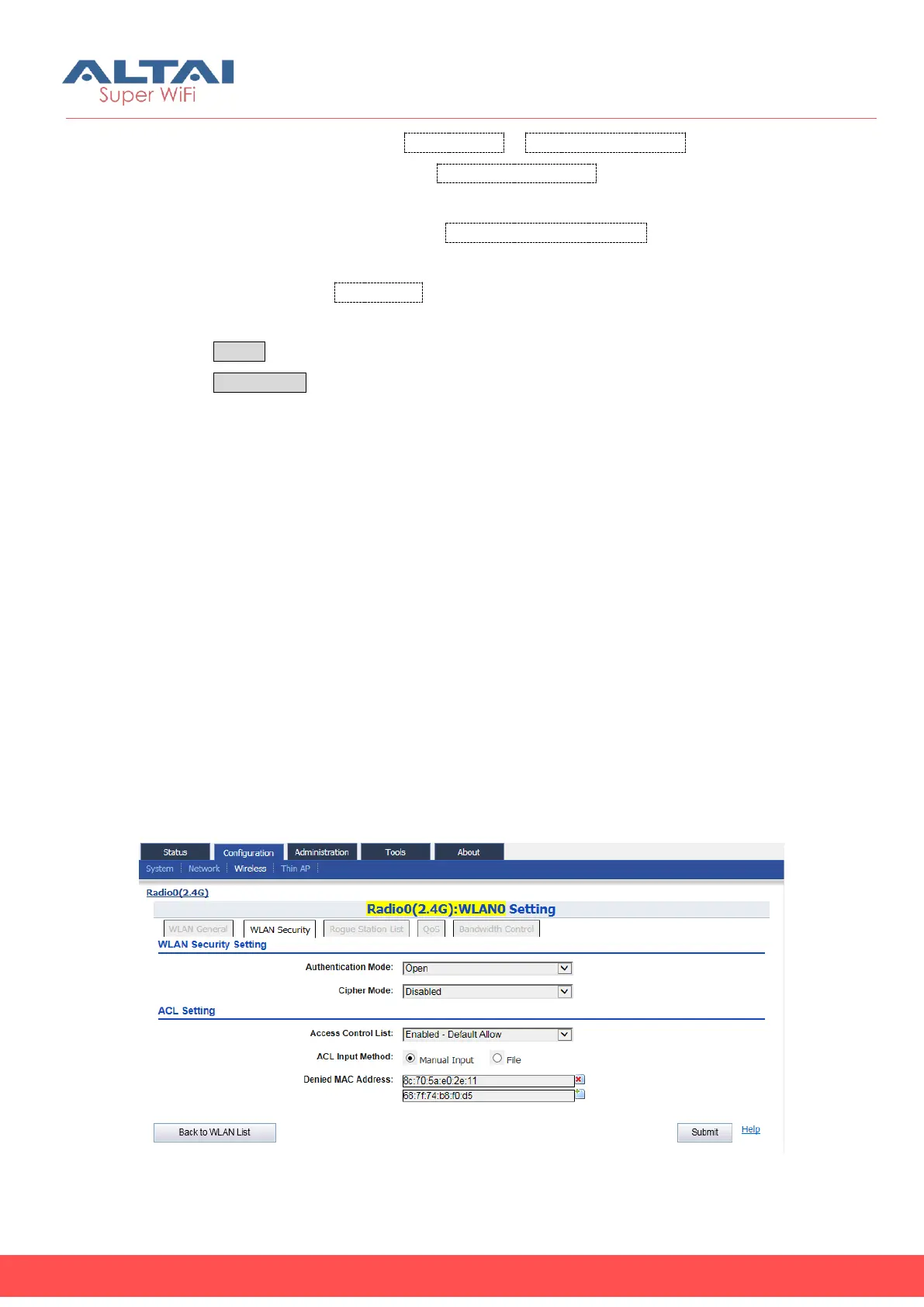
“Enabled-Default Allow” - The function of ACL is enabled. The MAC addresses which
are specified in the ACL will consider as Allow. That means no one can access to the
base station, unless the computer which has an MAC address matches one of the
entries of the ACL with its ACL Type is Allow.
“Enabled-Default Deny” - The function of ACL is enabled. The MAC addresses which
are specified in the ACL will consider as Deny. Every computer can access to the
base station, unless the computer which has an MAC address matches one of the
entries of the ACL with its ACL Type is Deny.
Figure 5-32 ACL-Default Allow



 To Next Page