Page 15
EVACU ELITE
INSTALLATION, COMMISSIONING AND USER MANUAL
Figure 4-12 Graphical user interface
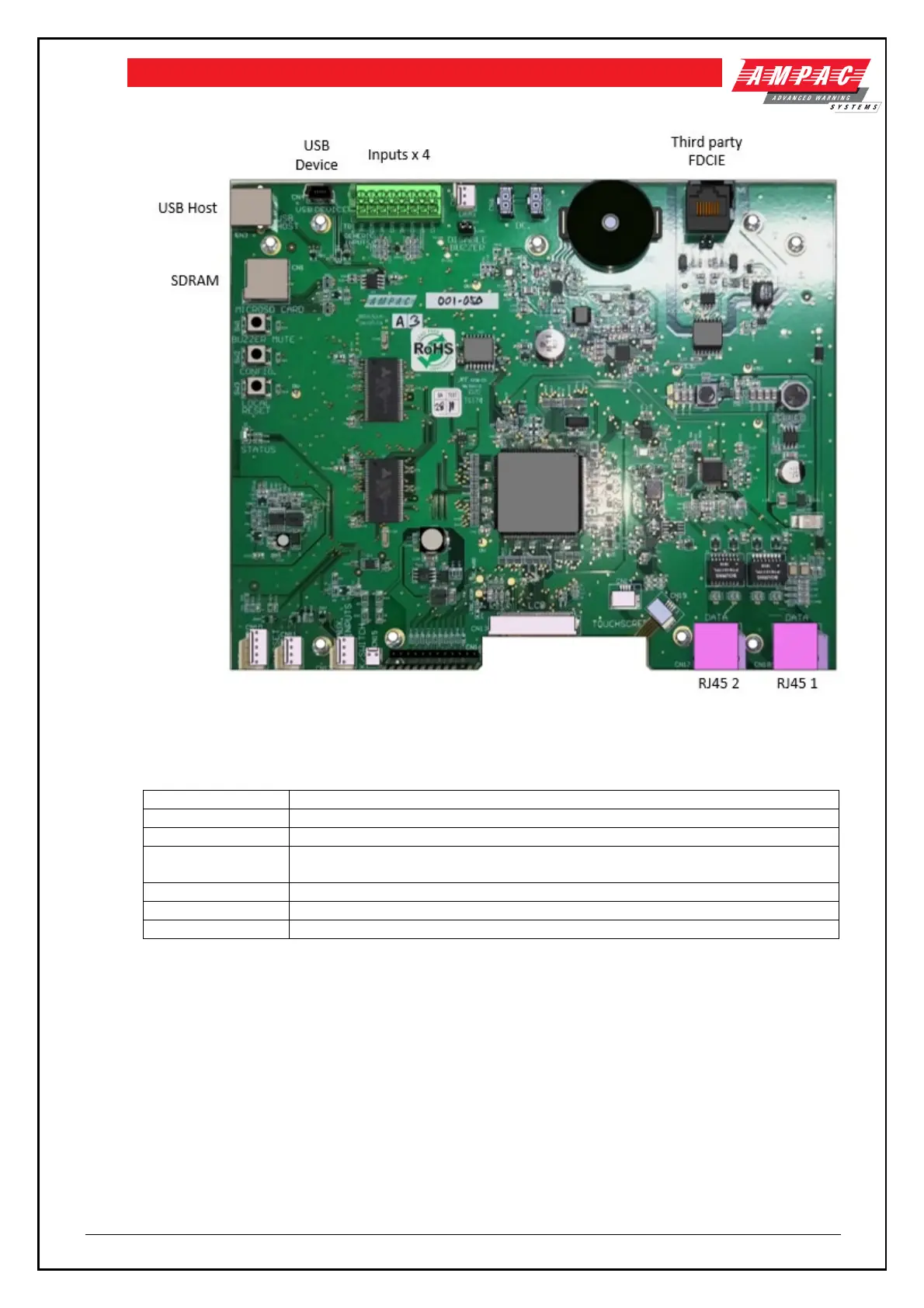
The touchscreen is a 9-inch TFT LCD 800 x 480 with LED backlighting and resistive touch screen.
Used to update firmware and configuration files by USB Flash drive
Connection to the PC Programming App
Supervised input, selectable EOL, common reference. Input 1 is dedicated to
the front panel MCP and input 4 is dedicated to the door switch.
Isolated RS 485 link to interface to third party FDCIE / Graphics interface
Connection to Distribution CPU
4.2.4 Universal Rack Cards
The following are the universal rack cards.
4.2.4.1 Distribution CPU
Each rack has a dedicated slot for a DCPU
The DCPU has the link to the GUIs, and controls the cards in the rack frames by issuing commands
and routing the required audio down the rack all-purpose back plane
The DCPU fitted to rack 1 (closest to the power supply) is the main DCPU for the cabinet.



 To Next Page