Page 58
EVACU ELITE
INSTALLATION, COMMISSIONING AND USER MANUAL
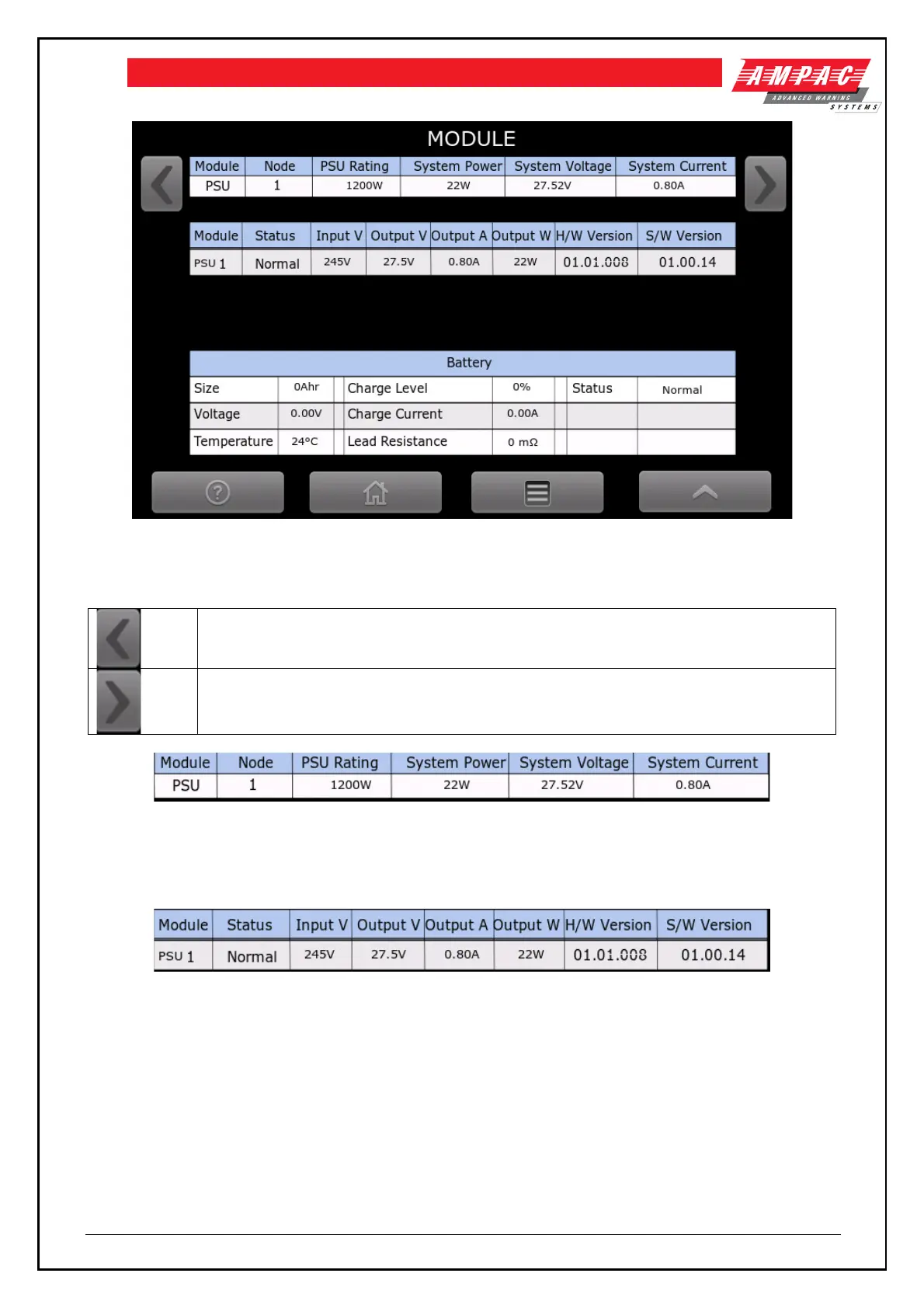
Figure 6-30 Power supply status screen
The following explains the content of the screen
Display the previous module in the node
Display the next module in the node
Figure 6-31 Power supply status
Figure 6-31 details the overall power status of the cabinet. The node number, PSU rating, current system
power, current system voltage and system current is displayed.
Figure 6-32 Power supply module status
Figure 6-32 details the status of each of the fitted power supply modules (24U cabinet supports up to 3 modules
and the 13U cabinet supports up to 2 modules).
The status, input voltage, output voltage, output current, output power and software and hardware version of
the Power control card is displayed



 To Next Page