Page 51
EVACU ELITE
INSTALLATION, COMMISSIONING AND USER MANUAL
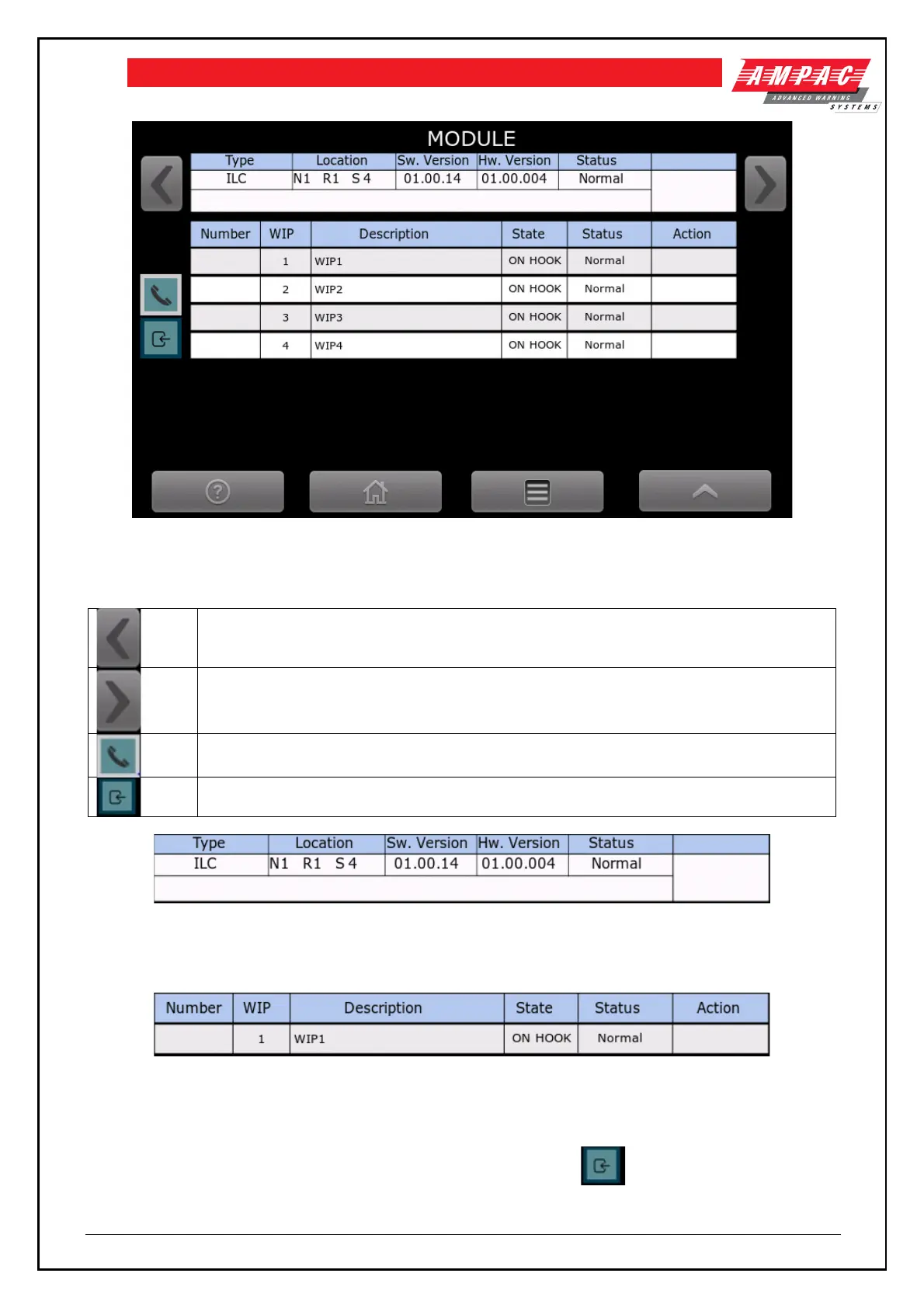
Figure 6-15 Quad radial EIS line card status screen
The following explains the content of the screen
Display the previous module in the node
Display the next module in the node
Display the status of the handsets – handsets are currently displayed as the icon is
highlighted
Press to display the inputs. Each handset supports one input
Figure 6-16 Quad radial EIS line card status
Above is the module type “ILC”, location – Node 1, Rack 1, Slot 4, Software version 01.00.14, hardware version
01.00.004 and status is Normal.
Figure 6-17 Handset status
There is a record for each of the handsets, showing the type as WIP, allocated zone number, description, state
and status.
Figure 6-18 shows the quad radial EIS line card status, and as the is highlighted, the inputs are
displayed.



 To Next Page