Page 80
EVACU ELITE
INSTALLATION, COMMISSIONING AND USER MANUAL
Double pole, single throw (1 x NO, 1 x NC, 2 x COM)
Single pole, double throw (COM, NO, NC)
Not available for field connection
Not available for field connection
Not available for field connection
Audio inputs 1 and 2 are available for BGM, and can be routed to any amplifier.
Inputs 1 and 2 are general purpose inputs
Relays 1, 2 and 3 are general purpose outputs
8.2.2 Indications
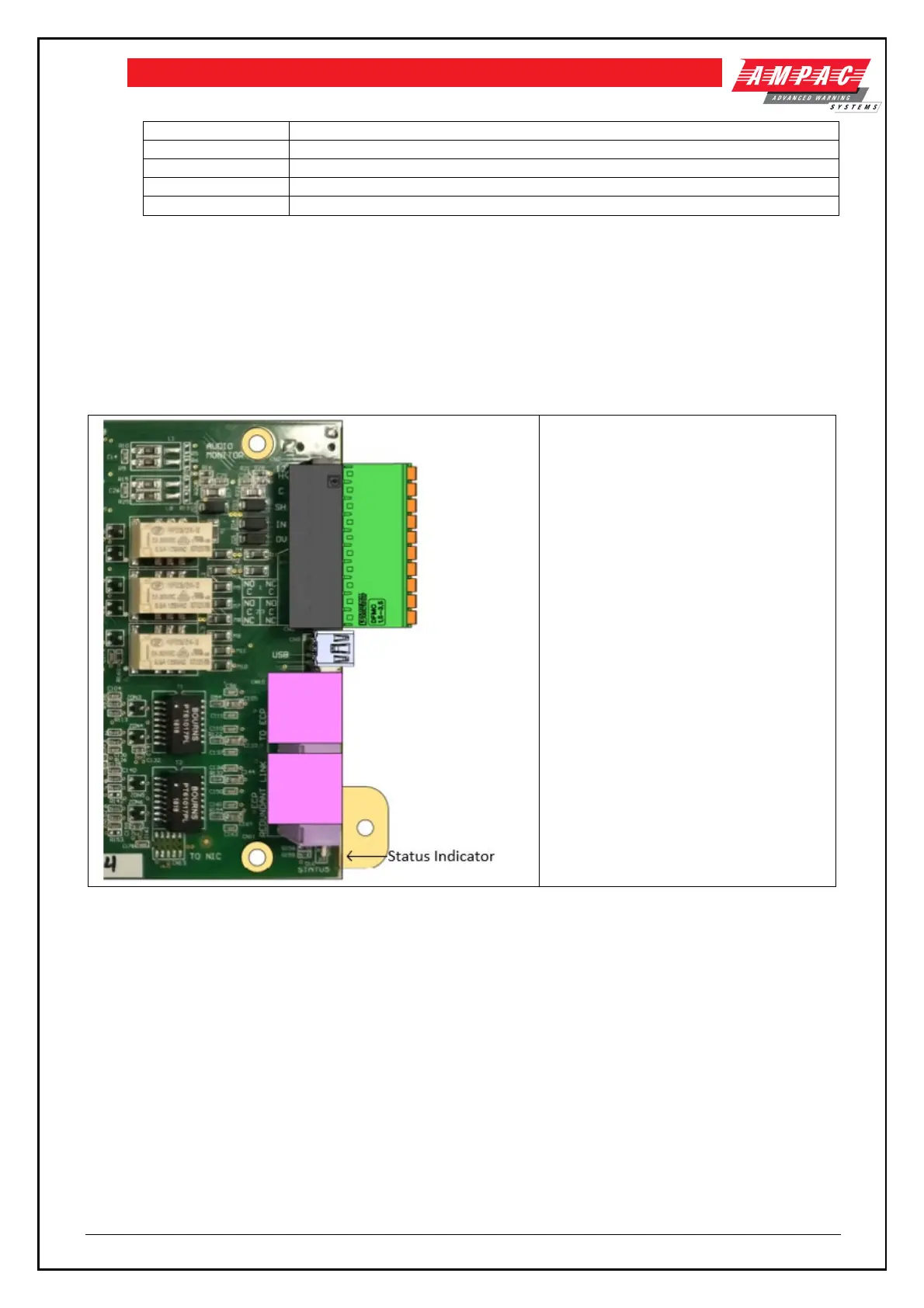
The Distribution CPU has one status indicator, located adjacent to RJ45 2. See below
OFF: cards have no power or processor
is fault
FLASHING GREEN: board is operating,
no faults
FLASHING AMBER: board has a fault
condition
8.3 Multi-purpose output card (MOC)
8.3.1 Connections
Following table details the field connections to the MOC



 To Next Page