Page 66
EVACU ELITE
INSTALLATION, COMMISSIONING AND USER MANUAL
Setting the daylight-saving start
or end day
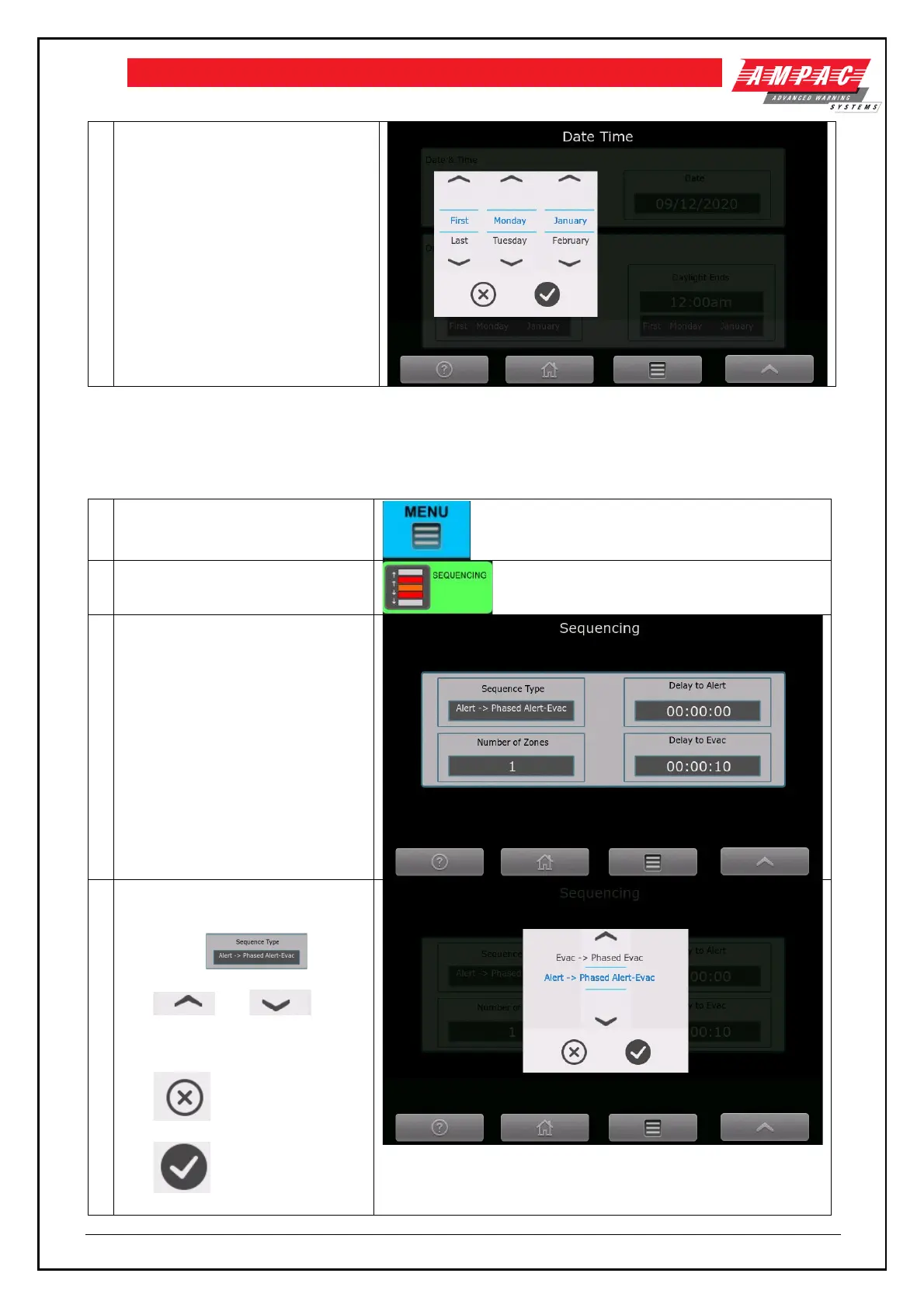
6.11 Sequencing
To edit the sequencing, refer to the following steps
Sequencing control (requires
access level 3)
Shows the sequence type, the
number of zones, delay to alert and
delay to evac.
The number of zones, delay to
alert and delay to evac are all
parameters to the sequence type.
To set/change the sequence type –
activate the control.
The and
controls step thru the available
sequences.
The cancels the action
The accepts the selected



 To Next Page